
Pinokiaaa - Minecraft Skins & Skin History
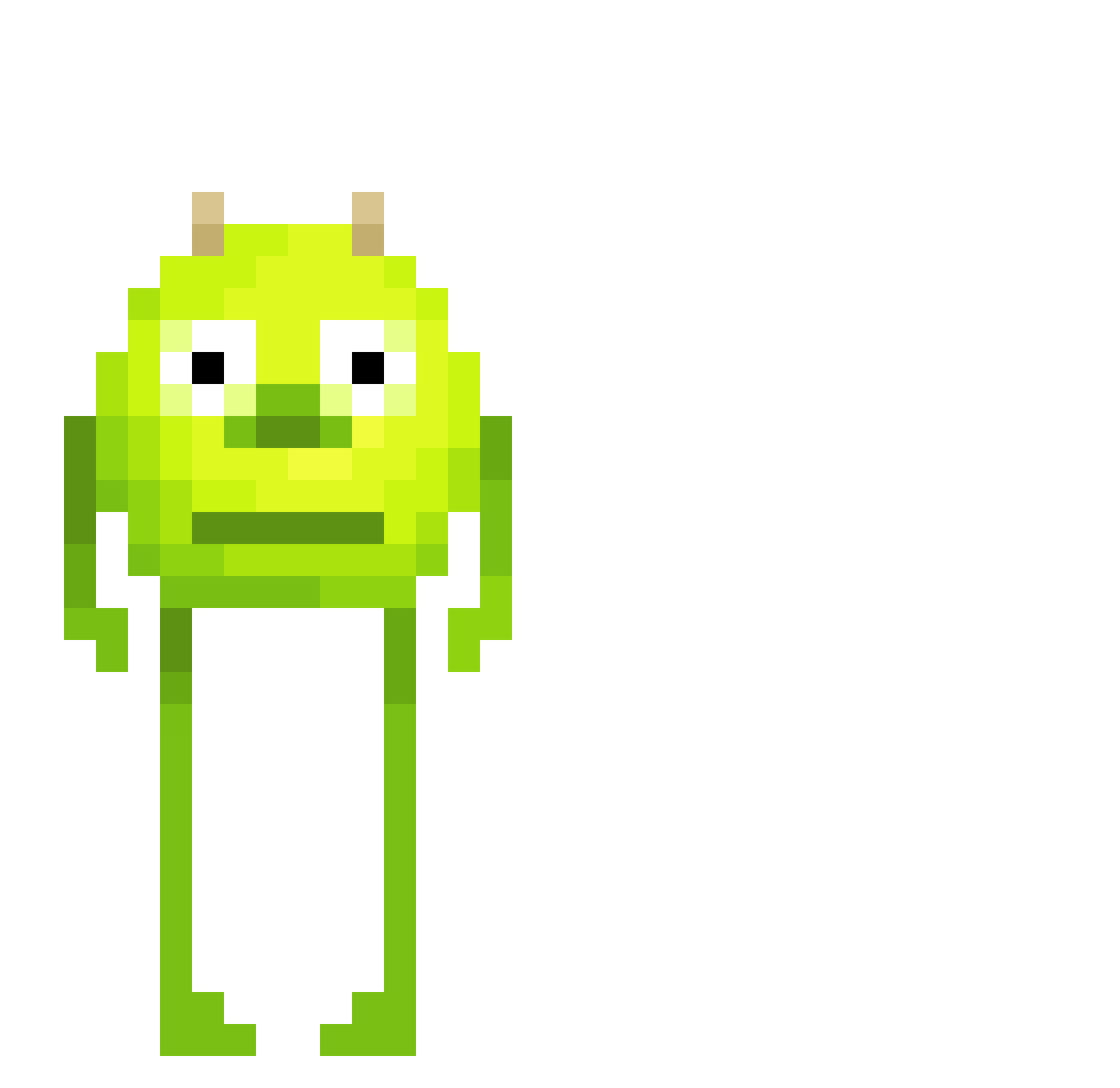
Current Minecraft skin of the player Pinokiaaa, loaded from the official Mojang API. Rotate the 3D model with your mouse or finger, then download the skin as a PNG file and use it in Minecraft: Bedrock Edition or Java Edition for free. When Pinokiaaa changes their skin, this page updates automatically and the old skin stays in the history below.
Other players with this skin (465)
Pinokiaaa was the 5th player we have seen with this skin, first spotted on 22.07.2026. The same skin was seen on these players. Open a nickname to see their current skin and skin history.
 Aronfreir iceman102119 tonim36 jekzis Raven20177 JuhoRiponiemi loganh66123 Dujan28 LukxiE norbit1250 MainlySpook oNateyz Purpti gab_c1234 Remiewekaj JumpiestBand613 xishere caiox___ Doobie_wh0re PrimaltyRomaincs xbro lazercoster f_hamer jazzysxz mister_no Gracetrixie3 Waxy_Mammoth Marfix24 philipon11s
 Vsyanc keegancrawfish Leorocha1206 finbin454 Louis18093 Mydissssss Justiniano129 Zynonimm
 Daitxxxx chuerc01 nootynooty 5beersdown vertoxlax GURG3NA yuukih1 hannnnes03
 Snocoloco OpA220 Publichost_fo Mischnael_2008 maitre_boz ProneDestruction alejandrorecio BabyAxolotl1 dnlb EagleJoji ItzDriftyBoi
 DaddyTomato1027 MineDatBlock123 Crazyups adpted
More Mike Wazowski Minecraft skins
See all 281 Mike Wazowski skins
How to install the Pinokiaaa skin
- Press the Download button above to save the skin as a PNG file.
- Minecraft: Bedrock Edition (PE): open the Dressing Room from the main menu (or tap your character → Edit Character), go to Classic Skins → Owned, press the + (new skin) button, choose the downloaded PNG and pick the Classic (Steve) model. Works on PC and mobile; consoles cannot import custom skins.
- Minecraft: Java Edition: open the Minecraft Launcher, go to the Skins tab, click New Skin, load the PNG, pick the Classic (Steve) model and press Save & Use. You can also upload it at minecraft.net → Profile → Change Skin.
The skin does not show up after import - what should I do?
Restart Minecraft and open the Dressing Room again - imported skins sometimes appear only after a restart. Also make sure you selected the imported skin and picked the Classic (Steve) model.
Which model should I choose, Classic or Slim?
This skin is designed for the Classic (Steve) model. If you pick the wrong model, the arms of the skin will look stretched or squeezed.
Is the skin of Pinokiaaa free to download?
Yes. Press Download, save the PNG file and use it in Minecraft: Bedrock Edition or Java Edition - no payment or registration needed. The skin also works on multiplayer servers and Realms.
More skins
Looking for more? Go back to all Minecraft skins and check the top skins of the week, month and all time, or find any player's skin by nickname.