
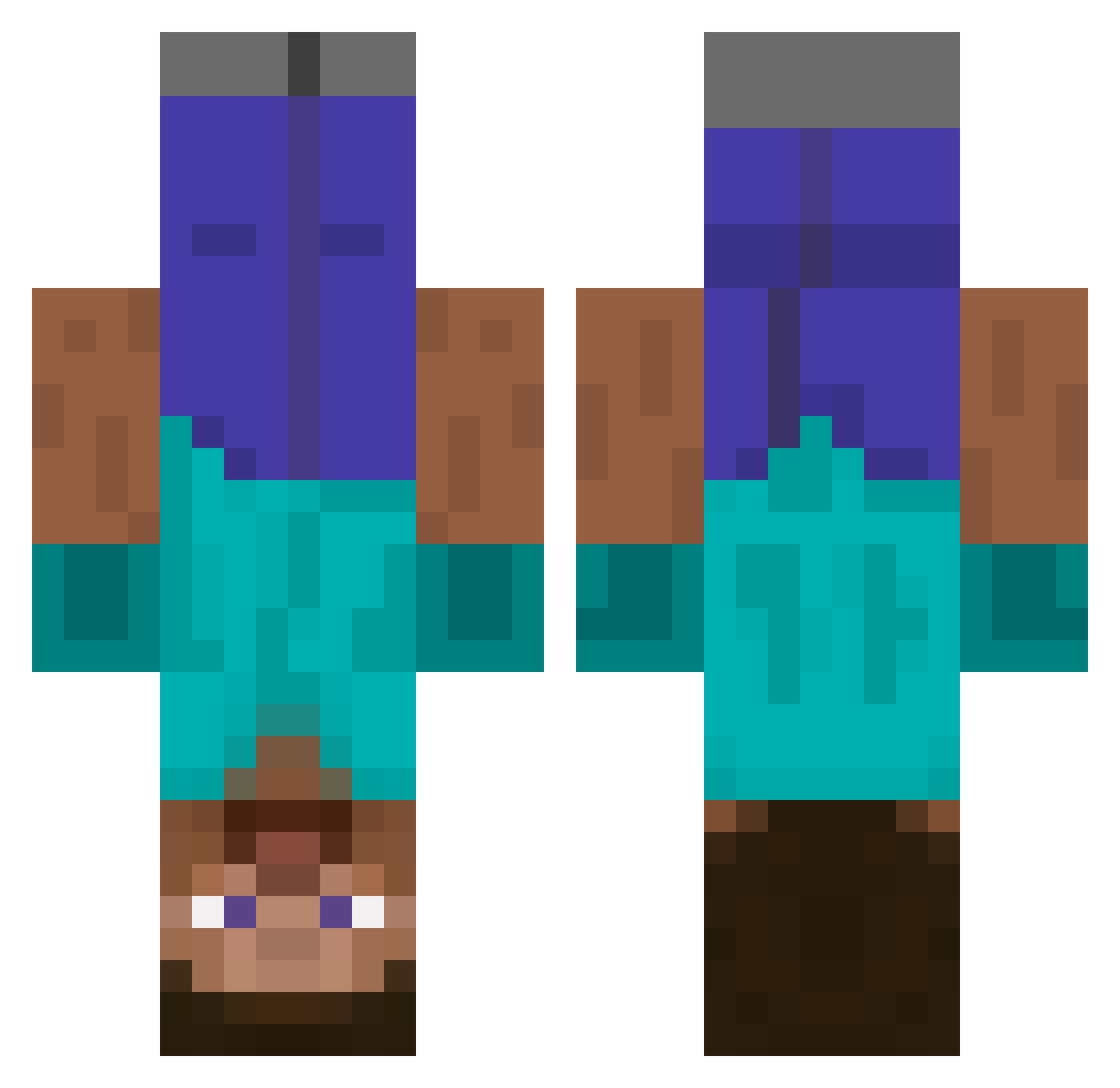
Current Minecraft skin of the player PinoScotto, loaded from the official Mojang API. Rotate the 3D model with your mouse or finger, then download the skin as a PNG file and use it in Minecraft: Bedrock Edition or Java Edition for free. When PinoScotto changes their skin, this page updates automatically and the old skin stays in the history below.
Other players with this skin (481)
PinoScotto was the 305th player we have seen with this skin, first spotted on 20.09.2026. The same skin was seen on these players. Open a nickname to see their current skin and skin history.
 BenEliahNeo Tank_Runner Henry_711 vituraia Nomuwomu Forttis ParkAve Scr0nch MythicalBeast70 KVLonelyWalker Flash12135 ZerotoNero Quinn7780 Liminulia Linsus Wei_HR zorngov HectorHI 19_Savage Y44N DawidKlaksper Zilenn Copycat111 paidasan Mizoreee TheCrazyShady gtagamer127 RexNg1234 gnikxes9 KBNVINICIUS_ xX_MLuis_Xx ExceedinglyMoist Doudoo7F jimmyorsomething Tundra17 1122baregrim dwang7 salvasul lrx2778 Driveacrance bigx2021 MarxTheKat gbeat_ Siggelino Simon_is_cooler jshh970 jh051126 soybab DyslexicDog72 Gxeo MorningStrummer mcmmoo Pandemics_ Unimot2020 randomhuman1_1 hiiiiiiiiiiiii__ BIgmomGG gigaschnitzel Ronaldoheisgod bussy_boy33
More Dinnerbone Minecraft skins
How to install the PinoScotto skin
- Press the Download button above to save the skin as a PNG file.
- Minecraft: Bedrock Edition (PE): open the Dressing Room from the main menu (or tap your character → Edit Character), go to Classic Skins → Owned, press the + (new skin) button, choose the downloaded PNG and pick the Classic (Steve) model. Works on PC and mobile; consoles cannot import custom skins.
- Minecraft: Java Edition: open the Minecraft Launcher, go to the Skins tab, click New Skin, load the PNG, pick the Classic (Steve) model and press Save & Use. You can also upload it at minecraft.net → Profile → Change Skin.
The skin does not show up after import - what should I do?
Restart Minecraft and open the Dressing Room again - imported skins sometimes appear only after a restart. Also make sure you selected the imported skin and picked the Classic (Steve) model.
Which model should I choose, Classic or Slim?
This skin is designed for the Classic (Steve) model. If you pick the wrong model, the arms of the skin will look stretched or squeezed.
Is the skin of PinoScotto free to download?
Yes. Press Download, save the PNG file and use it in Minecraft: Bedrock Edition or Java Edition - no payment or registration needed. The skin also works on multiplayer servers and Realms.
More skins
Looking for more? Go back to all Minecraft skins and check the top skins of the week, month and all time, or find any player's skin by nickname.