
PinPinStyle - Minecraft Skins & Skin History
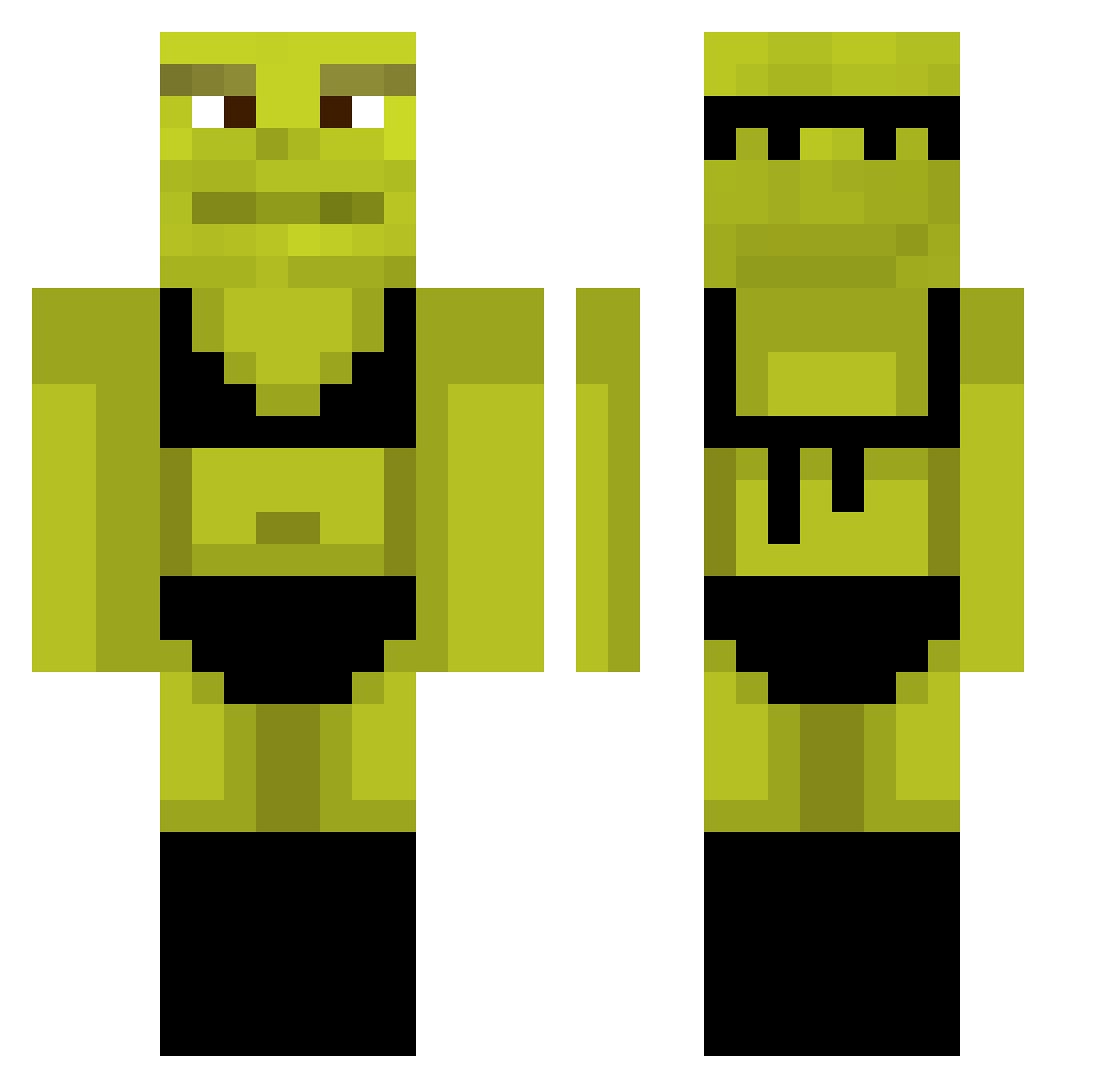
Current Minecraft skin of the player PinPinStyle, loaded from the official Mojang API. Rotate the 3D model with your mouse or finger, then download the skin as a PNG file and use it in Minecraft: Bedrock Edition or Java Edition for free. When PinPinStyle changes their skin, this page updates automatically and the old skin stays in the history below.
Other players with this skin (1073)
PinPinStyle was the 989th player we have seen with this skin, first spotted on 10.11.2026. The same skin was seen on these players. Open a nickname to see their current skin and skin history.
 GameRecon csovesbanat hungmale StringCheese26 Naughty_Man1 xingut TubbyTheTubaaa queenbaba519 fisteee BigLipedMeowMeow BiggSigg GiannaThreat pitokapekena Benjamimo9 Snakeboy99 Adik0403 BaconBowser waffler69420 BigMexican225 Jellebeer addy_is_daddy __bogan__ player1two Tiagoosz kula_mocy ju1cyth0ng CrazyPlankton olgakup JoeyKj Faaltzz_ ShrekDoCorsa Ievsrrs emciaks Kardam juan10404 georgevader728 L3han FakeMeat xXSomosFamiliaXx ImJowii Peanutwoke BerryMccokinner t0ddysc SorryZeM Maxxor97 bntasd SweatyMoz orcaa Floh_Rider Smnchdx PuggoWuggo Ernijs P01VRE Pepeboboy UrBoi_Tarzan GuiliRes777 VitoToMujTata UncleGroovy420 Kick_Startt Jefffyisawesome
More Shrek Minecraft skins
How to install the PinPinStyle skin
- Press the Download button above to save the skin as a PNG file.
- Minecraft: Bedrock Edition (PE): open the Dressing Room from the main menu (or tap your character → Edit Character), go to Classic Skins → Owned, press the + (new skin) button, choose the downloaded PNG and pick the Classic (Steve) model. Works on PC and mobile; consoles cannot import custom skins.
- Minecraft: Java Edition: open the Minecraft Launcher, go to the Skins tab, click New Skin, load the PNG, pick the Classic (Steve) model and press Save & Use. You can also upload it at minecraft.net → Profile → Change Skin.
The skin does not show up after import - what should I do?
Restart Minecraft and open the Dressing Room again - imported skins sometimes appear only after a restart. Also make sure you selected the imported skin and picked the Classic (Steve) model.
Which model should I choose, Classic or Slim?
This skin is designed for the Classic (Steve) model. If you pick the wrong model, the arms of the skin will look stretched or squeezed.
Is the skin of PinPinStyle free to download?
Yes. Press Download, save the PNG file and use it in Minecraft: Bedrock Edition or Java Edition - no payment or registration needed. The skin also works on multiplayer servers and Realms.
More skins
Looking for more? Go back to all Minecraft skins and check the top skins of the week, month and all time, or find any player's skin by nickname.