
Phoenix_X2X - Minecraft Skins & Skin History
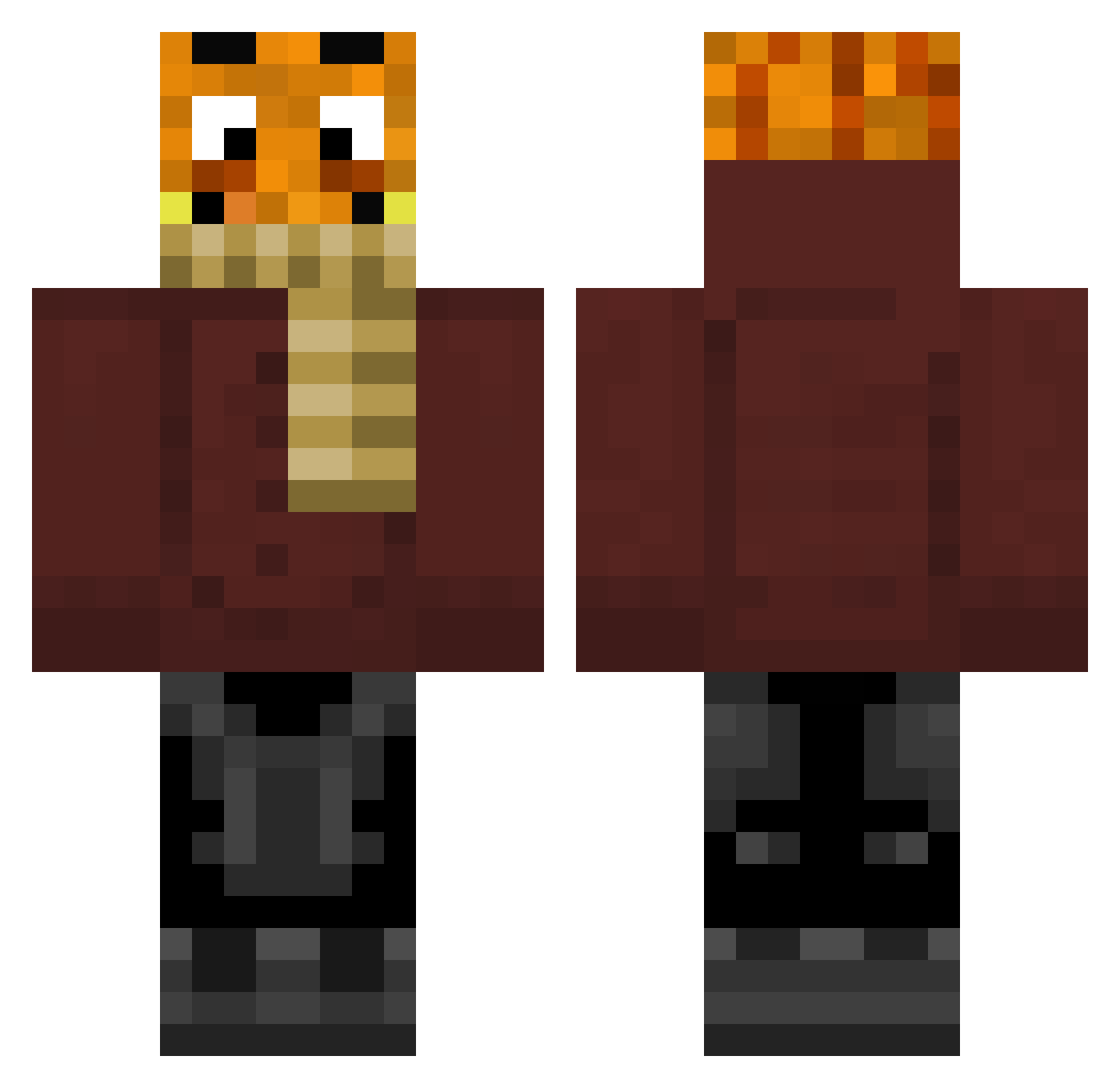
Current Minecraft skin of the player Phoenix_X2X, loaded from the official Mojang API. Rotate the 3D model with your mouse or finger, then download the skin as a PNG file and use it in Minecraft: Bedrock Edition or Java Edition for free. When Phoenix_X2X changes their skin, this page updates automatically and the old skin stays in the history below.
Other players with this skin (309)
Phoenix_X2X was the 242nd player we have seen with this skin, first spotted on 28.10.2026. The same skin was seen on these players. Open a nickname to see their current skin and skin history.
 Gamer_HD2022 ICHTRADECRACK Klausenhof006 leon55432 niklasm165 KeksEsser88 Palueten OceanKeks GermanLetsPllay Jon_Pierre carliopsi ROC5442 Zyrexx basbeats fussballer1220 PetziK2912 Mats051009 BigTastyV2 TuerkenTreter88 PaddyG410 MoinLeuteichbims P4WL MrWufi Mr_Noah006 Stodlhuaba Sudeax alexveith69 PaluteenGHG lol21lol21lol21 M4jorT0m PALLE187HOE_L konglexpvp Snoxi1909 liamweb4 MinePal30 AnnaLenax10 SonOffGod yoyoyo___ BayernMichi GamingTom2401 zeryxxiqq48 EineNusshornisse RentnerFisch Minpaluten Aaron_E90 DerHeimer123 Arne0702 alan5812 _Lipekk_ Lauterbach69 MaxiBeez1 Jim1811 LucaOGGG Bananao11 Jaydman43 johnnydap123 PalutenFanHD BenundJerry187 ararazuhlhff allahyokHD
More Garfield Minecraft skins
How to install the Phoenix_X2X skin
- Press the Download button above to save the skin as a PNG file.
- Minecraft: Bedrock Edition (PE): open the Dressing Room from the main menu (or tap your character → Edit Character), go to Classic Skins → Owned, press the + (new skin) button, choose the downloaded PNG and pick the Classic (Steve) model. Works on PC and mobile; consoles cannot import custom skins.
- Minecraft: Java Edition: open the Minecraft Launcher, go to the Skins tab, click New Skin, load the PNG, pick the Classic (Steve) model and press Save & Use. You can also upload it at minecraft.net → Profile → Change Skin.
The skin does not show up after import - what should I do?
Restart Minecraft and open the Dressing Room again - imported skins sometimes appear only after a restart. Also make sure you selected the imported skin and picked the Classic (Steve) model.
Which model should I choose, Classic or Slim?
This skin is designed for the Classic (Steve) model. If you pick the wrong model, the arms of the skin will look stretched or squeezed.
Is the skin of Phoenix_X2X free to download?
Yes. Press Download, save the PNG file and use it in Minecraft: Bedrock Edition or Java Edition - no payment or registration needed. The skin also works on multiplayer servers and Realms.
More skins
Looking for more? Go back to all Minecraft skins and check the top skins of the week, month and all time, or find any player's skin by nickname.