
Phidias618 - Minecraft Skins & Skin History
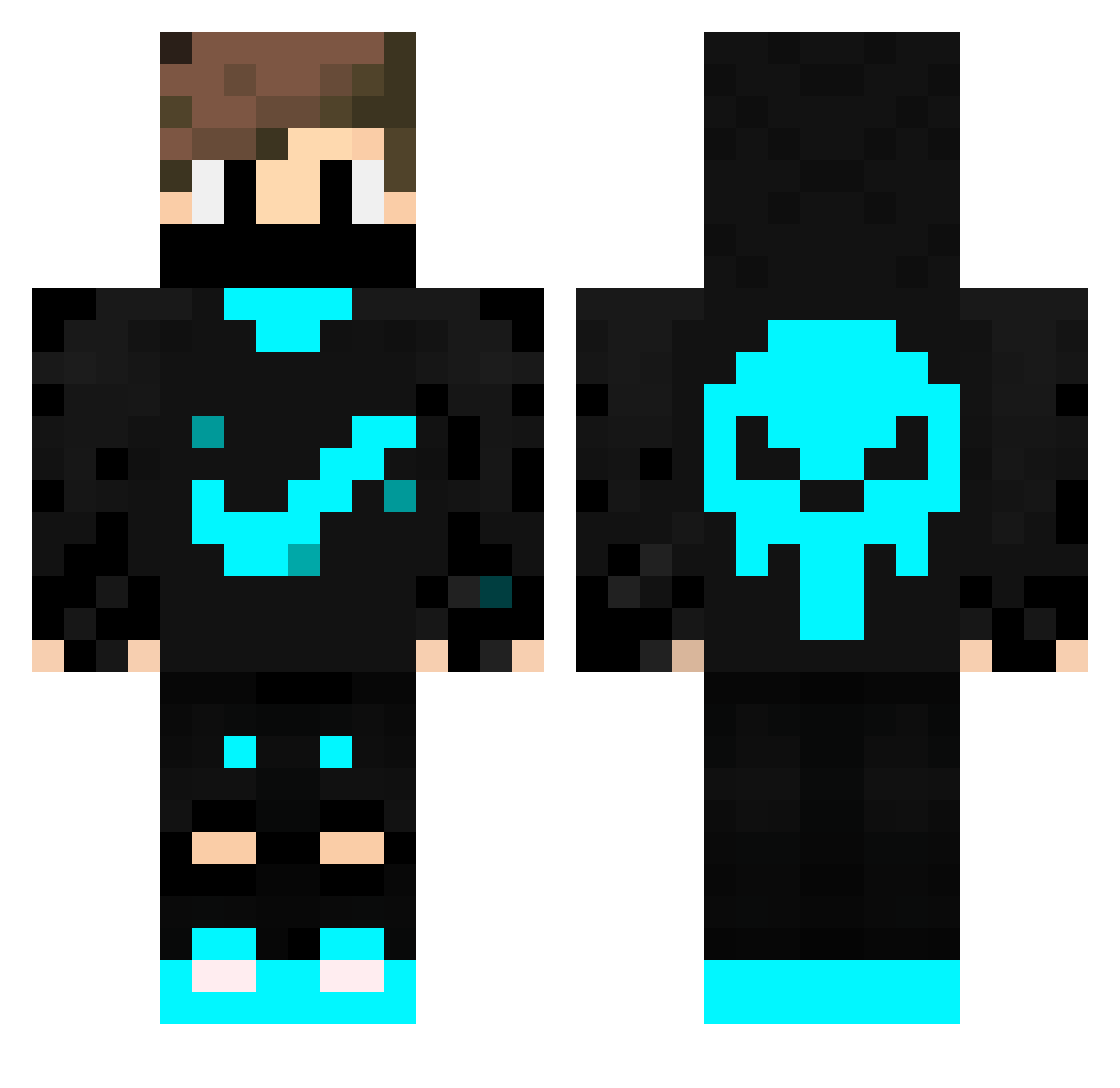
Current Minecraft skin of the player Phidias618, loaded from the official Mojang API. Rotate the 3D model with your mouse or finger, then download the skin as a PNG file and use it in Minecraft: Bedrock Edition or Java Edition for free. When Phidias618 changes their skin, this page updates automatically and the old skin stays in the history below.
Other players with this skin (228)
Phidias618 was the 13th player we have seen with this skin, first spotted on 26.07.2026. The same skin was seen on these players. Open a nickname to see their current skin and skin history.
 Szabolcso
 Emilianasc GhencH SprysenX jxstxiin TONA_1 itzzblu wommy2432 EustaceBaggs Cyanthebestt Nik0tka hamadj27 sugmaoidigg YoussefXD360 TylerSchmidt2008 uliolixx Xuris6106 KaitElGamer TheDark_Side Duxo085 Bancjam1 Atrialix Alcantara_230 micheli_ JordaoPT69 Nagysas2 MikaelFdL NyanPlayer augustoBR366 Jarrott_Sup Lucasivo BocDan11 AleksanderWW _Emre SergeanGood azog_vortex souma0206 LubFtW Pedronm13 Br3nd3t MaxOctopus Wiggle_Waggle kaderavek SecretAgentSans 1Samuel1 vkubaho1 mr_skrill ByCoDeX Mustafa26127 Izazmartin JAYMESON2021 Hohenlohe25 xXChipsiXxYT Latiflkz Adriel_ramkr TheARFS SX_Maxi thebigboy981 Eq2NoX IGGY639
More Skull Minecraft skins
How to install the Phidias618 skin
- Press the Download button above to save the skin as a PNG file.
- Minecraft: Bedrock Edition (PE): open the Dressing Room from the main menu (or tap your character → Edit Character), go to Classic Skins → Owned, press the + (new skin) button, choose the downloaded PNG and pick the Classic (Steve) model. Works on PC and mobile; consoles cannot import custom skins.
- Minecraft: Java Edition: open the Minecraft Launcher, go to the Skins tab, click New Skin, load the PNG, pick the Classic (Steve) model and press Save & Use. You can also upload it at minecraft.net → Profile → Change Skin.
The skin does not show up after import - what should I do?
Restart Minecraft and open the Dressing Room again - imported skins sometimes appear only after a restart. Also make sure you selected the imported skin and picked the Classic (Steve) model.
Which model should I choose, Classic or Slim?
This skin is designed for the Classic (Steve) model. If you pick the wrong model, the arms of the skin will look stretched or squeezed.
Is the skin of Phidias618 free to download?
Yes. Press Download, save the PNG file and use it in Minecraft: Bedrock Edition or Java Edition - no payment or registration needed. The skin also works on multiplayer servers and Realms.
More skins
Looking for more? Go back to all Minecraft skins and check the top skins of the week, month and all time, or find any player's skin by nickname.