
PhantomRelm1 - Minecraft Skins & Skin History
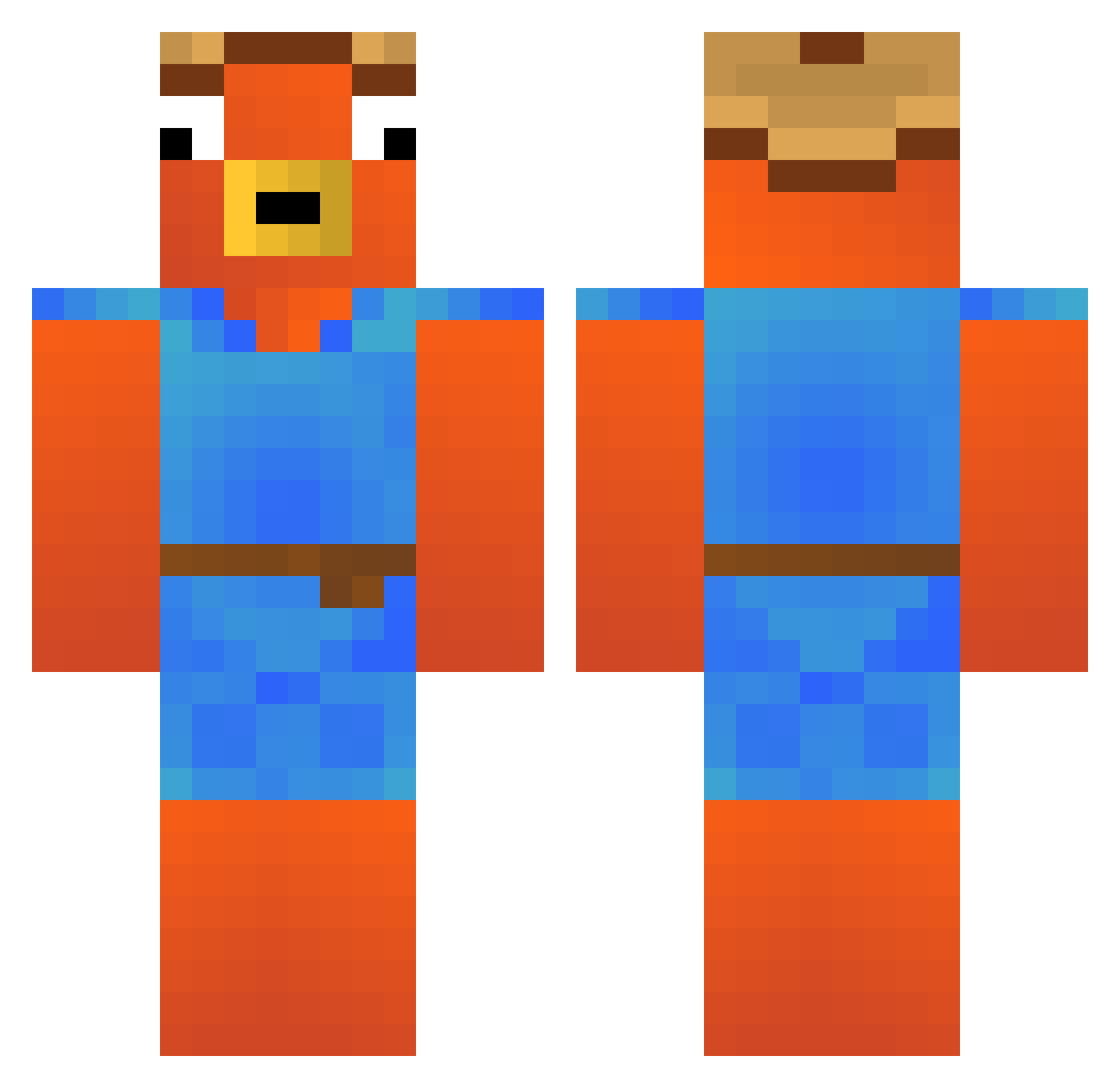
Current Minecraft skin of the player PhantomRelm1, loaded from the official Mojang API. Rotate the 3D model with your mouse or finger, then download the skin as a PNG file and use it in Minecraft: Bedrock Edition or Java Edition for free. When PhantomRelm1 changes their skin, this page updates automatically and the old skin stays in the history below.
Other players with this skin (256)
PhantomRelm1 was the 86th player we have seen with this skin, first spotted on 24.08.2026. The same skin was seen on these players. Open a nickname to see their current skin and skin history.
 torboom kl0cek Jahoo2009 taniguti0000 Echo623 Wolix12354584587 VX_Felix JoeyButterz Jere509 Swiggl Mattigl roy189 Christian_Crille raVen1942 iPengu_ ydbkadm qant1
 Titi850 Lipetu Slenox23 ampouletuba1134 xuapiao Michhel Avivn Niklas_x Tomodek DaveStars_YT ulas_trnn HANAGEHANAGE123 LILB0ner980 Matlecavu jeff_74 Mrmonkey3826 G1ngyb0b Lucou kaouaabderahmane Booanator Casalele24 8_yo Philipp250311 mreliasso hoferbua2009 seventy_mantis Kordnn oborys ShadowCreeper23 lukkzin Orca0718 utkuabi1907 AiRwAnYT hry2k REQU1016 TOPRAKTT10 Xamwelll CollinRic0 Flnpojuu mogzera13241 Bigboybuks1337 _Layzo_ Michael5454
More Fishstick Minecraft skins
How to install the PhantomRelm1 skin
- Press the Download button above to save the skin as a PNG file.
- Minecraft: Bedrock Edition (PE): open the Dressing Room from the main menu (or tap your character → Edit Character), go to Classic Skins → Owned, press the + (new skin) button, choose the downloaded PNG and pick the Classic (Steve) model. Works on PC and mobile; consoles cannot import custom skins.
- Minecraft: Java Edition: open the Minecraft Launcher, go to the Skins tab, click New Skin, load the PNG, pick the Classic (Steve) model and press Save & Use. You can also upload it at minecraft.net → Profile → Change Skin.
The skin does not show up after import - what should I do?
Restart Minecraft and open the Dressing Room again - imported skins sometimes appear only after a restart. Also make sure you selected the imported skin and picked the Classic (Steve) model.
Which model should I choose, Classic or Slim?
This skin is designed for the Classic (Steve) model. If you pick the wrong model, the arms of the skin will look stretched or squeezed.
Is the skin of PhantomRelm1 free to download?
Yes. Press Download, save the PNG file and use it in Minecraft: Bedrock Edition or Java Edition - no payment or registration needed. The skin also works on multiplayer servers and Realms.
More skins
Looking for more? Go back to all Minecraft skins and check the top skins of the week, month and all time, or find any player's skin by nickname.