
Ph1bi - Minecraft Skins & Skin History
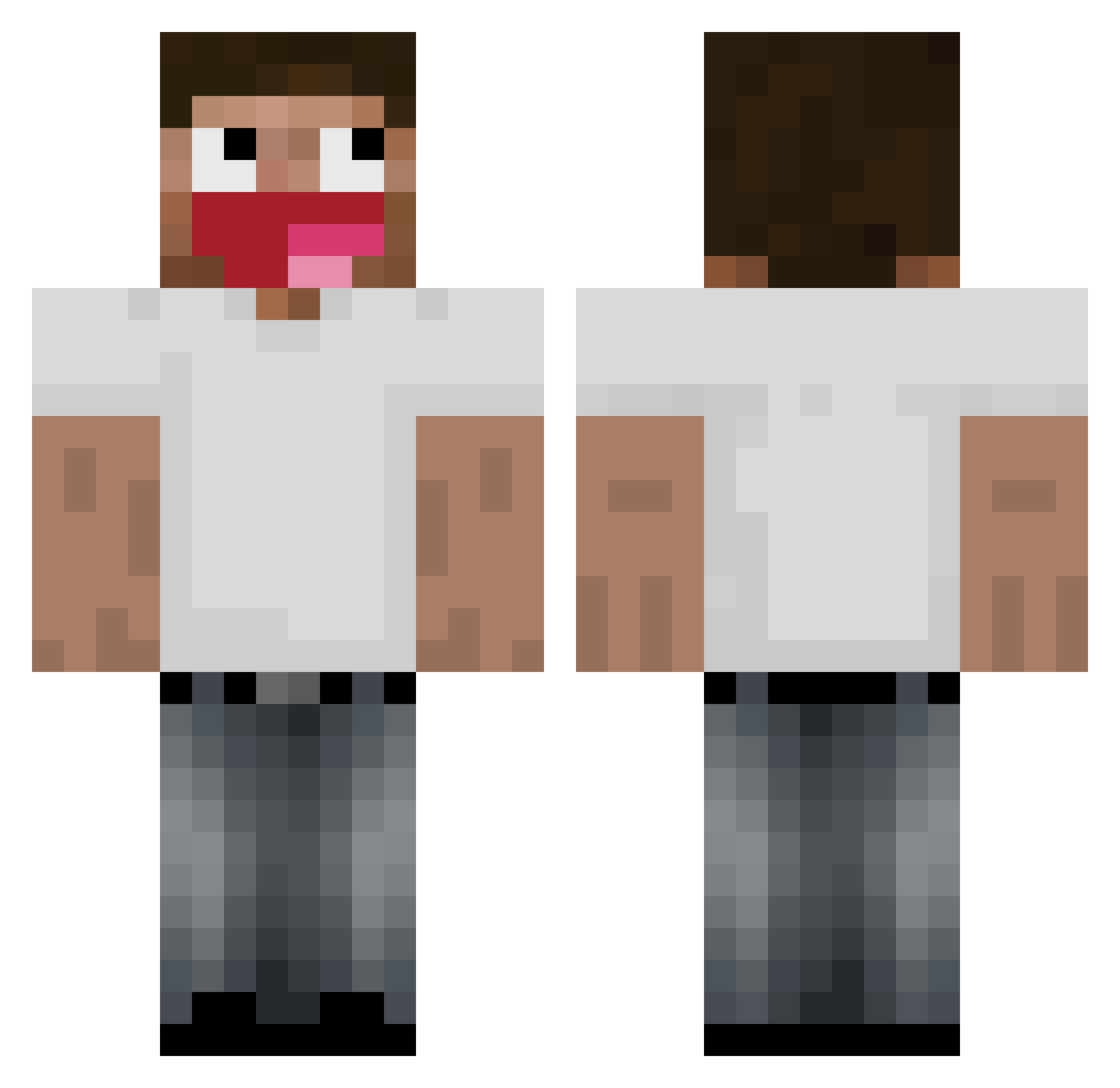
Current Minecraft skin of the player Ph1bi, loaded from the official Mojang API. Rotate the 3D model with your mouse or finger, then download the skin as a PNG file and use it in Minecraft: Bedrock Edition or Java Edition for free. When Ph1bi changes their skin, this page updates automatically and the old skin stays in the history below.
Other players with this skin (205)
Ph1bi was the 162nd player we have seen with this skin, first spotted on 25.10.2026. The same skin was seen on these players. Open a nickname to see their current skin and skin history.
 clebolotas 1Zeid BialeM0rze kevin402 ppeepopo X1o_ SUN379 CharlieSarath AkaGhost_ wokikx zjxse_Unknow Cryzix0 im_L uRolciok ultwashere HappyPigeon99 Europed tlbd yutzz yo_3fx _ChiefKeef2013 vloaff KacpiLysyOrzech deezerek Chrisscortex yxl_void zanveqrv certifiied_plut0 Fevrd layenn Dropped_by_Nygus KyringZ PaulinhoPT3 streeetcar labdaa talkyouthru mamadu072 LOoks_F edrw TheGrimaceShake StefKaas69 solryxx Silvette_ Tonnam1234 UliMatter Maxou_LeChoux efnorm finddy Magalilas Suszx BRUCE1837 leesangmin12 Max23710 AntiZocial winkk FVRBoomin Kiradorable Zerdox 6pgf Fushiguro1
More Tongue Out Minecraft skins
How to install the Ph1bi skin
- Press the Download button above to save the skin as a PNG file.
- Minecraft: Bedrock Edition (PE): open the Dressing Room from the main menu (or tap your character → Edit Character), go to Classic Skins → Owned, press the + (new skin) button, choose the downloaded PNG and pick the Classic (Steve) model. Works on PC and mobile; consoles cannot import custom skins.
- Minecraft: Java Edition: open the Minecraft Launcher, go to the Skins tab, click New Skin, load the PNG, pick the Classic (Steve) model and press Save & Use. You can also upload it at minecraft.net → Profile → Change Skin.
The skin does not show up after import - what should I do?
Restart Minecraft and open the Dressing Room again - imported skins sometimes appear only after a restart. Also make sure you selected the imported skin and picked the Classic (Steve) model.
Which model should I choose, Classic or Slim?
This skin is designed for the Classic (Steve) model. If you pick the wrong model, the arms of the skin will look stretched or squeezed.
Is the skin of Ph1bi free to download?
Yes. Press Download, save the PNG file and use it in Minecraft: Bedrock Edition or Java Edition - no payment or registration needed. The skin also works on multiplayer servers and Realms.
More skins
Looking for more? Go back to all Minecraft skins and check the top skins of the week, month and all time, or find any player's skin by nickname.