
PfefferKanone - Minecraft Skins & Skin History
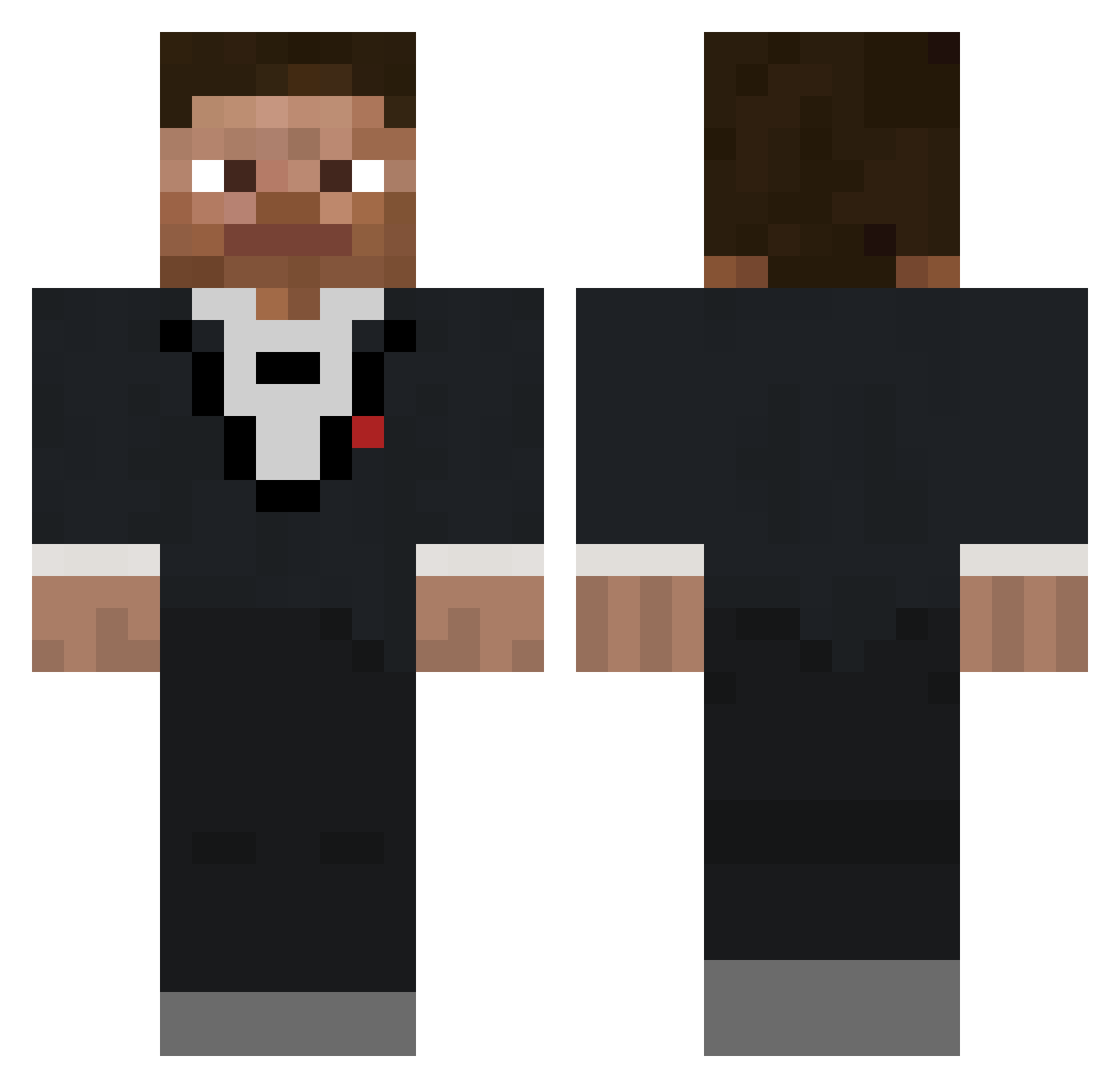
Current Minecraft skin of the player PfefferKanone, loaded from the official Mojang API. Rotate the 3D model with your mouse or finger, then download the skin as a PNG file and use it in Minecraft: Bedrock Edition or Java Edition for free. When PfefferKanone changes their skin, this page updates automatically and the old skin stays in the history below.
Other players with this skin (138)
PfefferKanone was the 121st player we have seen with this skin, first spotted on 19.10.2026. The same skin was seen on these players. Open a nickname to see their current skin and skin history.
 jjj2408 GarfieldKart gamerboy331_ Slim_B45 Arrthurr_ Darkmaniasqs Romeo_AU Jass1815 That1Dude_YT Tatallo dodokiller18 fkngonz Mikkjobu Yakariboy Blake_BTW RickAstley0702 ItzKoy_ Emekk Buzz_Brickyear Adam_GG_117 xJumper23145 SuperMyles jziemackyy Chris9484 ysp3 nurt1 ferife TheRandoGamer173 HappyCapy7098 democrat_voter XevFR171 _conri_ Alqaydi576 PythonElectron GreatnessInc quietcrusade shield_gang SlothMilk69 Xerophyte_ Stitch520 Drunncat okaduh Levix7985 minibodum vojtus0 Osculated wstze pdrn61 PUGthaTHUG X3N1TH_ CrackedRacker69 ahakanyasar MasterWhisper99 joolsbb UltrasBlade yoylol Slice4k Roninv2 Morphium2Kg XxpasoxX
How to install the PfefferKanone skin
- Press the Download button above to save the skin as a PNG file.
- Minecraft: Bedrock Edition (PE): open the Dressing Room from the main menu (or tap your character → Edit Character), go to Classic Skins → Owned, press the + (new skin) button, choose the downloaded PNG and pick the Classic (Steve) model. Works on PC and mobile; consoles cannot import custom skins.
- Minecraft: Java Edition: open the Minecraft Launcher, go to the Skins tab, click New Skin, load the PNG, pick the Classic (Steve) model and press Save & Use. You can also upload it at minecraft.net → Profile → Change Skin.
The skin does not show up after import - what should I do?
Restart Minecraft and open the Dressing Room again - imported skins sometimes appear only after a restart. Also make sure you selected the imported skin and picked the Classic (Steve) model.
Which model should I choose, Classic or Slim?
This skin is designed for the Classic (Steve) model. If you pick the wrong model, the arms of the skin will look stretched or squeezed.
Is the skin of PfefferKanone free to download?
Yes. Press Download, save the PNG file and use it in Minecraft: Bedrock Edition or Java Edition - no payment or registration needed. The skin also works on multiplayer servers and Realms.
More skins
Looking for more? Go back to all Minecraft skins and check the top skins of the week, month and all time, or find any player's skin by nickname.