
Pessanha - Minecraft Skins & Skin History
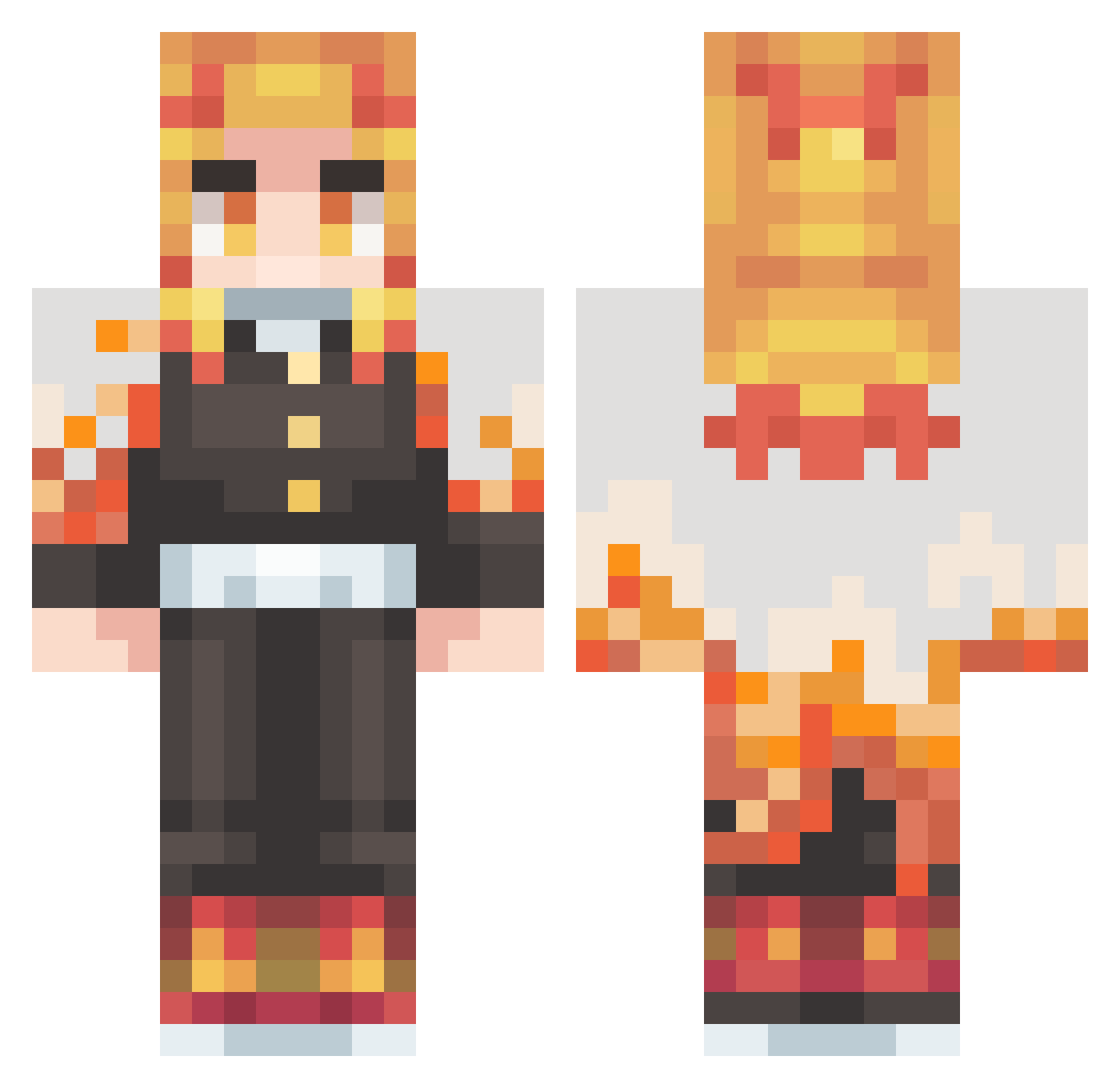
Current Minecraft skin of the player Pessanha, loaded from the official Mojang API. Rotate the 3D model with your mouse or finger, then download the skin as a PNG file and use it in Minecraft: Bedrock Edition or Java Edition for free. When Pessanha changes their skin, this page updates automatically and the old skin stays in the history below.
Other players with this skin (502)
Pessanha was the 464th player we have seen with this skin, first spotted on 10.11.2026. The same skin was seen on these players. Open a nickname to see their current skin and skin history.
 PixieFerret TVSHOW22 Vxtor_12 ricks_do_Rock joker_wey Shisonoha Minoszylek JohnsonEngineer legal24 ZdouG28 Megumemst CAOS210 NetherWinter Rengoku1232 MenuontheMugs RoandresMBG GodAwakened Kartan_3 Christ0402 tanakaaa03 Gilmarth2 12Cheesy21 Vaderrrrrr shin2k_ Adyian_Master ADU_ADU Bsaa233 Zenjiro0523 Prince20 herakuwa Kalekgos NeverSettingSun JunSung0207 ksh0810 namyake MonsterOfChaos64 EnderDragon6859 Wisp_Cloudzz ConnorGame12 Fatality_Dark FlamencoGamer20 ks1214 Fat_Superman kai_322 Seroks_Tube_ AbbyWillemse GINGER_0610 Partyhorse1337 El_Kaikin BigProPapa DanoneZzz NotMaffei _Didou_ wsfscott Masaki_Kodama Kaburke Ryu8711 Jp_0402 TheGrez Duuraveen
More Kyojuro Rengoku Minecraft skins
See all 120 Kyojuro Rengoku skins
How to install the Pessanha skin
- Press the Download button above to save the skin as a PNG file.
- Minecraft: Bedrock Edition (PE): open the Dressing Room from the main menu (or tap your character → Edit Character), go to Classic Skins → Owned, press the + (new skin) button, choose the downloaded PNG and pick the Classic (Steve) model. Works on PC and mobile; consoles cannot import custom skins.
- Minecraft: Java Edition: open the Minecraft Launcher, go to the Skins tab, click New Skin, load the PNG, pick the Classic (Steve) model and press Save & Use. You can also upload it at minecraft.net → Profile → Change Skin.
The skin does not show up after import - what should I do?
Restart Minecraft and open the Dressing Room again - imported skins sometimes appear only after a restart. Also make sure you selected the imported skin and picked the Classic (Steve) model.
Which model should I choose, Classic or Slim?
This skin is designed for the Classic (Steve) model. If you pick the wrong model, the arms of the skin will look stretched or squeezed.
Is the skin of Pessanha free to download?
Yes. Press Download, save the PNG file and use it in Minecraft: Bedrock Edition or Java Edition - no payment or registration needed. The skin also works on multiplayer servers and Realms.
More skins
Looking for more? Go back to all Minecraft skins and check the top skins of the week, month and all time, or find any player's skin by nickname.