
PeppyCaribou - Minecraft Skins & Skin History
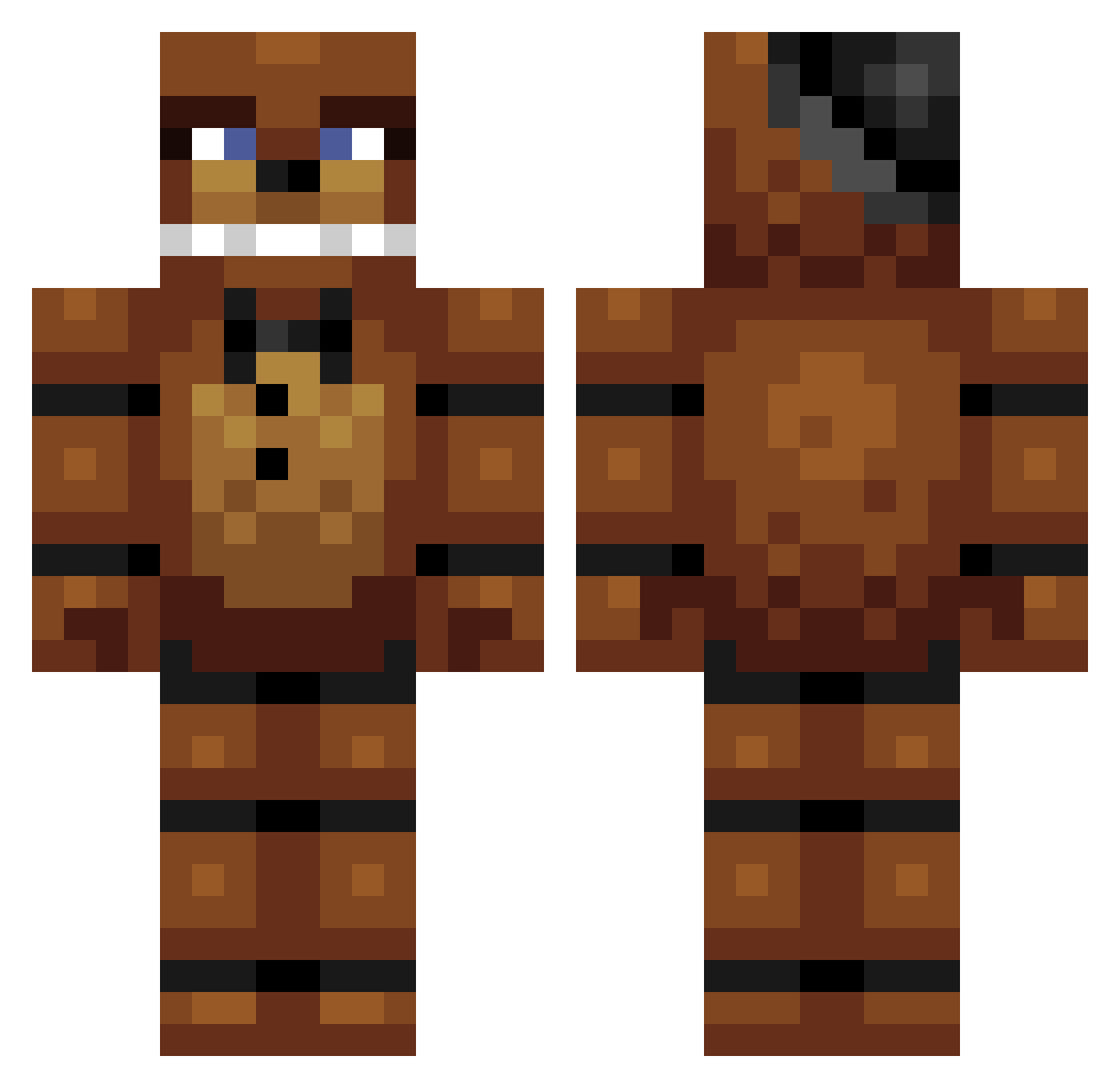
Current Minecraft skin of the player PeppyCaribou, loaded from the official Mojang API. Rotate the 3D model with your mouse or finger, then download the skin as a PNG file and use it in Minecraft: Bedrock Edition or Java Edition for free. When PeppyCaribou changes their skin, this page updates automatically and the old skin stays in the history below.
Other players with this skin (268)
PeppyCaribou was the 181st player we have seen with this skin, first spotted on 09.10.2026. The same skin was seen on these players. Open a nickname to see their current skin and skin history.
 PoopieFarticus Ferrejuan 22xin TimmysTurnersDad flibbityjibbit Drobsik Semmah_lie2241 MinePixels Matumbs SirPlaguins Kohyla FarchyII blackmaxx12 XDlitfamrawr CiriK931 luv2dance392 Noob___Slayer benh_3344 Corememory88 HugoR123 dayem782 jorge3467 burnt_toqst frayley bearsky2 Lenny2243 ukatok DeWildeBeer LuckyPigeon1505 Frankie210105 Demon_Hunter2 fortisomer tacobraxton stankyleg667 Block_Saurus _lwgjb3 KodaCrazy2679 Fent_Devil random_guy70 degwater DOMI49243 sir_sweggle47 Salem_Witch_4 Marriott1 Zaphgaming BuffKungFuPanda1 10Tomas Holl0wBasti0n piissicle tico221 PREPOSTEROUS9 Pou995 Trout687 BobJoeKids Kronocs SerrCox Murrocraft_ _CANZER_ fryeater Mrpoligon
More Freddy Fazbear Minecraft skins
See all 240 Freddy Fazbear skins
How to install the PeppyCaribou skin
- Press the Download button above to save the skin as a PNG file.
- Minecraft: Bedrock Edition (PE): open the Dressing Room from the main menu (or tap your character → Edit Character), go to Classic Skins → Owned, press the + (new skin) button, choose the downloaded PNG and pick the Classic (Steve) model. Works on PC and mobile; consoles cannot import custom skins.
- Minecraft: Java Edition: open the Minecraft Launcher, go to the Skins tab, click New Skin, load the PNG, pick the Classic (Steve) model and press Save & Use. You can also upload it at minecraft.net → Profile → Change Skin.
The skin does not show up after import - what should I do?
Restart Minecraft and open the Dressing Room again - imported skins sometimes appear only after a restart. Also make sure you selected the imported skin and picked the Classic (Steve) model.
Which model should I choose, Classic or Slim?
This skin is designed for the Classic (Steve) model. If you pick the wrong model, the arms of the skin will look stretched or squeezed.
Is the skin of PeppyCaribou free to download?
Yes. Press Download, save the PNG file and use it in Minecraft: Bedrock Edition or Java Edition - no payment or registration needed. The skin also works on multiplayer servers and Realms.
More skins
Looking for more? Go back to all Minecraft skins and check the top skins of the week, month and all time, or find any player's skin by nickname.