
Pegazooo - Minecraft Skins & Skin History
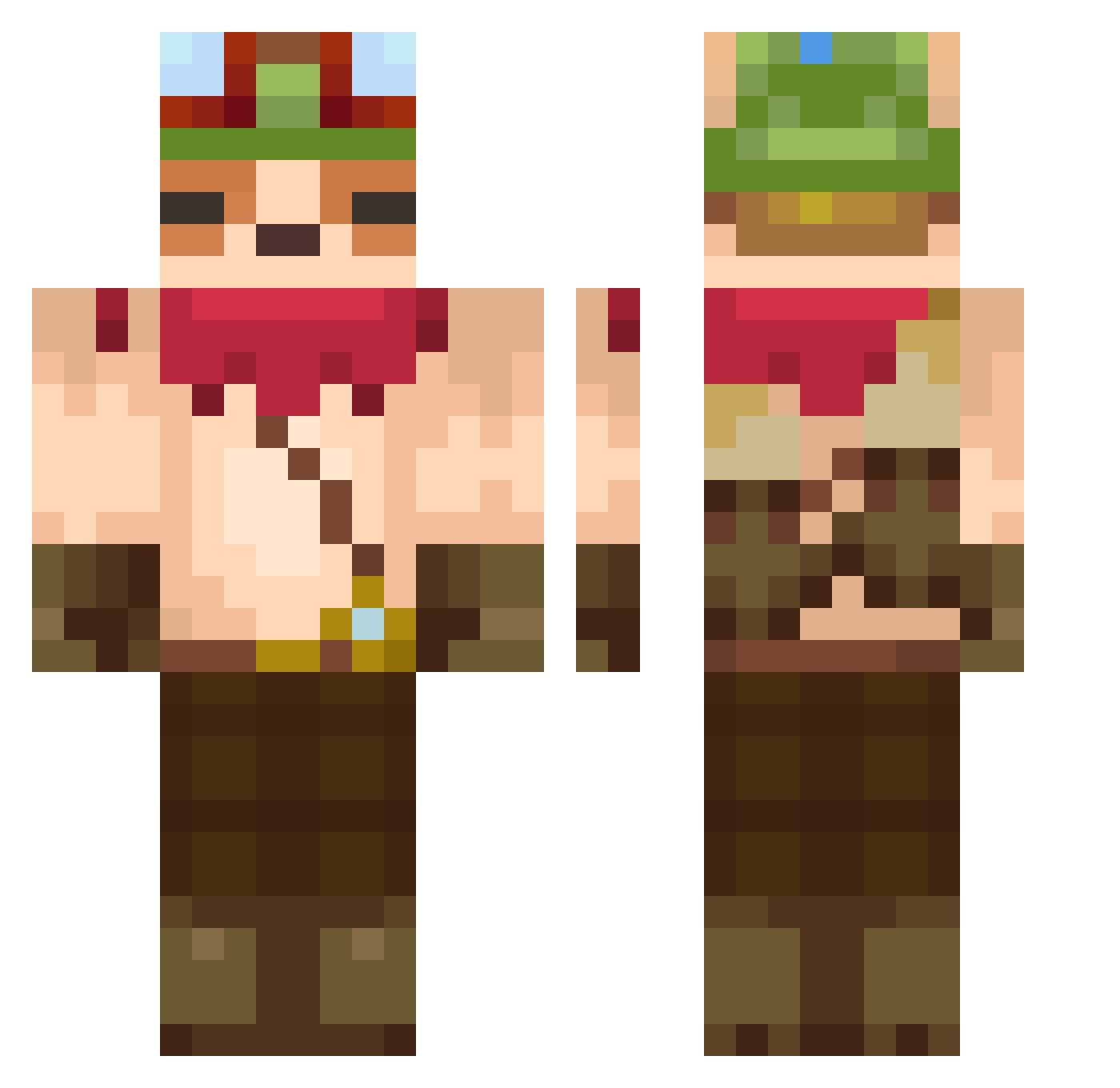
Current Minecraft skin of the player Pegazooo, loaded from the official Mojang API. Rotate the 3D model with your mouse or finger, then download the skin as a PNG file and use it in Minecraft: Bedrock Edition or Java Edition for free. When Pegazooo changes their skin, this page updates automatically and the old skin stays in the history below.
Other players with this skin (607)
Pegazooo was the 500th player we have seen with this skin, first spotted on 16.10.2026. The same skin was seen on these players. Open a nickname to see their current skin and skin history.
 newko1224 higgus Teemox1 RyunS2 CaptainFeedmo SoyMilkChicken 2_SEKAI Majruk JuanDydark mozten sxmuel BABASI_KARIM cuba5092 YTrRabit Eagle_tana shibazje Josheshee Seelchen_404 darthemon Fabislav PrimordialPiki migyuhel _LoveIsALie_ geonu401 minimalo Drowzyx SosaenProsa HeeSsay Capoxino MsQueenShade Logein JOT_TEEMO Chaz_001 kimjammin2 Tena1228 JuHoshi drogegg BRGKSA SquishyKing powergong shadow__0323 Ayden0609 komerican810 yejunh_08 ummmsnn nori1270 LittleTeemo007 OutboardBulb482 sunsuy TwoPieR nakelul dondono Xhalian juajjang98 TarmaB NT_Warder55_ SOGJAX cidalerex the_nabbo adlek
More Bandana Minecraft skins
How to install the Pegazooo skin
- Press the Download button above to save the skin as a PNG file.
- Minecraft: Bedrock Edition (PE): open the Dressing Room from the main menu (or tap your character → Edit Character), go to Classic Skins → Owned, press the + (new skin) button, choose the downloaded PNG and pick the Classic (Steve) model. Works on PC and mobile; consoles cannot import custom skins.
- Minecraft: Java Edition: open the Minecraft Launcher, go to the Skins tab, click New Skin, load the PNG, pick the Classic (Steve) model and press Save & Use. You can also upload it at minecraft.net → Profile → Change Skin.
The skin does not show up after import - what should I do?
Restart Minecraft and open the Dressing Room again - imported skins sometimes appear only after a restart. Also make sure you selected the imported skin and picked the Classic (Steve) model.
Which model should I choose, Classic or Slim?
This skin is designed for the Classic (Steve) model. If you pick the wrong model, the arms of the skin will look stretched or squeezed.
Is the skin of Pegazooo free to download?
Yes. Press Download, save the PNG file and use it in Minecraft: Bedrock Edition or Java Edition - no payment or registration needed. The skin also works on multiplayer servers and Realms.
More skins
Looking for more? Go back to all Minecraft skins and check the top skins of the week, month and all time, or find any player's skin by nickname.