
PedroRP85 - Minecraft Skins & Skin History
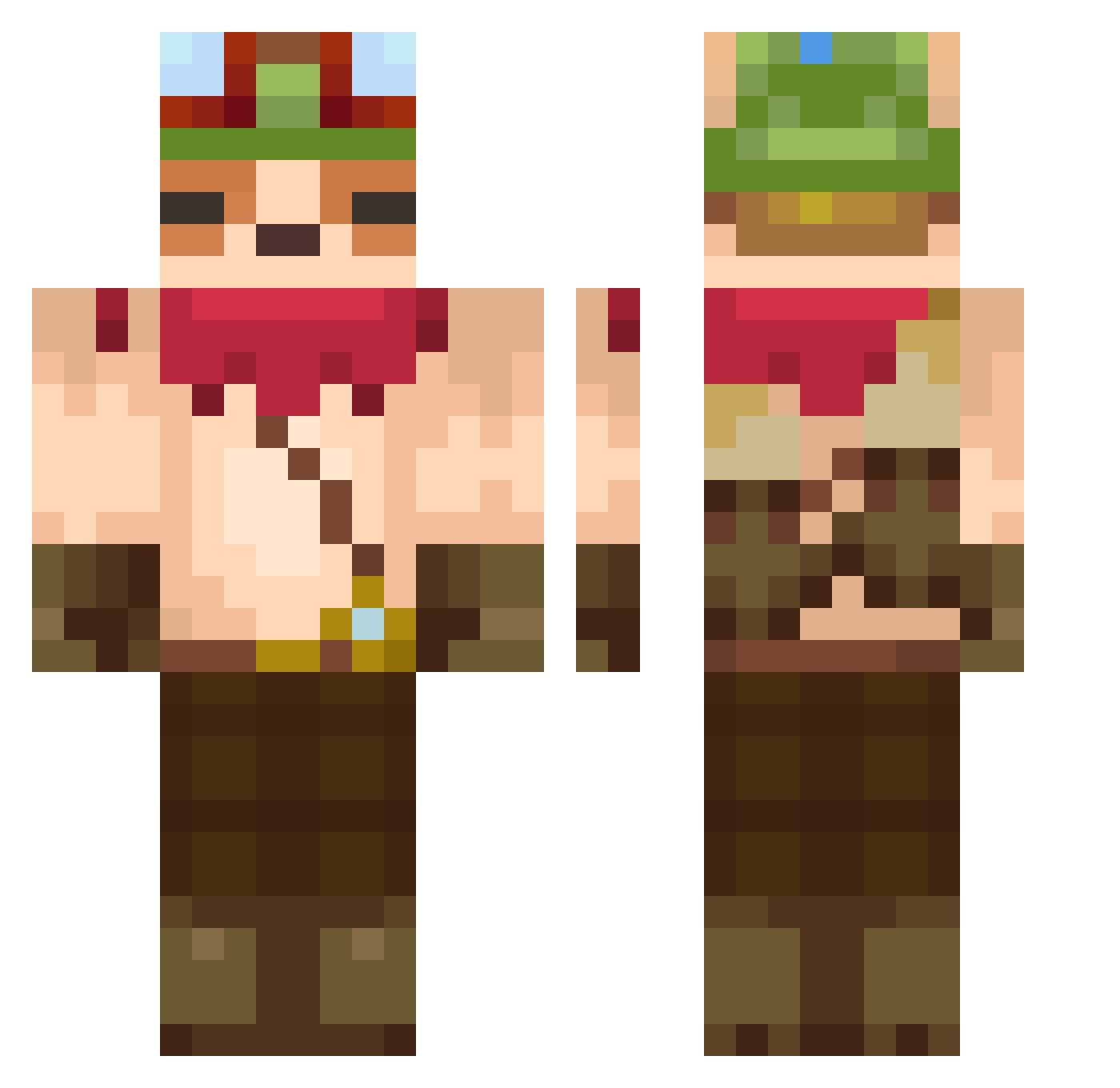
Current Minecraft skin of the player PedroRP85, loaded from the official Mojang API. Rotate the 3D model with your mouse or finger, then download the skin as a PNG file and use it in Minecraft: Bedrock Edition or Java Edition for free. When PedroRP85 changes their skin, this page updates automatically and the old skin stays in the history below.
Other players with this skin (607)
PedroRP85 was the 207th player we have seen with this skin, first spotted on 01.09.2026. The same skin was seen on these players. Open a nickname to see their current skin and skin history.
 dpravos AdrianAndia999 ssaikq SnowFIow3r BurnyToasty lovechotkundicek jihoo1011 Cjkiller123 xorkd itmejle HE_mu Dmajor96 Rexcheongp6a Alt_Null wiirogue POWERGOAT666 OscarPlayzzz YUMYUM83 AnderDail CatBoyChilis Amorphin MorhUwU D_ggosam Pklo2888 renmaru217 _Unconscious 8SOmeoNE1 SIBALife Argonyxz Yomsi twintails FroggieFresh1 Freko97 Anjun0113 TEEM0W0 nalong9 sergeiiii Akiko36 k4getch ANKFITA23 TheMrNatan EpicoMexicano MoChen_42 Snazno NeonstarX1 papafigado Pentanox_ AnguzBlack Sorikuu silrek MC_badr ahkotaco PorotoBomba Hojiiii buttdoof raichuexplosion wengya McWeiba oOGameCrafterOo Nalong8
More Bandana Minecraft skins
How to install the PedroRP85 skin
- Press the Download button above to save the skin as a PNG file.
- Minecraft: Bedrock Edition (PE): open the Dressing Room from the main menu (or tap your character → Edit Character), go to Classic Skins → Owned, press the + (new skin) button, choose the downloaded PNG and pick the Classic (Steve) model. Works on PC and mobile; consoles cannot import custom skins.
- Minecraft: Java Edition: open the Minecraft Launcher, go to the Skins tab, click New Skin, load the PNG, pick the Classic (Steve) model and press Save & Use. You can also upload it at minecraft.net → Profile → Change Skin.
The skin does not show up after import - what should I do?
Restart Minecraft and open the Dressing Room again - imported skins sometimes appear only after a restart. Also make sure you selected the imported skin and picked the Classic (Steve) model.
Which model should I choose, Classic or Slim?
This skin is designed for the Classic (Steve) model. If you pick the wrong model, the arms of the skin will look stretched or squeezed.
Is the skin of PedroRP85 free to download?
Yes. Press Download, save the PNG file and use it in Minecraft: Bedrock Edition or Java Edition - no payment or registration needed. The skin also works on multiplayer servers and Realms.
More skins
Looking for more? Go back to all Minecraft skins and check the top skins of the week, month and all time, or find any player's skin by nickname.