
Pear_Nest - Minecraft Skins & Skin History
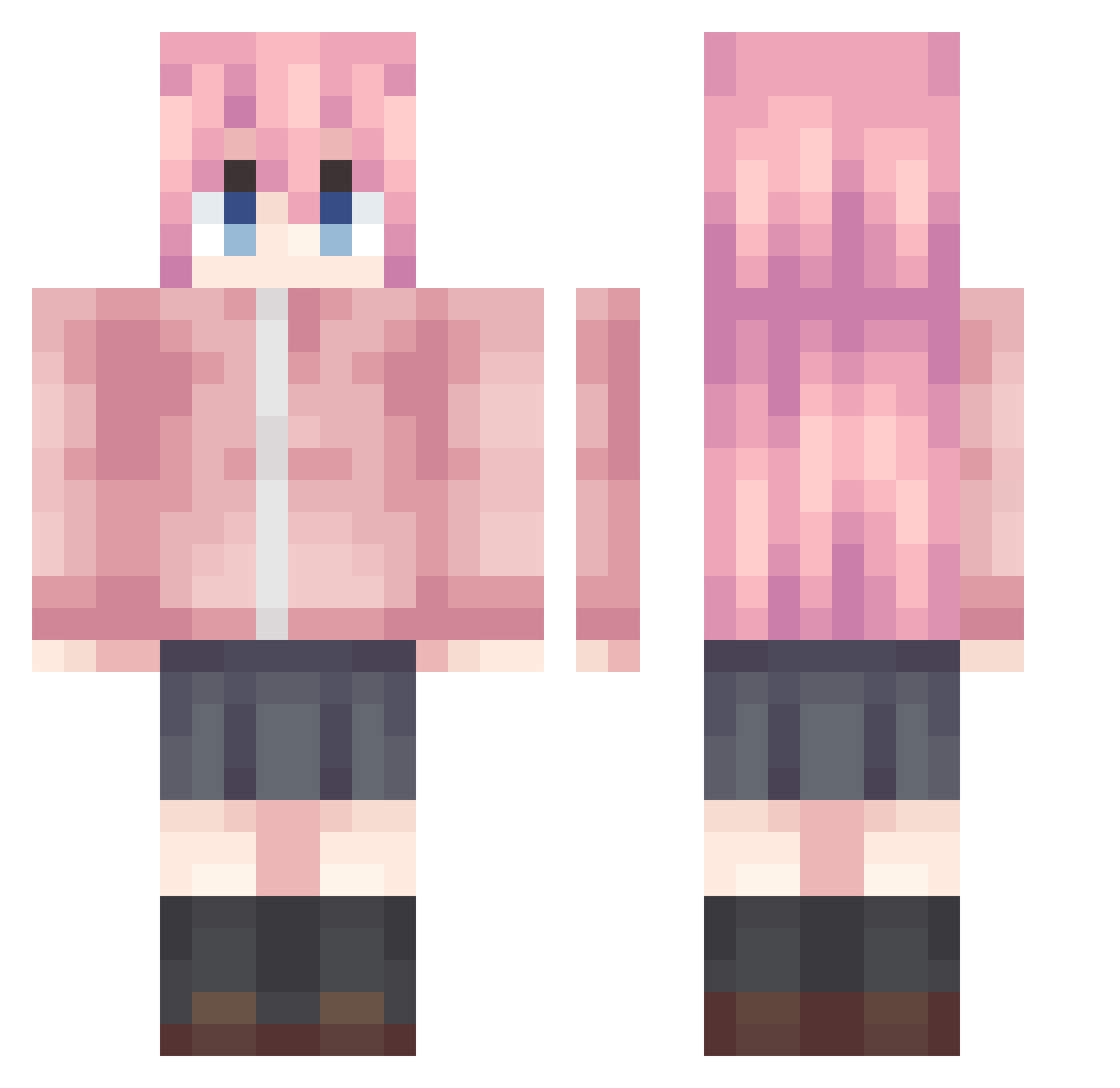
Current Minecraft skin of the player Pear_Nest, loaded from the official Mojang API. Rotate the 3D model with your mouse or finger, then download the skin as a PNG file and use it in Minecraft: Bedrock Edition or Java Edition for free. When Pear_Nest changes their skin, this page updates automatically and the old skin stays in the history below.
Other players with this skin (1222)
Pear_Nest was the 1062nd player we have seen with this skin, first spotted on 06.11.2026. The same skin was seen on these players. Open a nickname to see their current skin and skin history.
 xXGabiXx1953 diego_2619 guashan nanpo1 FormerHowe LinyunOvO liuyinga Theaicheng kwx12138 TheMaarT1 k_nana_k Strawberrykittey Matsuraaa HITOMI_man LotteLillia pannichi Ech_yin SiO2_224 NoyALAnKerEN iyi007 shenhan15 BOKILOL ycLnai Jimmy_1208 xiao___peng OSHINOshinobi QingFengDaoChang Keqingsama996 Ghenshin MUQIONG MiphAvA y1zrQAQ liangkeng XHAQJ rose030822 Liza512 maqiyuan520 FireflyGiGi Fande shuiuyu Yuruwu Time_Division homura_11 xiaolv886 Mbh_ fox_party KKsgdhb zmylsfake Demisu_ ILoveBocchi LHLLDY zhang7710 Eldenking13 GALILEO1707 kaneki321 loifan hola25 Shrileee LiYiOWO Colin_0236
More Bocchi Minecraft skins
How to install the Pear_Nest skin
- Press the Download button above to save the skin as a PNG file.
- Minecraft: Bedrock Edition (PE): open the Dressing Room from the main menu (or tap your character → Edit Character), go to Classic Skins → Owned, press the + (new skin) button, choose the downloaded PNG and pick the Classic (Steve) model. Works on PC and mobile; consoles cannot import custom skins.
- Minecraft: Java Edition: open the Minecraft Launcher, go to the Skins tab, click New Skin, load the PNG, pick the Classic (Steve) model and press Save & Use. You can also upload it at minecraft.net → Profile → Change Skin.
The skin does not show up after import - what should I do?
Restart Minecraft and open the Dressing Room again - imported skins sometimes appear only after a restart. Also make sure you selected the imported skin and picked the Classic (Steve) model.
Which model should I choose, Classic or Slim?
This skin is designed for the Classic (Steve) model. If you pick the wrong model, the arms of the skin will look stretched or squeezed.
Is the skin of Pear_Nest free to download?
Yes. Press Download, save the PNG file and use it in Minecraft: Bedrock Edition or Java Edition - no payment or registration needed. The skin also works on multiplayer servers and Realms.
More skins
Looking for more? Go back to all Minecraft skins and check the top skins of the week, month and all time, or find any player's skin by nickname.