
Pawcjk - Minecraft Skins & Skin History
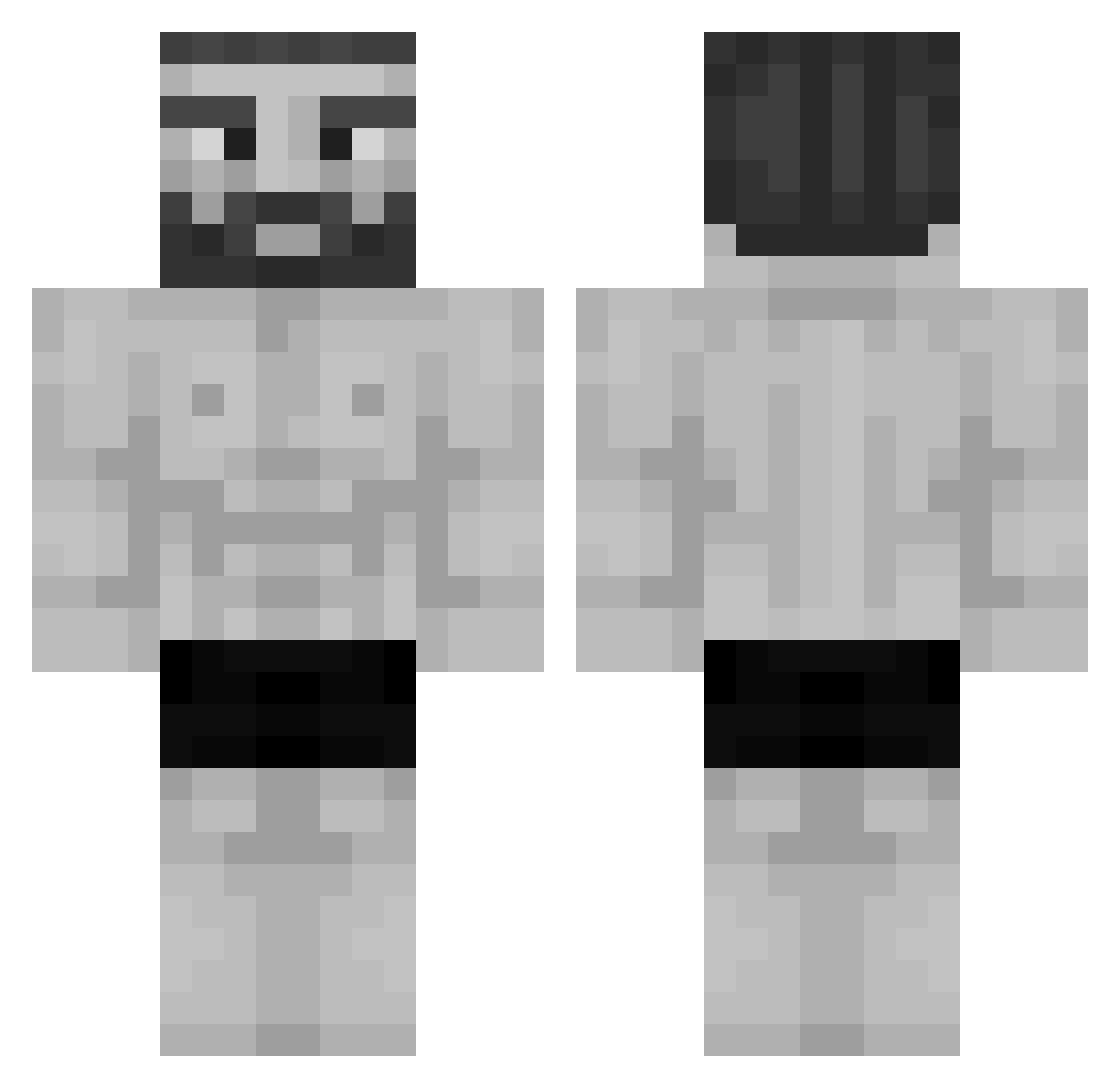
Current Minecraft skin of the player Pawcjk, loaded from the official Mojang API. Rotate the 3D model with your mouse or finger, then download the skin as a PNG file and use it in Minecraft: Bedrock Edition or Java Edition for free. When Pawcjk changes their skin, this page updates automatically and the old skin stays in the history below.
Other players with this skin (955)
Pawcjk was the 842nd player we have seen with this skin, first spotted on 11.10.2026. The same skin was seen on these players. Open a nickname to see their current skin and skin history.
 compare11 Calde29 NiGHTz34 Diabetes69 mushrog2 cokato9 maxitaxi13 wuyam Greendeadpool9 AdurnX JasperCookiez Anthony12110 BenekliYigit SirRenegade MACI3JOWY Mr_fuzzybot SubspaceHighway7 MorganKolin Sans_Is_Thicc bxort31 RockLee1337 NNNAAAA wisesama1234 ghen113 maunel _FriZone_ Zemocat Mustajoni AnimalMite926 peyton3ds _Inferix_ Falsayy Mountainwhite urkilla Chewy_nugget pmk002 leghostminer mesh_ksa r1valjj23 Asteroth34 kukathecreator Mistarts SummaryWall6176 mariscos8000 arthurlool lordofweed7 Flami69 Calarge cflikrs unhapyjester rashik07 MikaelMarcos08 crazypiyan CRIMEDOG707 BeeHopper GabePlaysGames25 VincentSIGMA NeferTeo dnz_syNc NOWA67
More Gigachad Minecraft skins
How to install the Pawcjk skin
- Press the Download button above to save the skin as a PNG file.
- Minecraft: Bedrock Edition (PE): open the Dressing Room from the main menu (or tap your character → Edit Character), go to Classic Skins → Owned, press the + (new skin) button, choose the downloaded PNG and pick the Classic (Steve) model. Works on PC and mobile; consoles cannot import custom skins.
- Minecraft: Java Edition: open the Minecraft Launcher, go to the Skins tab, click New Skin, load the PNG, pick the Classic (Steve) model and press Save & Use. You can also upload it at minecraft.net → Profile → Change Skin.
The skin does not show up after import - what should I do?
Restart Minecraft and open the Dressing Room again - imported skins sometimes appear only after a restart. Also make sure you selected the imported skin and picked the Classic (Steve) model.
Which model should I choose, Classic or Slim?
This skin is designed for the Classic (Steve) model. If you pick the wrong model, the arms of the skin will look stretched or squeezed.
Is the skin of Pawcjk free to download?
Yes. Press Download, save the PNG file and use it in Minecraft: Bedrock Edition or Java Edition - no payment or registration needed. The skin also works on multiplayer servers and Realms.
More skins
Looking for more? Go back to all Minecraft skins and check the top skins of the week, month and all time, or find any player's skin by nickname.