
Paul295 - Minecraft Skins & Skin History
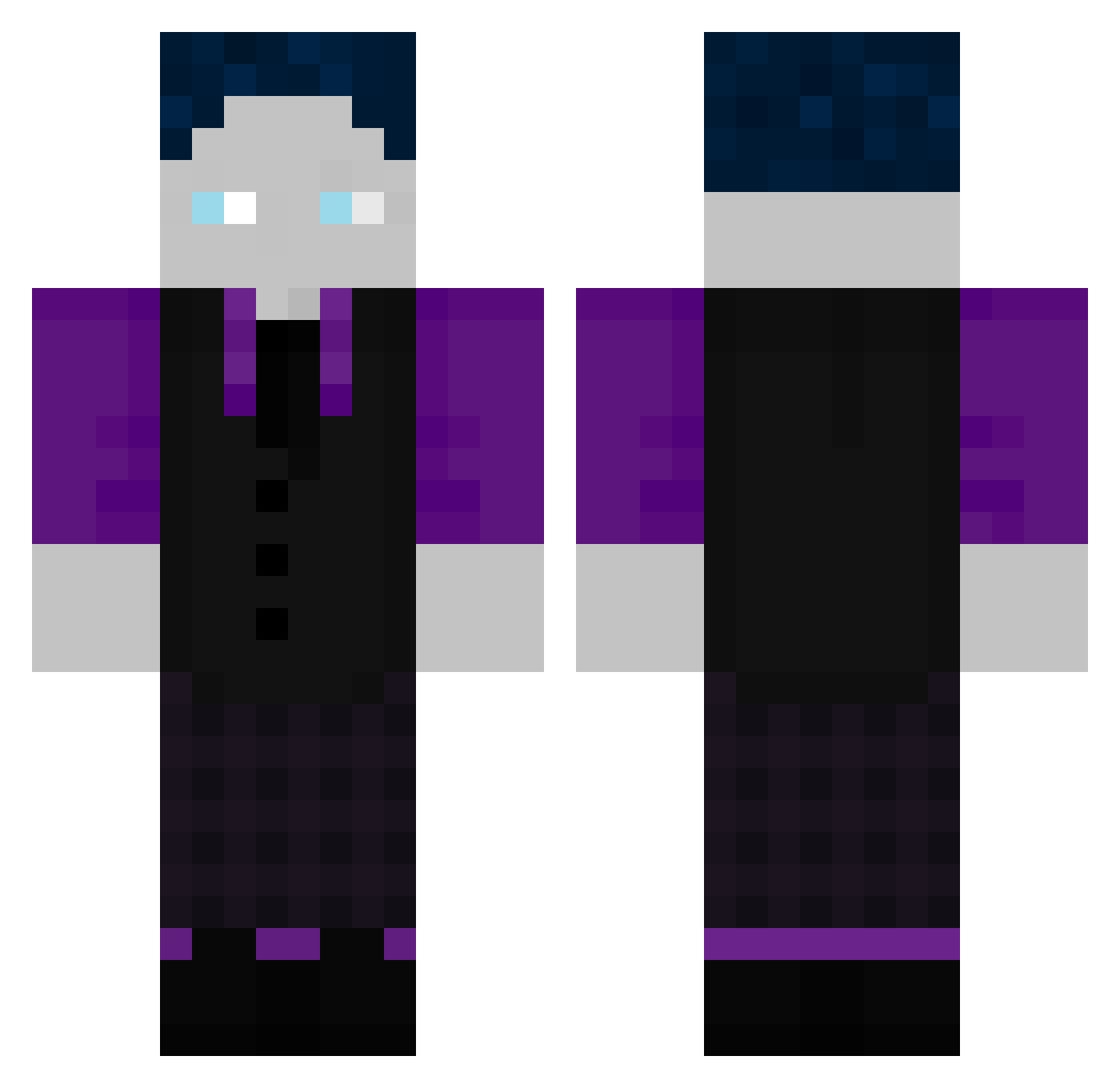
Current Minecraft skin of the player Paul295, loaded from the official Mojang API. Rotate the 3D model with your mouse or finger, then download the skin as a PNG file and use it in Minecraft: Bedrock Edition or Java Edition for free. When Paul295 changes their skin, this page updates automatically and the old skin stays in the history below.
Other players with this skin (230)
Paul295 was the 190th player we have seen with this skin, first spotted on 04.11.2026. The same skin was seen on these players. Open a nickname to see their current skin and skin history.
 BerlauchGamer12 JEFF0o0 xBuckii OnlyHypton aquaa_787 KilKau MC_Reas SliderSkater iamtim99 DanielVfB1893 WasserMitSChuss IchbinFabian ThunderSpikeLP 12AnnanasSaft21 nadeal MarvinGHG44 MT0o0 HStolle derLinus81 F_17lo Nerox80 Fabi01810 Matti8599 Lxon301 Lumbriestyle_47 eligello56457344 Silonius__ DAviD09gd 24564 BUTYOULOUSE ASGamer11 Hannebembel_01 Taylor6282 FinnHartPro iiir3ktii Bydrix7 Mariozsc EintopfBirke923 Heavy_Blue felix75345 jaro1402 Bari9828 raindripdripdrop KoleGHG felixhdr Droxz5271 Grif7531 Netrox337 Ouagadugo jay_123456789 Karma2382 Melviano2007 Zenriay Xplayer340 JudyTrixie SnapStarling608 Erik999ghg ztelitee SebbleGaming97 Maximusoi
How to install the Paul295 skin
- Press the Download button above to save the skin as a PNG file.
- Minecraft: Bedrock Edition (PE): open the Dressing Room from the main menu (or tap your character → Edit Character), go to Classic Skins → Owned, press the + (new skin) button, choose the downloaded PNG and pick the Classic (Steve) model. Works on PC and mobile; consoles cannot import custom skins.
- Minecraft: Java Edition: open the Minecraft Launcher, go to the Skins tab, click New Skin, load the PNG, pick the Classic (Steve) model and press Save & Use. You can also upload it at minecraft.net → Profile → Change Skin.
The skin does not show up after import - what should I do?
Restart Minecraft and open the Dressing Room again - imported skins sometimes appear only after a restart. Also make sure you selected the imported skin and picked the Classic (Steve) model.
Which model should I choose, Classic or Slim?
This skin is designed for the Classic (Steve) model. If you pick the wrong model, the arms of the skin will look stretched or squeezed.
Is the skin of Paul295 free to download?
Yes. Press Download, save the PNG file and use it in Minecraft: Bedrock Edition or Java Edition - no payment or registration needed. The skin also works on multiplayer servers and Realms.
More skins
Looking for more? Go back to all Minecraft skins and check the top skins of the week, month and all time, or find any player's skin by nickname.