
Pauillac - Minecraft Skins & Skin History
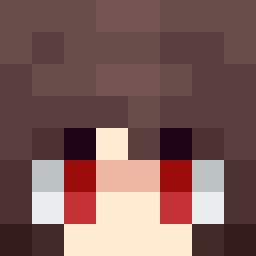
Current Minecraft skin of the player Pauillac, loaded from the official Mojang API. Rotate the 3D model with your mouse or finger, then download the skin as a PNG file and use it in Minecraft: Bedrock Edition or Java Edition for free. When Pauillac changes their skin, this page updates automatically and the old skin stays in the history below.

Other players with this skin (4749)
Pauillac was the 21st player we have seen with this skin, first spotted on 21.07.2026. The same skin was seen on these players. Open a nickname to see their current skin and skin history.
 Da3vilj3st3er Craigz96 DieOfBeetus SpicyMcDouble Alvin7223 MoveImNameIstOK throwawaylol RuSTeMMM TheMageoTheWest Fe3Li7x Brabbles georgeqp Ludgero Toasty4553 WedgedPath_8 ZoonTTarg
 ImDJS roswell__ nerea33 Eddie2836 Nicetrybuddy F1FLAK_ Rakan Serotonin Xryak Technologist ckkitsune yodvd KOFFINSKI Shintakisa melly3389 DoctahLove CxpyLayla Haryman ieronym PEWDIEPIE CGEM Docht wyatt2141 filipioza19 clammier I_Am_A_CHOT BigFellaVEVO Downslope MrJops_ Mrusso31 uDiekmann FixItDad247
 Lofod Cobbobs Darknight46 Zanchismo tkill15 HildesOma Auerce ToothWaist 12z542re3bgd3 Cavitation 18inch BigFap
How to install the Pauillac skin
- Press the Download button above to save the skin as a PNG file.
- Minecraft: Bedrock Edition (PE): open the Dressing Room from the main menu (or tap your character → Edit Character), go to Classic Skins → Owned, press the + (new skin) button, choose the downloaded PNG and pick the Classic (Steve) model. Works on PC and mobile; consoles cannot import custom skins.
- Minecraft: Java Edition: open the Minecraft Launcher, go to the Skins tab, click New Skin, load the PNG, pick the Classic (Steve) model and press Save & Use. You can also upload it at minecraft.net → Profile → Change Skin.
The skin does not show up after import - what should I do?
Restart Minecraft and open the Dressing Room again - imported skins sometimes appear only after a restart. Also make sure you selected the imported skin and picked the Classic (Steve) model.
Which model should I choose, Classic or Slim?
This skin is designed for the Classic (Steve) model. If you pick the wrong model, the arms of the skin will look stretched or squeezed.
Is the skin of Pauillac free to download?
Yes. Press Download, save the PNG file and use it in Minecraft: Bedrock Edition or Java Edition - no payment or registration needed. The skin also works on multiplayer servers and Realms.
More skins
Looking for more? Go back to all Minecraft skins and check the top skins of the week, month and all time, or find any player's skin by nickname.