
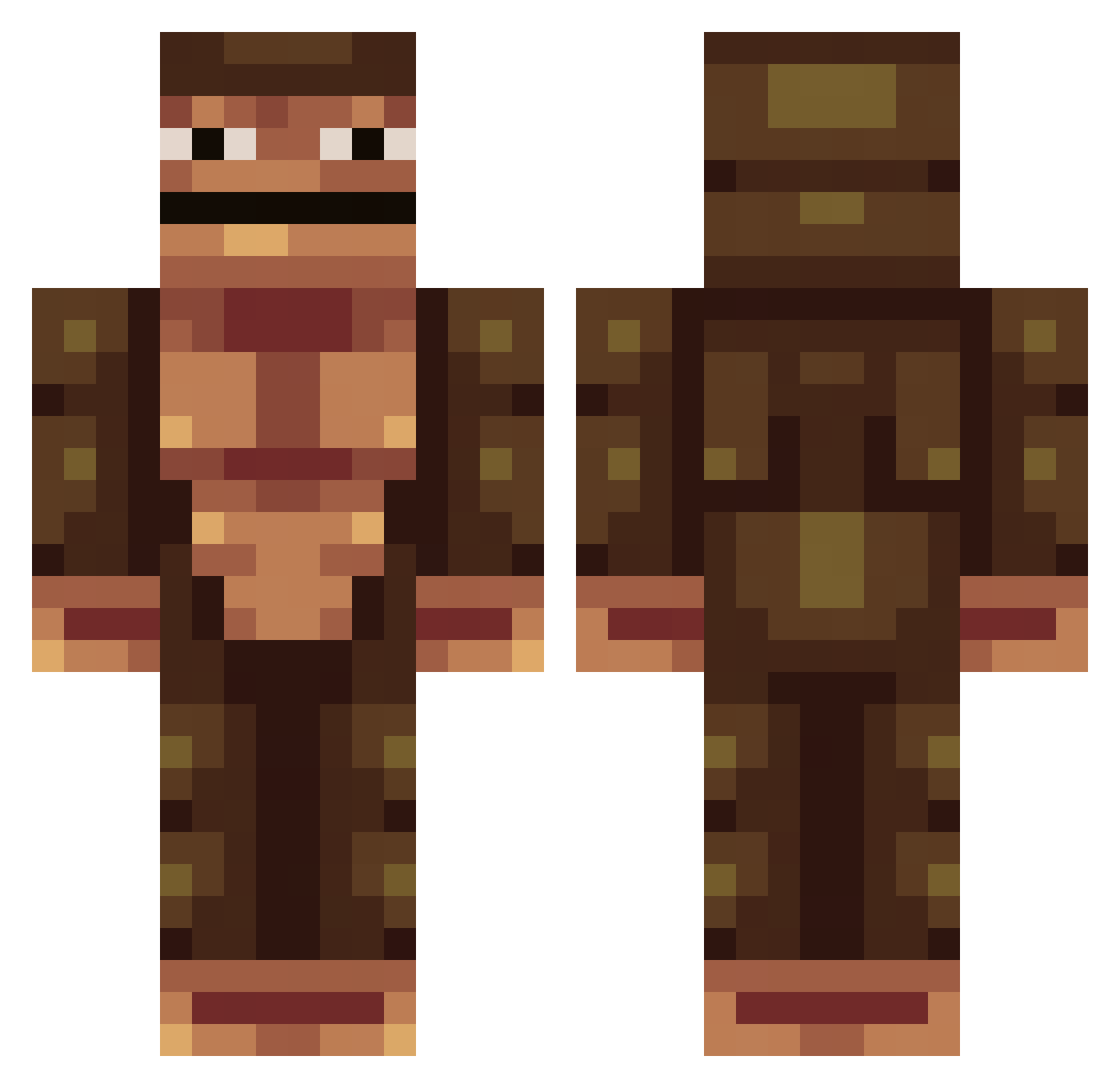
Current Minecraft skin of the player Patrickk_, loaded from the official Mojang API. Rotate the 3D model with your mouse or finger, then download the skin as a PNG file and use it in Minecraft: Bedrock Edition or Java Edition for free. When Patrickk_ changes their skin, this page updates automatically and the old skin stays in the history below.
Other players with this skin (125)
Patrickk_ was the 73rd player we have seen with this skin, first spotted on 15.09.2026. The same skin was seen on these players. Open a nickname to see their current skin and skin history.
 Grumpygrumz ProCrafter699 Obungus_og Emequaza BossBaby321 Cadenator1 TheFather__ FireDiesel Sug_Madic69 Advaith3410 Dynam04123 Banana_KONG MrBrodo TheUngulate DaDy_Chilz kimdae2415 Nathanfunk SkibiSigmaStormo MiniJochen795 Farrar95 Provae GorillaTapeTough SewShiBro Tomm_Ladd mambo852 dingvs the_flying_bat s_b69 CodakWhite2 JosephTheTrain MonkeLikeBanana liltorc TSM_Jacob_Ditzel YRNBigMeech SunnyCoClothing kingcalvin47 Zulpp ds926 Cabezon_Burgales 6ReDNaX9 ZIBLACLOWNGG Bordana Splud TeenyTommy AlphaLazy Balbol Willargon _Quav0_ Ithor77 HarambeGorilla19 Pogo_v1 Kokolaj Onionsorcerer Gorilla_Guy ogbrownman23 8oyer Nokia538 MrKucru Maksior_XD royal_audiences
How to install the Patrickk_ skin
- Press the Download button above to save the skin as a PNG file.
- Minecraft: Bedrock Edition (PE): open the Dressing Room from the main menu (or tap your character → Edit Character), go to Classic Skins → Owned, press the + (new skin) button, choose the downloaded PNG and pick the Classic (Steve) model. Works on PC and mobile; consoles cannot import custom skins.
- Minecraft: Java Edition: open the Minecraft Launcher, go to the Skins tab, click New Skin, load the PNG, pick the Classic (Steve) model and press Save & Use. You can also upload it at minecraft.net → Profile → Change Skin.
The skin does not show up after import - what should I do?
Restart Minecraft and open the Dressing Room again - imported skins sometimes appear only after a restart. Also make sure you selected the imported skin and picked the Classic (Steve) model.
Which model should I choose, Classic or Slim?
This skin is designed for the Classic (Steve) model. If you pick the wrong model, the arms of the skin will look stretched or squeezed.
Is the skin of Patrickk_ free to download?
Yes. Press Download, save the PNG file and use it in Minecraft: Bedrock Edition or Java Edition - no payment or registration needed. The skin also works on multiplayer servers and Realms.
More skins
Looking for more? Go back to all Minecraft skins and check the top skins of the week, month and all time, or find any player's skin by nickname.