
Patobombad0 - Minecraft Skins & Skin History
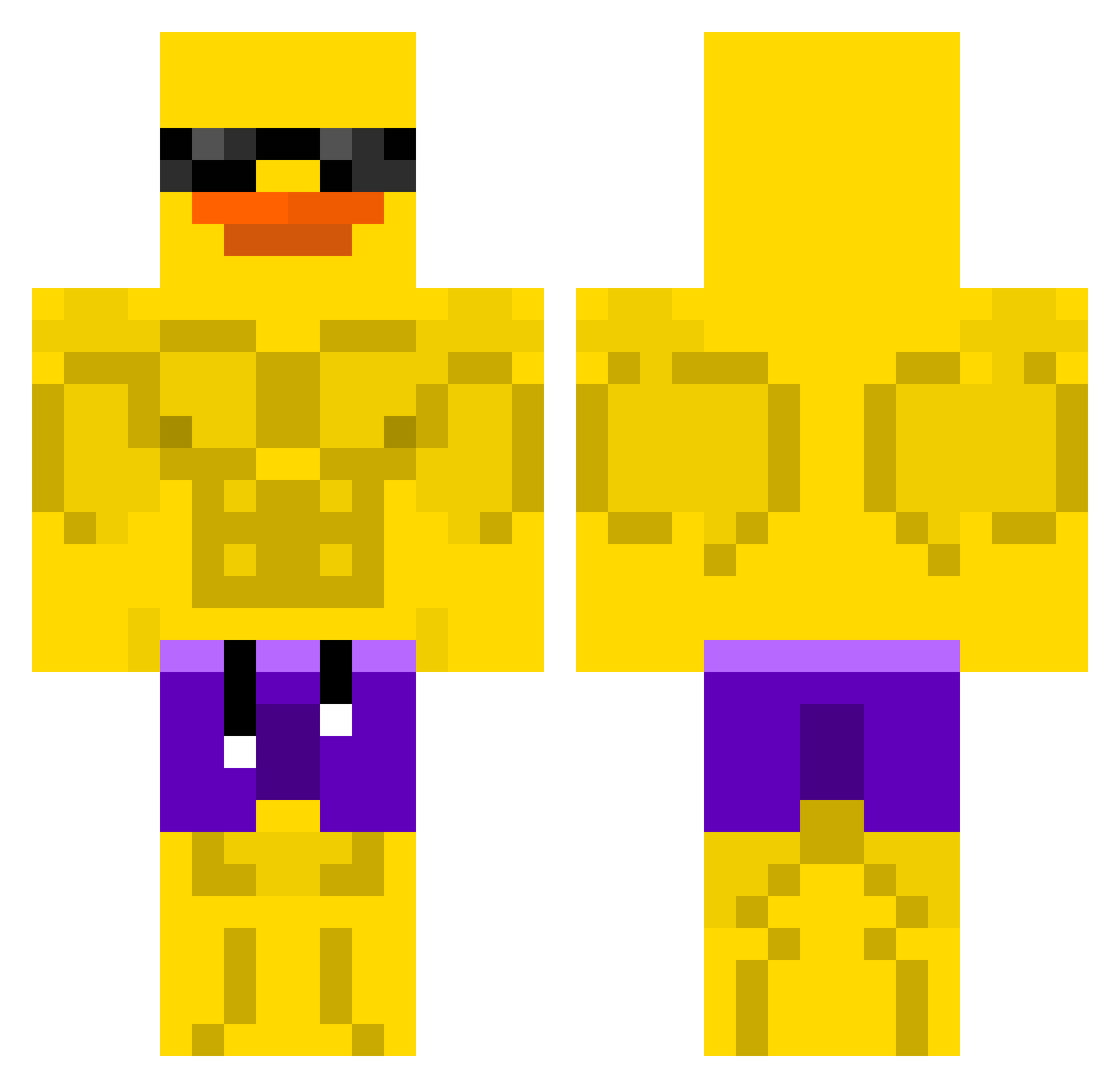
Current Minecraft skin of the player Patobombad0, loaded from the official Mojang API. Rotate the 3D model with your mouse or finger, then download the skin as a PNG file and use it in Minecraft: Bedrock Edition or Java Edition for free. When Patobombad0 changes their skin, this page updates automatically and the old skin stays in the history below.
Other players with this skin (507)
Patobombad0 was the 81st player we have seen with this skin, first spotted on 10.08.2026. The same skin was seen on these players. Open a nickname to see their current skin and skin history.
 Rileyq004 NeglectedChub xSad_Catx oldfloppyjoe CHUNKYBOY0616 Vercize LucjanZ Szorizolo GmtOnAir harnessedbyshark poipoi3953 alice434 Dymso koxufabian Zeppelin7036 gigabyteram likavini BURGERREK6792 Purp_Hyacinth TimoDeKaasman42 carsina Nhuttt wizzartt banana111111111 Fan_szybxr hunmin123 ZombiesInVans LEROYALE_ GloveBoy_
 ImOocean cikcikk31 axlotol_king BedirhanKacmaz b2lair Splution Dr__Duck_ ClassyFire77494 _xFroZeeN_31 Iiuri RqL1M MethanGas Antboy240 vitorplay DZ_Sezgin drago5474 Pikmin_9 LightNickel2695 AlMikhayiyl Kxd08 MheeSaranX
 RaidAicd Hardikgamer9670 bigjohnsonnn harvey70 Skysamurai01 GiggerTheFirst cuteyonghoon LittleGiant707 Bapp0o Pisuvarr
More Swim Trunks Minecraft skins
How to install the Patobombad0 skin
- Press the Download button above to save the skin as a PNG file.
- Minecraft: Bedrock Edition (PE): open the Dressing Room from the main menu (or tap your character → Edit Character), go to Classic Skins → Owned, press the + (new skin) button, choose the downloaded PNG and pick the Classic (Steve) model. Works on PC and mobile; consoles cannot import custom skins.
- Minecraft: Java Edition: open the Minecraft Launcher, go to the Skins tab, click New Skin, load the PNG, pick the Classic (Steve) model and press Save & Use. You can also upload it at minecraft.net → Profile → Change Skin.
The skin does not show up after import - what should I do?
Restart Minecraft and open the Dressing Room again - imported skins sometimes appear only after a restart. Also make sure you selected the imported skin and picked the Classic (Steve) model.
Which model should I choose, Classic or Slim?
This skin is designed for the Classic (Steve) model. If you pick the wrong model, the arms of the skin will look stretched or squeezed.
Is the skin of Patobombad0 free to download?
Yes. Press Download, save the PNG file and use it in Minecraft: Bedrock Edition or Java Edition - no payment or registration needed. The skin also works on multiplayer servers and Realms.
More skins
Looking for more? Go back to all Minecraft skins and check the top skins of the week, month and all time, or find any player's skin by nickname.