
Pato035 - Minecraft Skins & Skin History
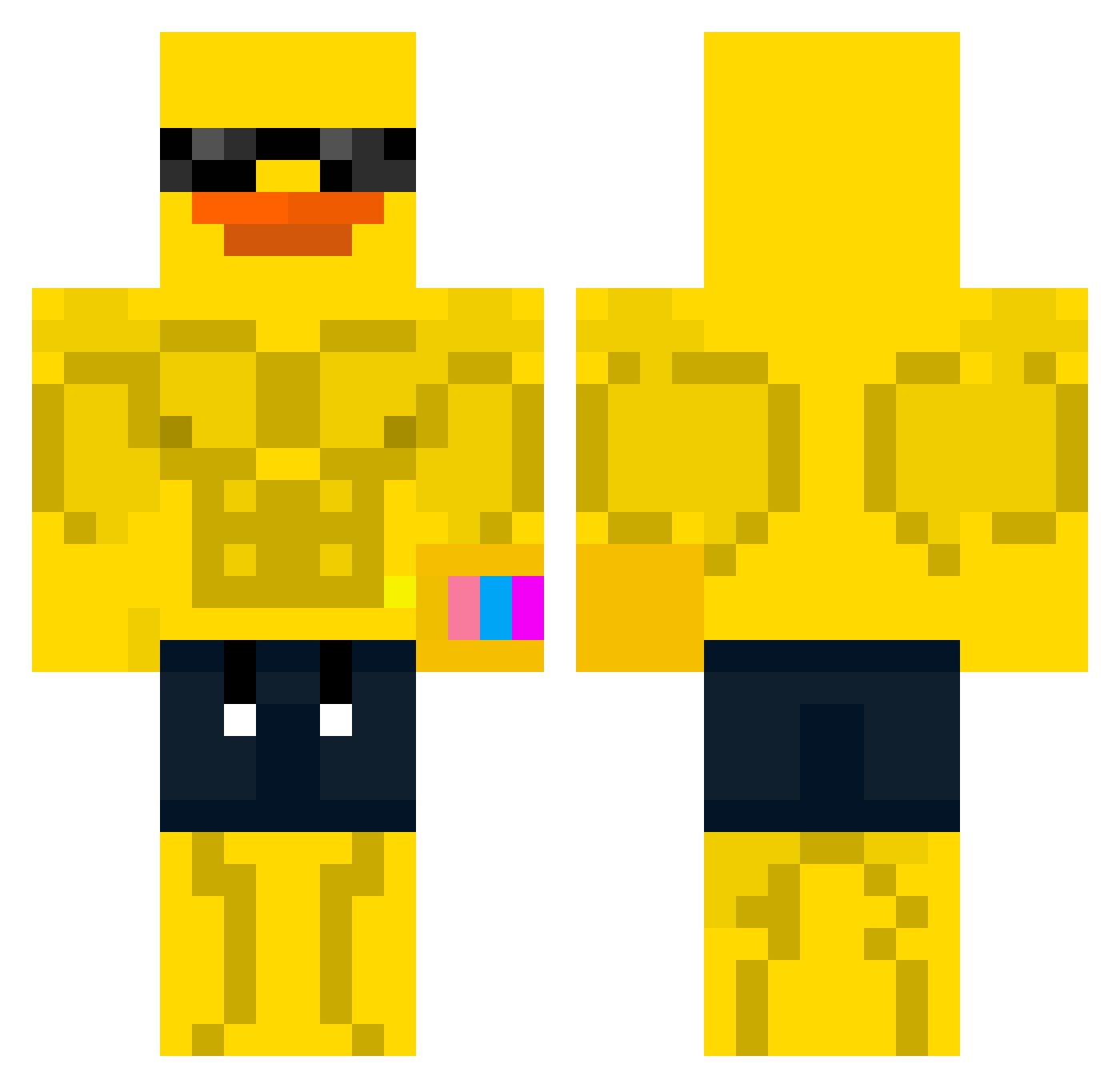
Current Minecraft skin of the player Pato035, loaded from the official Mojang API. Rotate the 3D model with your mouse or finger, then download the skin as a PNG file and use it in Minecraft: Bedrock Edition or Java Edition for free. When Pato035 changes their skin, this page updates automatically and the old skin stays in the history below.
Other players with this skin (70)
Pato035 was the 35th player we have seen with this skin, first spotted on 12.09.2026. The same skin was seen on these players. Open a nickname to see their current skin and skin history.
 lucidunclarity KevinSuarez rethadet huhu00 9070GB Michasko07 bbung_dadadak Reneeee4 Cl_A345 maro_88 Luckcy _dxs Eltomek2 Kauli_ N1ght_7 MomSlayer6767 PAPPONEJR Rave07 zynii_ Spongenerd NoisyMagnet attakito Barokoksu frozonedabone789 Piwro CaptainCark Joon2aeo Sheyz0 SAIJAM DanonnM swiftmochii DerSnier1234 Lortpit katadan HTyun ELZ_berto Moppard aquex__ Vpro_08 Raintwogi999 bigberca PaQueCorrer Matti9991 Sheeeeeeesshhh JustTickle MrFlameNinja0_0 blessed112 Kakarot09 szyk0 Feapz_GHG Star_6bem6lsga54 0clone_ Lord_Diio65 RogelioBC hlqvka Bau3rRaidedRolf hondobilooop vNz_7 26480 AboDaham
More Swim Trunks Minecraft skins
How to install the Pato035 skin
- Press the Download button above to save the skin as a PNG file.
- Minecraft: Bedrock Edition (PE): open the Dressing Room from the main menu (or tap your character → Edit Character), go to Classic Skins → Owned, press the + (new skin) button, choose the downloaded PNG and pick the Classic (Steve) model. Works on PC and mobile; consoles cannot import custom skins.
- Minecraft: Java Edition: open the Minecraft Launcher, go to the Skins tab, click New Skin, load the PNG, pick the Classic (Steve) model and press Save & Use. You can also upload it at minecraft.net → Profile → Change Skin.
The skin does not show up after import - what should I do?
Restart Minecraft and open the Dressing Room again - imported skins sometimes appear only after a restart. Also make sure you selected the imported skin and picked the Classic (Steve) model.
Which model should I choose, Classic or Slim?
This skin is designed for the Classic (Steve) model. If you pick the wrong model, the arms of the skin will look stretched or squeezed.
Is the skin of Pato035 free to download?
Yes. Press Download, save the PNG file and use it in Minecraft: Bedrock Edition or Java Edition - no payment or registration needed. The skin also works on multiplayer servers and Realms.
More skins
Looking for more? Go back to all Minecraft skins and check the top skins of the week, month and all time, or find any player's skin by nickname.