
Pastiches - Minecraft Skins & Skin History
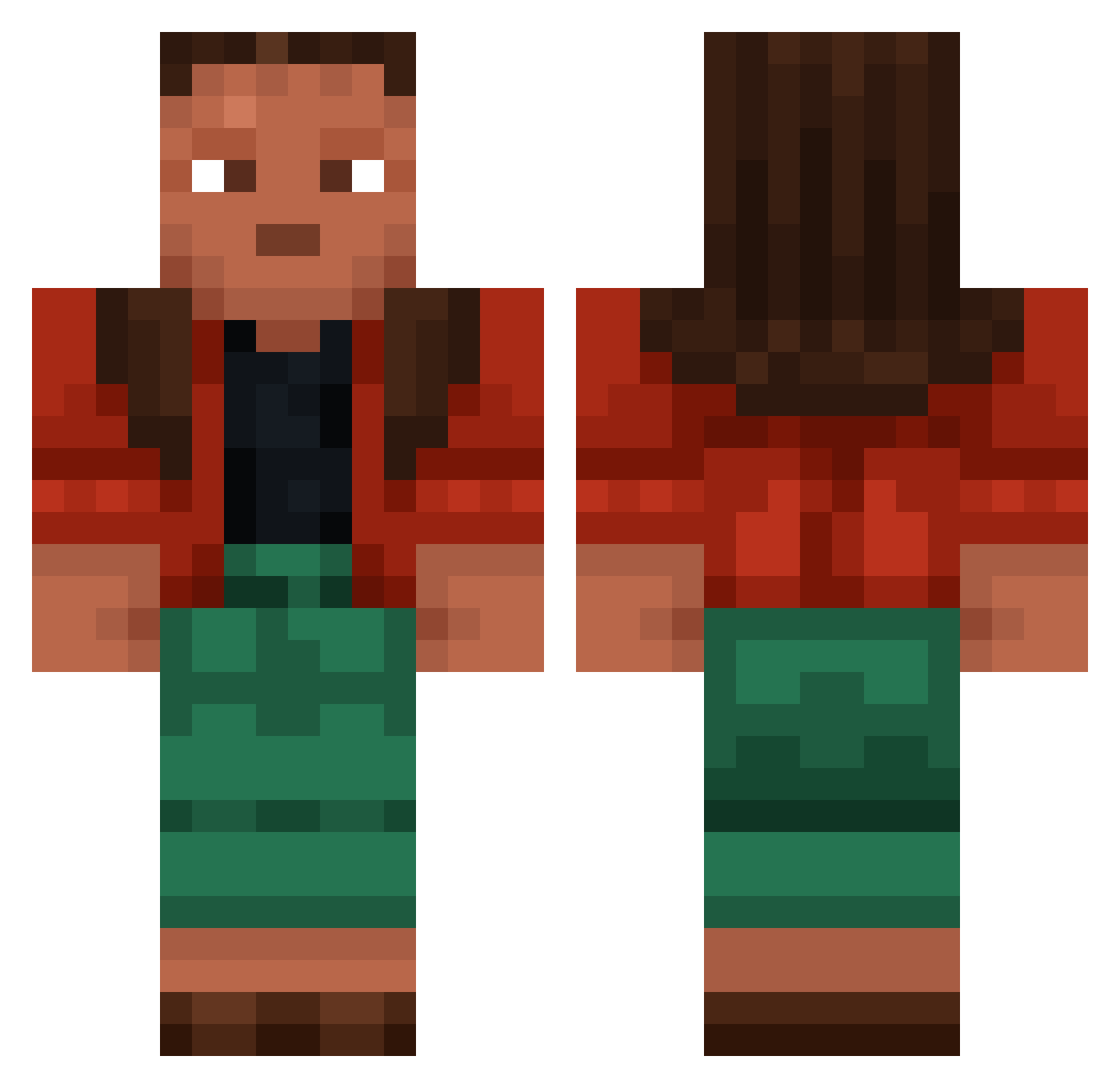
Current Minecraft skin of the player Pastiches, loaded from the official Mojang API. Rotate the 3D model with your mouse or finger, then download the skin as a PNG file and use it in Minecraft: Bedrock Edition or Java Edition for free. When Pastiches changes their skin, this page updates automatically and the old skin stays in the history below.
Other players with this skin (1186)
Pastiches was the 1134th player we have seen with this skin, first spotted on 18.11.2026. The same skin was seen on these players. Open a nickname to see their current skin and skin history.
 Taiichibana Kercher rottenstone Medopedo123 Candi_Pie EviLeR birdshots Representation MonthsPit Sky2ox birchbark Uncivilized GenericJesse Nulliplex Zaepheus gavboy123 paranoiac bassy DeliriousDangers Branmufin Nioluuk Convictable TheRealSalads godowsky TeaBox Butcha REPR controverted Tenore Bhavani zuperkamelen PrinzessinPanik RikYam Crunched angewandtechemie corporosity Atoll toumie41 K0rdichead flareless Bburg MXB_Win LJ999 Muddot02 CurlyBracket nols0 v0rkin UnBarb Avolation Proky0 Birder LinhdobEM0204 MEEZEER DenisTheFarmer bilb0_baggins KETTLER metrologue lucasmlggddddddd Prevaricated Rotanev
More Moana Minecraft skins
How to install the Pastiches skin
- Press the Download button above to save the skin as a PNG file.
- Minecraft: Bedrock Edition (PE): open the Dressing Room from the main menu (or tap your character → Edit Character), go to Classic Skins → Owned, press the + (new skin) button, choose the downloaded PNG and pick the Classic (Steve) model. Works on PC and mobile; consoles cannot import custom skins.
- Minecraft: Java Edition: open the Minecraft Launcher, go to the Skins tab, click New Skin, load the PNG, pick the Classic (Steve) model and press Save & Use. You can also upload it at minecraft.net → Profile → Change Skin.
The skin does not show up after import - what should I do?
Restart Minecraft and open the Dressing Room again - imported skins sometimes appear only after a restart. Also make sure you selected the imported skin and picked the Classic (Steve) model.
Which model should I choose, Classic or Slim?
This skin is designed for the Classic (Steve) model. If you pick the wrong model, the arms of the skin will look stretched or squeezed.
Is the skin of Pastiches free to download?
Yes. Press Download, save the PNG file and use it in Minecraft: Bedrock Edition or Java Edition - no payment or registration needed. The skin also works on multiplayer servers and Realms.
More skins
Looking for more? Go back to all Minecraft skins and check the top skins of the week, month and all time, or find any player's skin by nickname.