
Participate - Minecraft Skins & Skin History
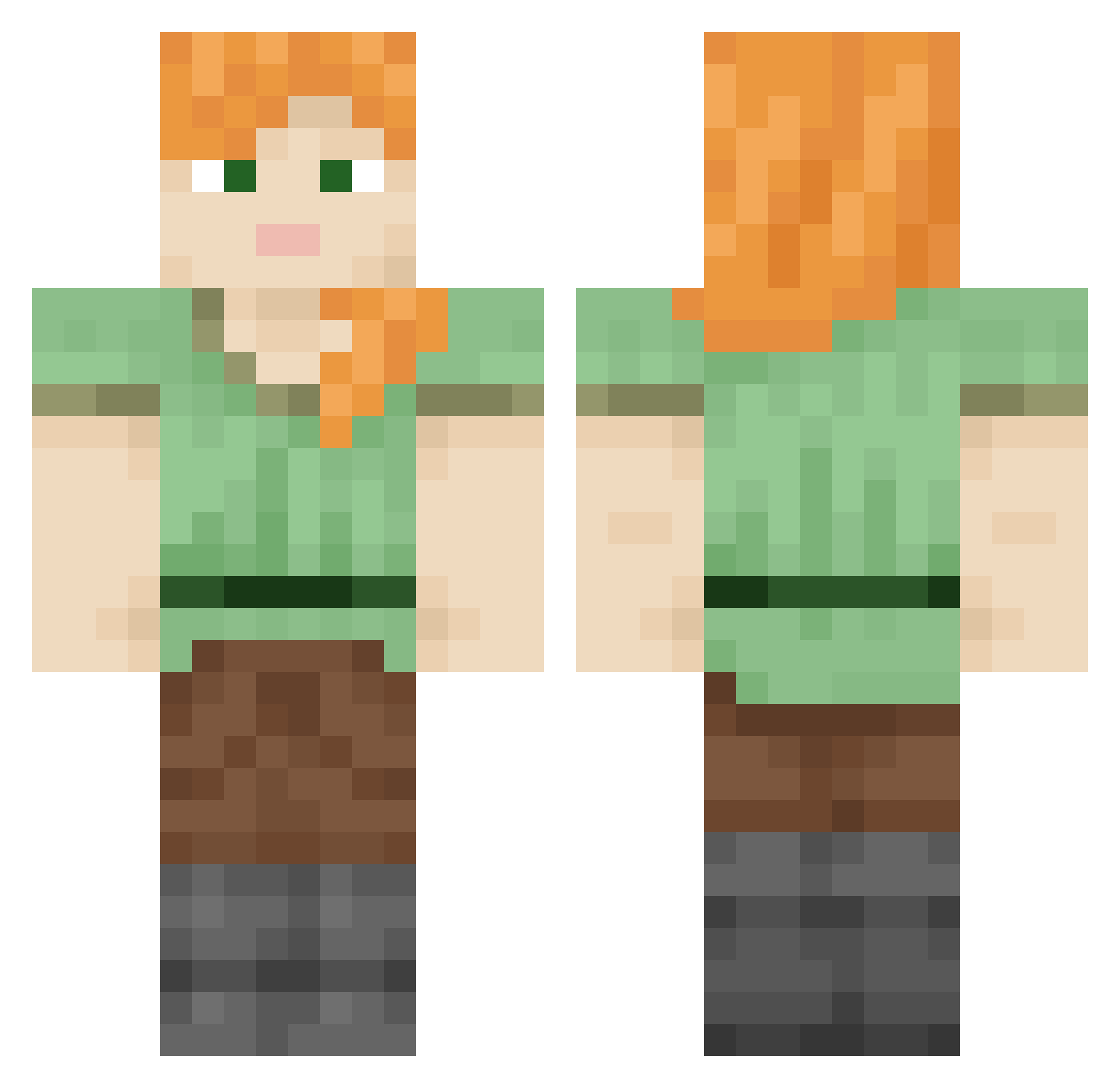
Current Minecraft skin of the player Participate, loaded from the official Mojang API. Rotate the 3D model with your mouse or finger, then download the skin as a PNG file and use it in Minecraft: Bedrock Edition or Java Edition for free. When Participate changes their skin, this page updates automatically and the old skin stays in the history below.
Other players with this skin (846)
Participate was the 36th player we have seen with this skin, first spotted on 29.07.2026. The same skin was seen on these players. Open a nickname to see their current skin and skin history.
 Pimpled LanaO adiposis loop5
 OopyGo0py Noumaa Dioxime Romanization QWQ2136 artichoke_em Roller Tubaphone tenforce Whodunnit Animalcule saffrontree geoscientist gaucy Billon itsbrittany69 austenw1899 hehewiki Areae Reclaimers Contrecoup goth Zolisz AngryTaco42 smoothTongue Tribalz Basilosaurus Myxxi RitaLynne rodded Struck _TickMineYT
 doctor_20 DaBabyHA Chasereev RetarRed Phantomias5 wbreuschel Iselan LarpNotFound 3milli Rabbitoh Ptolemaic Cuties spy_lopa xByyra MONONUCLEAR Homem Korvsen Stunsail Alexander_Game Lactim RELATIVEBROOM46 assefer longhorns fpe
How to install the Participate skin
- Press the Download button above to save the skin as a PNG file.
- Minecraft: Bedrock Edition (PE): open the Dressing Room from the main menu (or tap your character → Edit Character), go to Classic Skins → Owned, press the + (new skin) button, choose the downloaded PNG and pick the Classic (Steve) model. Works on PC and mobile; consoles cannot import custom skins.
- Minecraft: Java Edition: open the Minecraft Launcher, go to the Skins tab, click New Skin, load the PNG, pick the Classic (Steve) model and press Save & Use. You can also upload it at minecraft.net → Profile → Change Skin.
The skin does not show up after import - what should I do?
Restart Minecraft and open the Dressing Room again - imported skins sometimes appear only after a restart. Also make sure you selected the imported skin and picked the Classic (Steve) model.
Which model should I choose, Classic or Slim?
This skin is designed for the Classic (Steve) model. If you pick the wrong model, the arms of the skin will look stretched or squeezed.
Is the skin of Participate free to download?
Yes. Press Download, save the PNG file and use it in Minecraft: Bedrock Edition or Java Edition - no payment or registration needed. The skin also works on multiplayer servers and Realms.
More skins
Looking for more? Go back to all Minecraft skins and check the top skins of the week, month and all time, or find any player's skin by nickname.