
Paran0ia__ - Minecraft Skins & Skin History
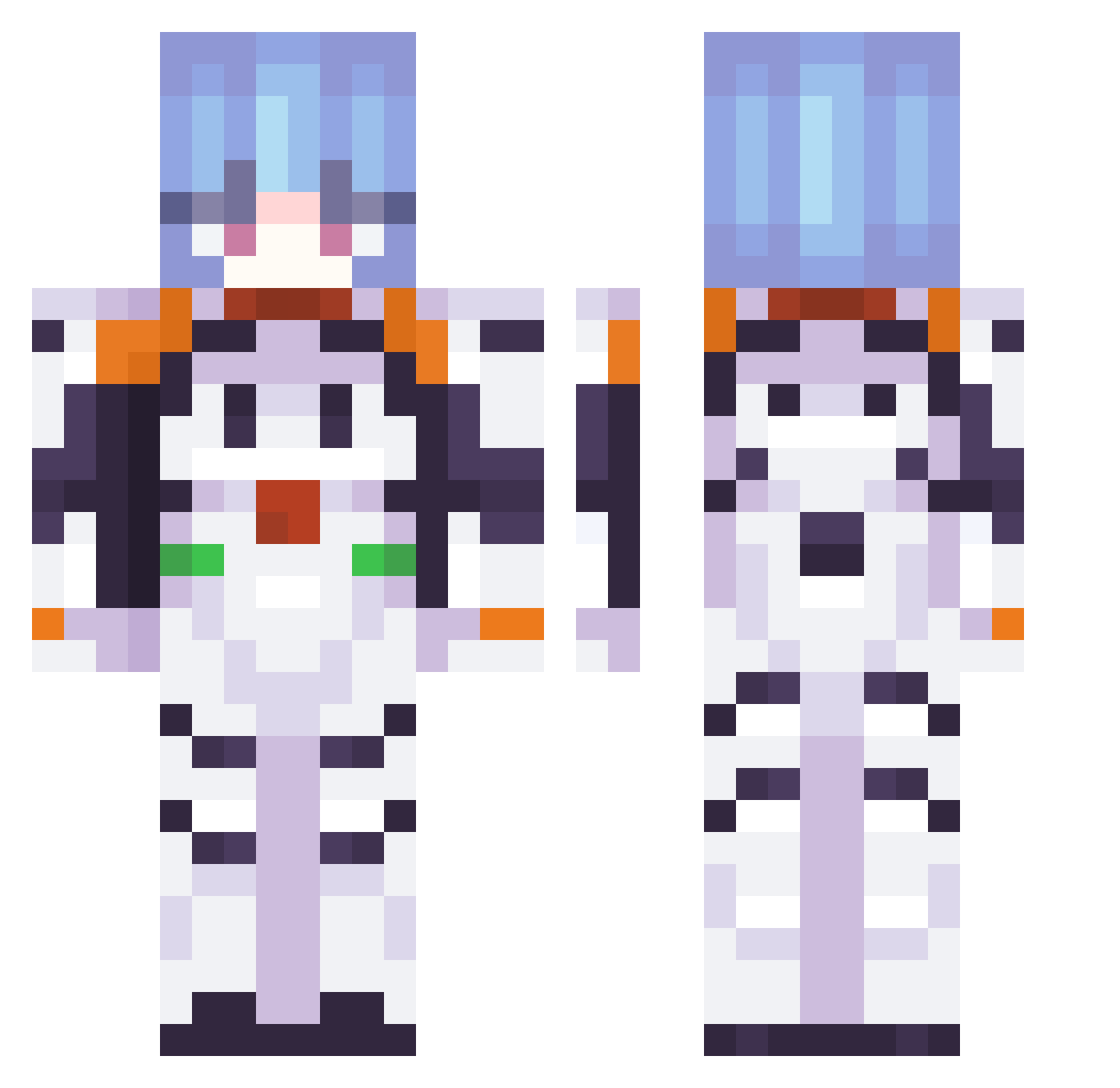
Current Minecraft skin of the player Paran0ia__, loaded from the official Mojang API. Rotate the 3D model with your mouse or finger, then download the skin as a PNG file and use it in Minecraft: Bedrock Edition or Java Edition for free. When Paran0ia__ changes their skin, this page updates automatically and the old skin stays in the history below.
Other players with this skin (451)
Paran0ia__ was the 423rd player we have seen with this skin, first spotted on 13.11.2026. The same skin was seen on these players. Open a nickname to see their current skin and skin history.
 valewhale Vato109 Pekora0925 brum8 chelepizdrik vexypo Josedax FIsDY hev0 LilililiLCC Megarex2004 EddyLarva Law9696 Vela_22 Swarid axylman Smemj KimHaRam123 wiredfall pacifistDuck Hori_Deleren Kawend0 Lieenah Zuku1786 fertastica St0nedP1kachu Usernam_Required nealfougere NotoriousAID alexys666 Nyandaru TotallyVlad b0bdabum 0newazysw1pe Harky_bhoy L_ViBritannia chips_00100001 Nata_25 Osyth RunicMite0 lochness_moster HYDRAXILLERS fwfwfwfwfwfwfwfw Popisko DEAD_HARRISON Epchelle Whimpykid87 Daneki Joker_4351 mania31p lizbeth_salander andrespro5000 Holy404 Lomxrdm pengpeter517 pkkatz Astraforsan Jewoo33 ZenithWarden cauxkk_
More Plugsuit Minecraft skins
How to install the Paran0ia__ skin
- Press the Download button above to save the skin as a PNG file.
- Minecraft: Bedrock Edition (PE): open the Dressing Room from the main menu (or tap your character → Edit Character), go to Classic Skins → Owned, press the + (new skin) button, choose the downloaded PNG and pick the Classic (Steve) model. Works on PC and mobile; consoles cannot import custom skins.
- Minecraft: Java Edition: open the Minecraft Launcher, go to the Skins tab, click New Skin, load the PNG, pick the Classic (Steve) model and press Save & Use. You can also upload it at minecraft.net → Profile → Change Skin.
The skin does not show up after import - what should I do?
Restart Minecraft and open the Dressing Room again - imported skins sometimes appear only after a restart. Also make sure you selected the imported skin and picked the Classic (Steve) model.
Which model should I choose, Classic or Slim?
This skin is designed for the Classic (Steve) model. If you pick the wrong model, the arms of the skin will look stretched or squeezed.
Is the skin of Paran0ia__ free to download?
Yes. Press Download, save the PNG file and use it in Minecraft: Bedrock Edition or Java Edition - no payment or registration needed. The skin also works on multiplayer servers and Realms.
More skins
Looking for more? Go back to all Minecraft skins and check the top skins of the week, month and all time, or find any player's skin by nickname.