
Papours__ - Minecraft Skins & Skin History
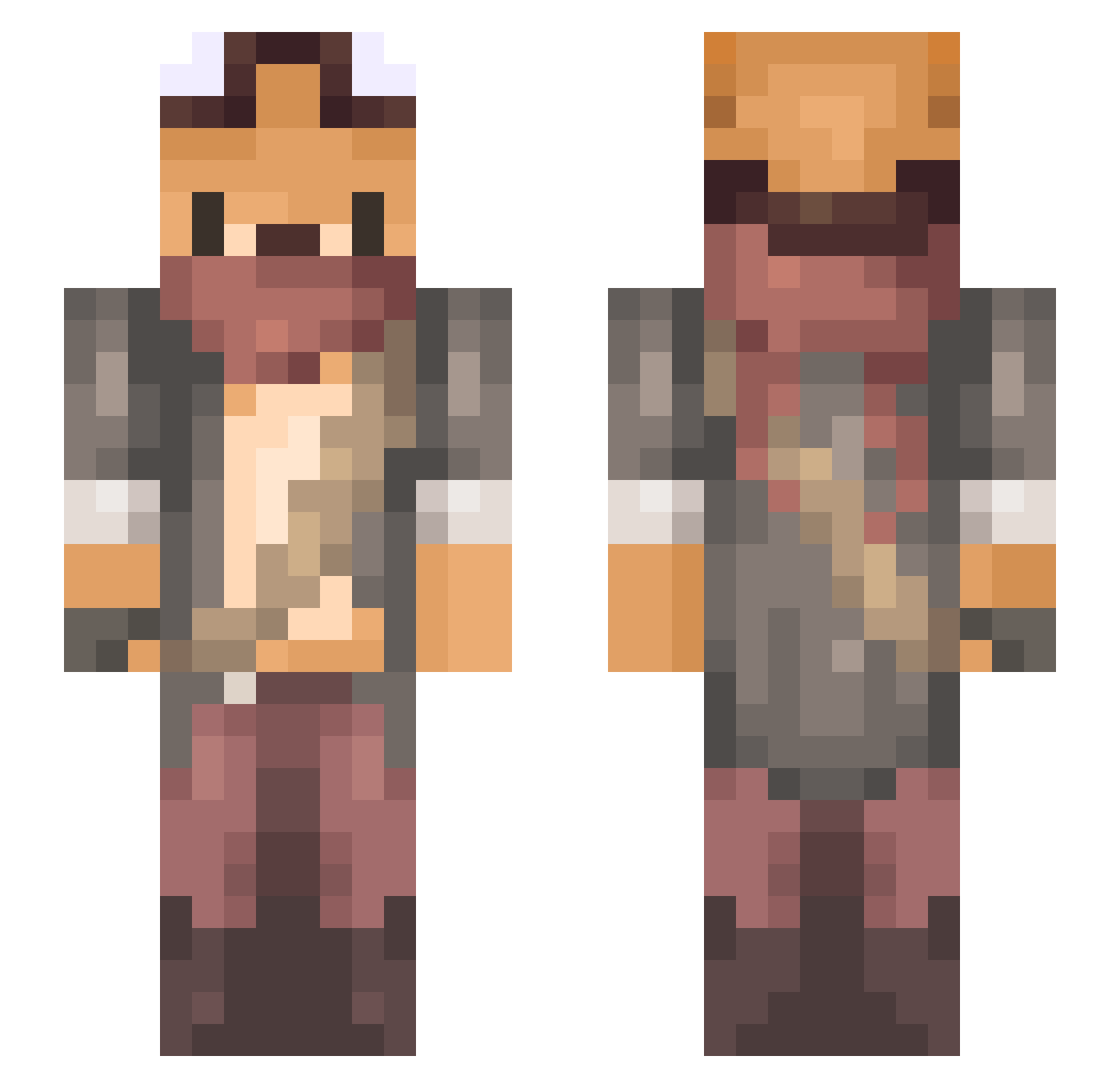
Current Minecraft skin of the player Papours__, loaded from the official Mojang API. Rotate the 3D model with your mouse or finger, then download the skin as a PNG file and use it in Minecraft: Bedrock Edition or Java Edition for free. When Papours__ changes their skin, this page updates automatically and the old skin stays in the history below.
Other players with this skin (651)
Papours__ was the 436th player we have seen with this skin, first spotted on 01.10.2026. The same skin was seen on these players. Open a nickname to see their current skin and skin history.
 iSwimpey pk1849t tlgus225 onli_u Austin120712 Kurthoban57 dimascs99 Kajass LoveMaker0205 BeerForGhost deepcells BayNikolas Gamerderpy353 SeNung2 Pakolson96 mightytoufu Jamsyee Caprisun_straw_ Huskiss NotSpeedyManMacG Tea_Egger Arcticfox3 sleepwqlker YUZUMARUMARU Lightsyll ChevalRadis Muenyn Marphic dabossbaby69 Arctrooper540 OnyxTora IcyDriedSquid Shennanz Zzooll RealBeaker Fabio_Flores YAAOYEN AndyDesasterman A1eeXa RodriguesTek ATQAQ Usmanym6 DiamondPeach kamachara7 Hamachannel Dayy_ j84lee iro_io Warlockie Red_vulpine KllTheHero Farkedilmemzor MuaLigeBily adamzero Marvodo Cararamel_Ribbon Nate_905 ZeetsFPS pietbauer yukiCL
More Scavenger Minecraft skins
How to install the Papours__ skin
- Press the Download button above to save the skin as a PNG file.
- Minecraft: Bedrock Edition (PE): open the Dressing Room from the main menu (or tap your character → Edit Character), go to Classic Skins → Owned, press the + (new skin) button, choose the downloaded PNG and pick the Slim (Alex) model. Works on PC and mobile; consoles cannot import custom skins.
- Minecraft: Java Edition: open the Minecraft Launcher, go to the Skins tab, click New Skin, load the PNG, pick the Slim (Alex) model and press Save & Use. You can also upload it at minecraft.net → Profile → Change Skin.
The skin does not show up after import - what should I do?
Restart Minecraft and open the Dressing Room again - imported skins sometimes appear only after a restart. Also make sure you selected the imported skin and picked the Slim (Alex) model.
Which model should I choose, Classic or Slim?
This skin is designed for the Slim (Alex) model. If you pick the wrong model, the arms of the skin will look stretched or squeezed.
Is the skin of Papours__ free to download?
Yes. Press Download, save the PNG file and use it in Minecraft: Bedrock Edition or Java Edition - no payment or registration needed. The skin also works on multiplayer servers and Realms.
More skins
Looking for more? Go back to all Minecraft skins and check the top skins of the week, month and all time, or find any player's skin by nickname.