
Papa_Crafta - Minecraft Skins & Skin History
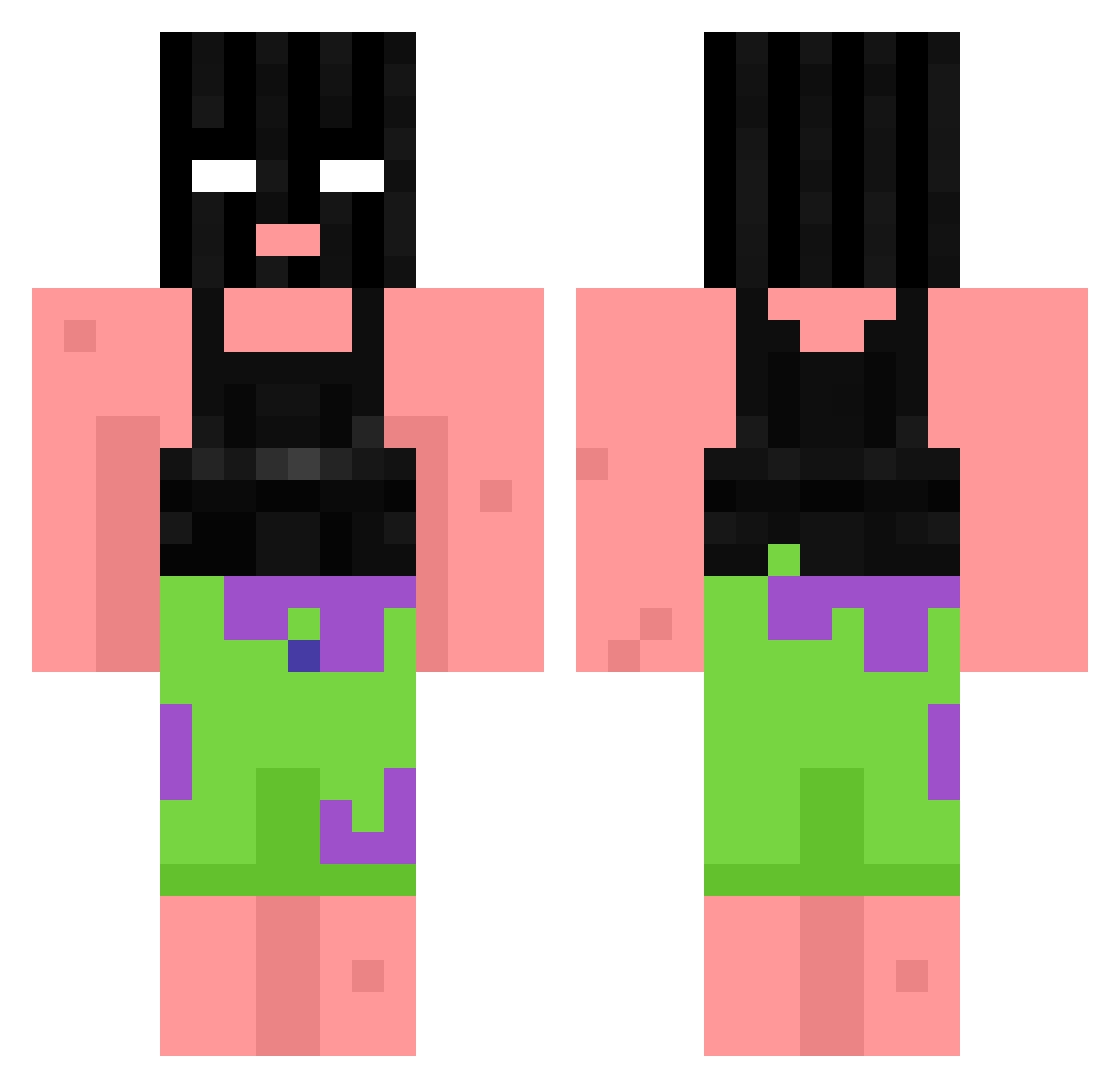
Current Minecraft skin of the player Papa_Crafta, loaded from the official Mojang API. Rotate the 3D model with your mouse or finger, then download the skin as a PNG file and use it in Minecraft: Bedrock Edition or Java Edition for free. When Papa_Crafta changes their skin, this page updates automatically and the old skin stays in the history below.
Other players with this skin (764)
Papa_Crafta was the 26th player we have seen with this skin, first spotted on 25.07.2026. The same skin was seen on these players. Open a nickname to see their current skin and skin history.
 fishburgerchur Tjure0409 BobaAddict_x minamina0530 Glimspe barbate2001 whissup PepaLaPistolera
 milkxlatte SHW00K 2Kinder CreeperCraft094 GrouwBer maxim246 ImAkaba
 mattwadel Jet_I Tommy_Salami69 VimpireOwl smellypickles Frudydk FSPGang mantg Poller094 barne47 NiceGuySyndrome xDogee BluefaceBaby2000 hesson24 Binon_1334 senoritagata incelfag Raffus374 _Idny_ Toby20090 Elya2003 Tylerlibby Deferredclamp alonspeeddemon Jakeppthegod VladEbalo DryLifeQuality TheFlamingSoul Pixelshooter24 LagerndesLager jfilb97 Arlo1134 travuus raytoosmoove major20069 osi1x manolepoto BuYai233 qwertyqwaz34 Lxmz T4ste azmoh4242 Sammanthaa gustratrex zNadja
More Ski Mask Minecraft skins
How to install the Papa_Crafta skin
- Press the Download button above to save the skin as a PNG file.
- Minecraft: Bedrock Edition (PE): open the Dressing Room from the main menu (or tap your character → Edit Character), go to Classic Skins → Owned, press the + (new skin) button, choose the downloaded PNG and pick the Classic (Steve) model. Works on PC and mobile; consoles cannot import custom skins.
- Minecraft: Java Edition: open the Minecraft Launcher, go to the Skins tab, click New Skin, load the PNG, pick the Classic (Steve) model and press Save & Use. You can also upload it at minecraft.net → Profile → Change Skin.
The skin does not show up after import - what should I do?
Restart Minecraft and open the Dressing Room again - imported skins sometimes appear only after a restart. Also make sure you selected the imported skin and picked the Classic (Steve) model.
Which model should I choose, Classic or Slim?
This skin is designed for the Classic (Steve) model. If you pick the wrong model, the arms of the skin will look stretched or squeezed.
Is the skin of Papa_Crafta free to download?
Yes. Press Download, save the PNG file and use it in Minecraft: Bedrock Edition or Java Edition - no payment or registration needed. The skin also works on multiplayer servers and Realms.
More skins
Looking for more? Go back to all Minecraft skins and check the top skins of the week, month and all time, or find any player's skin by nickname.