
PanicSlayer - Minecraft Skins & Skin History
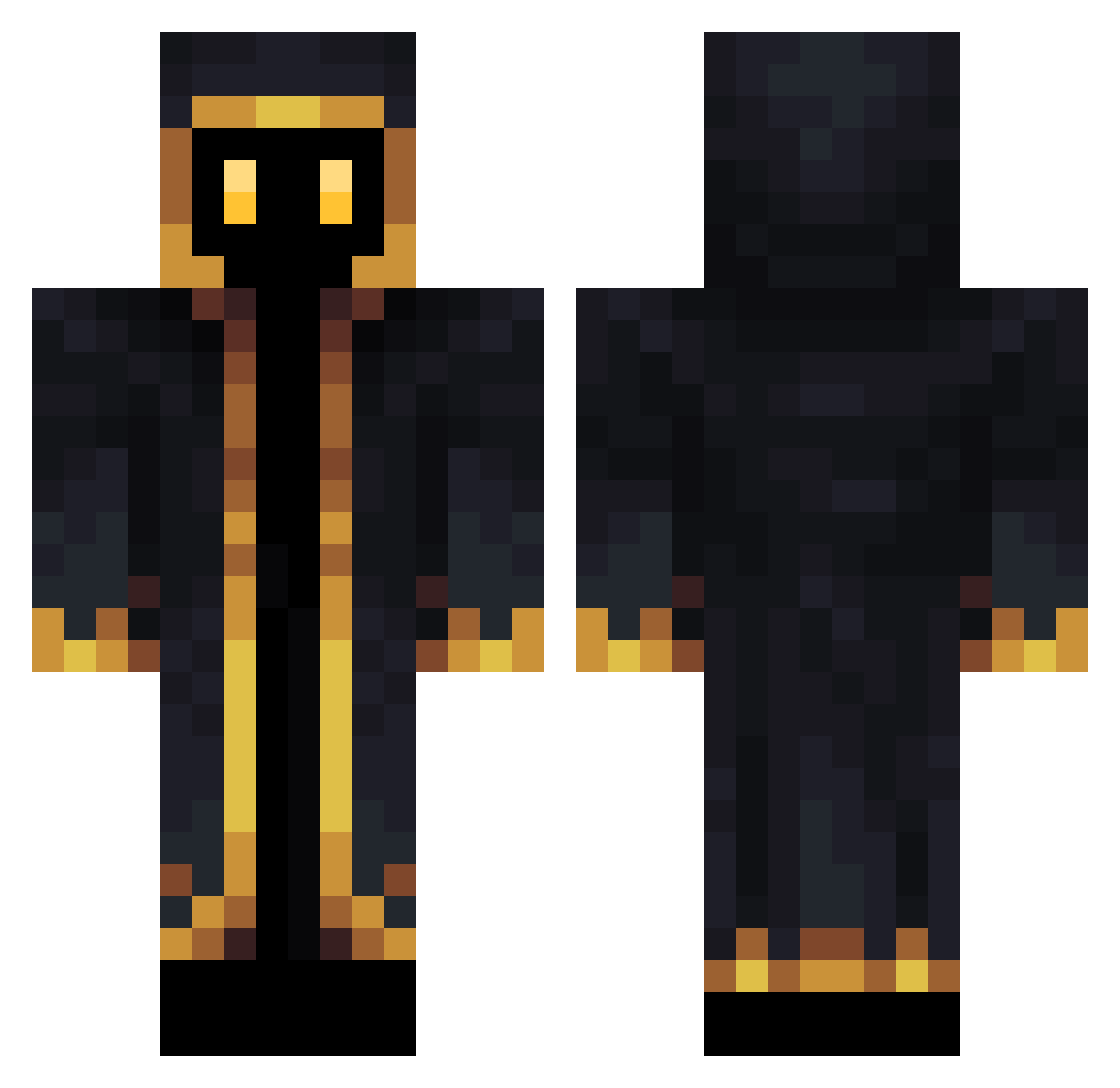
Current Minecraft skin of the player PanicSlayer, loaded from the official Mojang API. Rotate the 3D model with your mouse or finger, then download the skin as a PNG file and use it in Minecraft: Bedrock Edition or Java Edition for free. When PanicSlayer changes their skin, this page updates automatically and the old skin stays in the history below.
Other players with this skin (190)
PanicSlayer was the 167th player we have seen with this skin, first spotted on 05.11.2026. The same skin was seen on these players. Open a nickname to see their current skin and skin history.
 Cieniak XFlemingX VegliaZ TheJonitaP447 Metamorpho02 SlammBammer GameMaikol_ Mr_TJC Yujeongs Fleury_14 AdolfCipek Hunter3351 Shad_0 Ningaman xisch Tembara Efyro Kleiner_Looter batres13 DustyC0 Smol_pup begyn4ik_ ectasis bd_wassim21 AndresJQG iLucky1 Robott13 Gadgetguy23 Celotii SPIDWagon1 CravanC Michael_WTO Fuufi Nojejwks VELO_Tasch Syll0 BNight4 Seaplane2114 niedowoz Itz_Bram MrGravity220 DIAMODO rock_5447 Lj_ TacoWarrrior KolinKrivi Vaarrrk fiziksphreak walfulninja Lillo03 VoLchaan diver190 Cuttyflams Spykito maxmoroco107 BadRandom11Felek Satpark ETHERNXL Kaaayyn Get_DunkedOn
More Hooded Figure Minecraft skins
See all 1436 Hooded Figure skins
How to install the PanicSlayer skin
- Press the Download button above to save the skin as a PNG file.
- Minecraft: Bedrock Edition (PE): open the Dressing Room from the main menu (or tap your character → Edit Character), go to Classic Skins → Owned, press the + (new skin) button, choose the downloaded PNG and pick the Classic (Steve) model. Works on PC and mobile; consoles cannot import custom skins.
- Minecraft: Java Edition: open the Minecraft Launcher, go to the Skins tab, click New Skin, load the PNG, pick the Classic (Steve) model and press Save & Use. You can also upload it at minecraft.net → Profile → Change Skin.
The skin does not show up after import - what should I do?
Restart Minecraft and open the Dressing Room again - imported skins sometimes appear only after a restart. Also make sure you selected the imported skin and picked the Classic (Steve) model.
Which model should I choose, Classic or Slim?
This skin is designed for the Classic (Steve) model. If you pick the wrong model, the arms of the skin will look stretched or squeezed.
Is the skin of PanicSlayer free to download?
Yes. Press Download, save the PNG file and use it in Minecraft: Bedrock Edition or Java Edition - no payment or registration needed. The skin also works on multiplayer servers and Realms.
More skins
Looking for more? Go back to all Minecraft skins and check the top skins of the week, month and all time, or find any player's skin by nickname.