
Pandemill - Minecraft Skins & Skin History
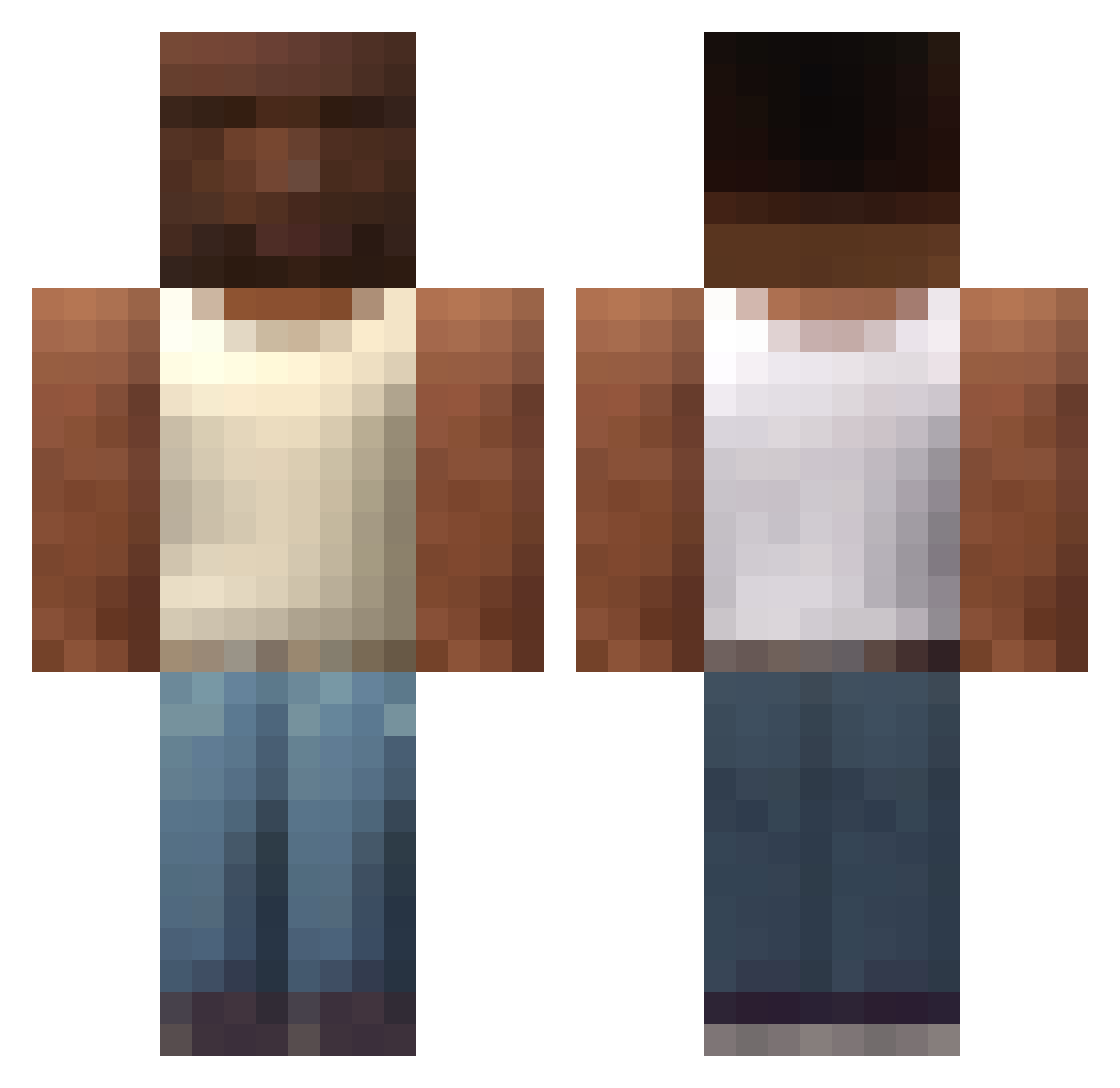
Current Minecraft skin of the player Pandemill, loaded from the official Mojang API. Rotate the 3D model with your mouse or finger, then download the skin as a PNG file and use it in Minecraft: Bedrock Edition or Java Edition for free. When Pandemill changes their skin, this page updates automatically and the old skin stays in the history below.
Other players with this skin (749)
Pandemill was the 718th player we have seen with this skin, first spotted on 16.11.2026. The same skin was seen on these players. Open a nickname to see their current skin and skin history.
 PTRXxXX FITO12 Andrea__93 GabszzXD Deskol__ Mertbaba1907 DieterHalbtrocke madarik141 abladablada higorruan JefecitoGOD Matelul CickosHroch csajos88 COOL_S borbaa05 _sunnyeu_ Bobo668 PineM0 Tuna1881 PA506 Panzeerr Gonskull Capgrass0007 Yung_Wiciu ImGabeZ d1rr SAINIxS1MI terpil RA4G Kyuni22 TheOneAndOnlyAC Periqueroo666 cuchara71 Filoneq1 ALI_BUMM_BUMM coolguy126 Arixxl j3ssest3stys ALLAHHHHHHHHHHHH stachi234 moneykingyounggi FurkanKaynak blakinyello HYEdgar Tona1186 Eltomx sit1simple 070112 Luizok2 ren3puente 1MANSOUR1 Sujet_09 jdipa RapidFire0 Ametito Just_Cat44 gaelpbalo123 Sinverwenza AshtonHall90
More San Andreas Minecraft skins
How to install the Pandemill skin
- Press the Download button above to save the skin as a PNG file.
- Minecraft: Bedrock Edition (PE): open the Dressing Room from the main menu (or tap your character → Edit Character), go to Classic Skins → Owned, press the + (new skin) button, choose the downloaded PNG and pick the Classic (Steve) model. Works on PC and mobile; consoles cannot import custom skins.
- Minecraft: Java Edition: open the Minecraft Launcher, go to the Skins tab, click New Skin, load the PNG, pick the Classic (Steve) model and press Save & Use. You can also upload it at minecraft.net → Profile → Change Skin.
The skin does not show up after import - what should I do?
Restart Minecraft and open the Dressing Room again - imported skins sometimes appear only after a restart. Also make sure you selected the imported skin and picked the Classic (Steve) model.
Which model should I choose, Classic or Slim?
This skin is designed for the Classic (Steve) model. If you pick the wrong model, the arms of the skin will look stretched or squeezed.
Is the skin of Pandemill free to download?
Yes. Press Download, save the PNG file and use it in Minecraft: Bedrock Edition or Java Edition - no payment or registration needed. The skin also works on multiplayer servers and Realms.
More skins
Looking for more? Go back to all Minecraft skins and check the top skins of the week, month and all time, or find any player's skin by nickname.