
PandaKitty223 - Minecraft Skins & Skin History
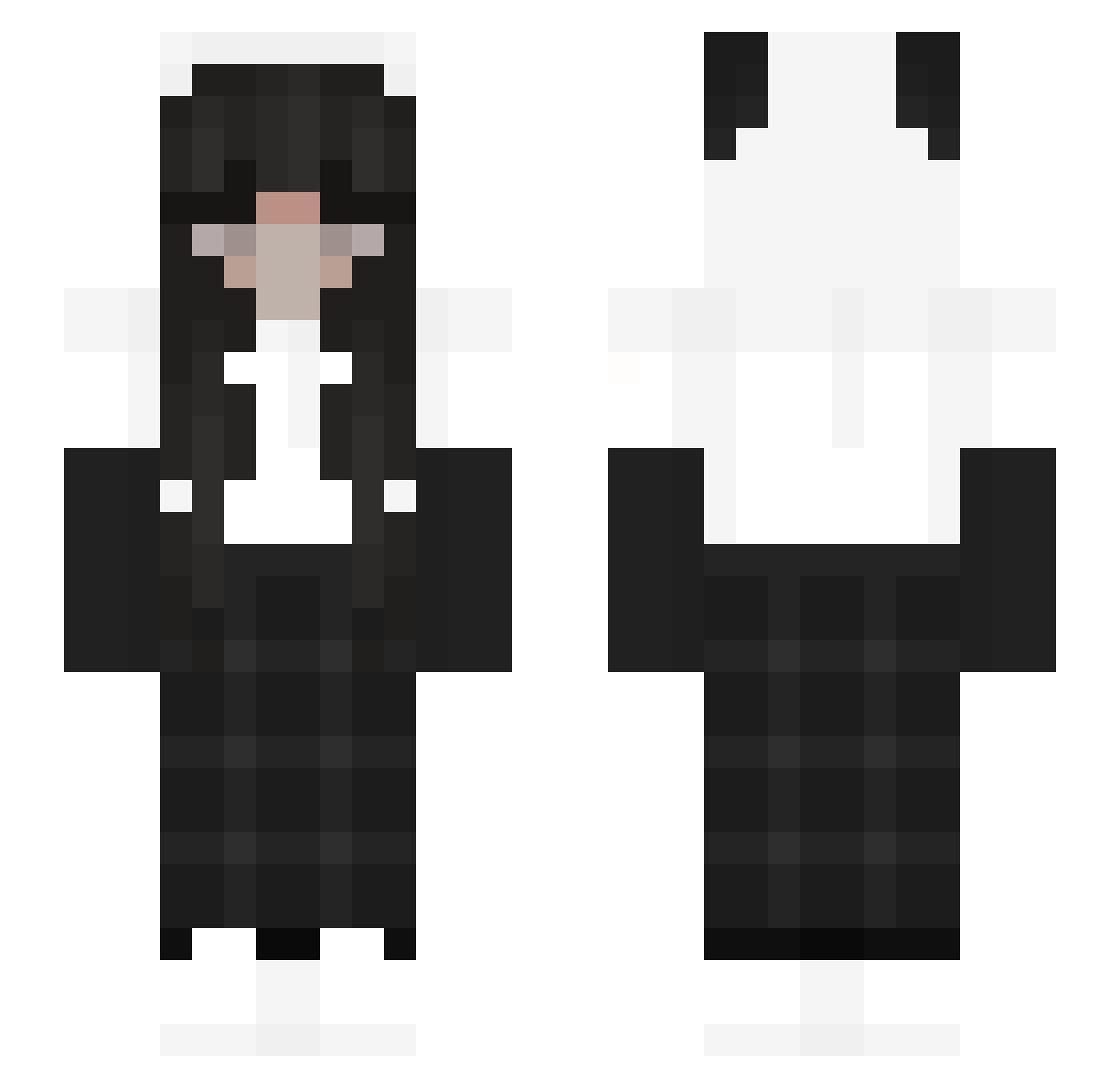
Current Minecraft skin of the player PandaKitty223, loaded from the official Mojang API. Rotate the 3D model with your mouse or finger, then download the skin as a PNG file and use it in Minecraft: Bedrock Edition or Java Edition for free. When PandaKitty223 changes their skin, this page updates automatically and the old skin stays in the history below.
Other players with this skin (194)
PandaKitty223 was the 19th player we have seen with this skin, first spotted on 07.08.2026. The same skin was seen on these players. Open a nickname to see their current skin and skin history.
 Giorgio_Lp strangebugaga MataQuispes ShabbyKnave021 mamedenkun Justlene mashhedmunkey RickySpanish223 Baguettes_ Hyeong98 SandraPanda13 Panozkatos kaity_2128 lottietaylerr Spicyflower213 EclipsAtlas xXxSmokeyxXx Mushroom_14 iggypotter EmilyInPain ItsJenna1
 PingDelay KramBabygirl Ich_Esse_Dich WsUnique_ 675658 Konpix_x GlitchyMuse yLenniii Nizarras purple_tshirt yuval616 RikkuK T0xicFriend OwllyBunny isitmaya kpete78 espritchic louwywx QueenRedutu Aprilisyourlies Alice9144 Sp3cialGuy yuruinami Nssns iCakeesi BiBiQueen MayorOfBlocks jelliBean_ iscmtzjose CrossStarred dumdunm kenzbb hustine kwonfeel Compysaurus jasmine_ls Cahzinha__ satsuki0220 Meowtheunicorn
More Panda Minecraft skins
How to install the PandaKitty223 skin
- Press the Download button above to save the skin as a PNG file.
- Minecraft: Bedrock Edition (PE): open the Dressing Room from the main menu (or tap your character → Edit Character), go to Classic Skins → Owned, press the + (new skin) button, choose the downloaded PNG and pick the Slim (Alex) model. Works on PC and mobile; consoles cannot import custom skins.
- Minecraft: Java Edition: open the Minecraft Launcher, go to the Skins tab, click New Skin, load the PNG, pick the Slim (Alex) model and press Save & Use. You can also upload it at minecraft.net → Profile → Change Skin.
The skin does not show up after import - what should I do?
Restart Minecraft and open the Dressing Room again - imported skins sometimes appear only after a restart. Also make sure you selected the imported skin and picked the Slim (Alex) model.
Which model should I choose, Classic or Slim?
This skin is designed for the Slim (Alex) model. If you pick the wrong model, the arms of the skin will look stretched or squeezed.
Is the skin of PandaKitty223 free to download?
Yes. Press Download, save the PNG file and use it in Minecraft: Bedrock Edition or Java Edition - no payment or registration needed. The skin also works on multiplayer servers and Realms.
More skins
Looking for more? Go back to all Minecraft skins and check the top skins of the week, month and all time, or find any player's skin by nickname.