
Pain17k - Minecraft Skins & Skin History
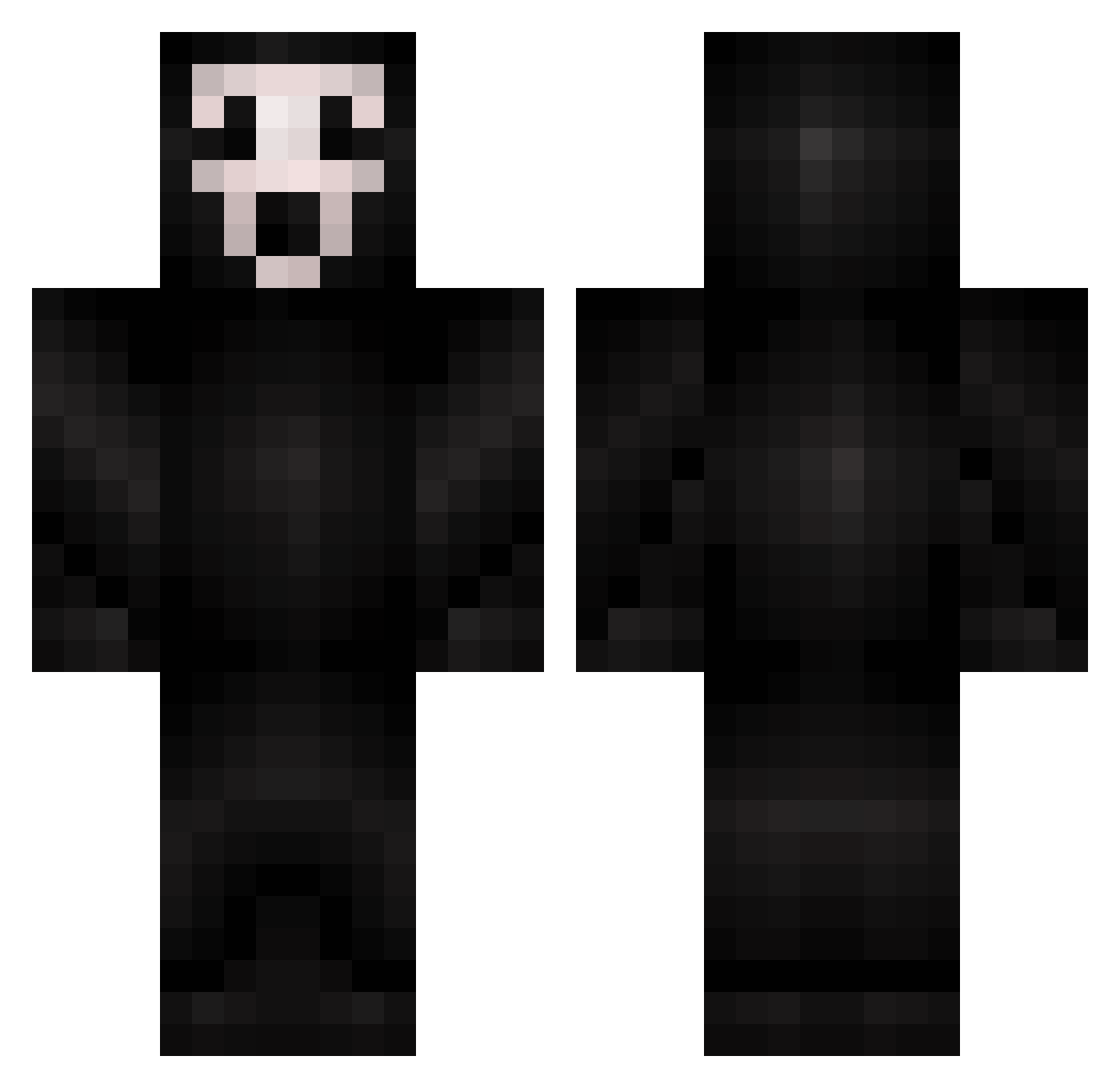
Current Minecraft skin of the player Pain17k, loaded from the official Mojang API. Rotate the 3D model with your mouse or finger, then download the skin as a PNG file and use it in Minecraft: Bedrock Edition or Java Edition for free. When Pain17k changes their skin, this page updates automatically and the old skin stays in the history below.
Other players with this skin (298)
Pain17k was the 143rd player we have seen with this skin, first spotted on 19.09.2026. The same skin was seen on these players. Open a nickname to see their current skin and skin history.
 Myathecreeper Cozhoo GetLost_ Mr_Humilde daltszn playicekid ReiJane Kibbx NAILVLV babyquestionmark undeadclicker LightOut32 whistle13 lauritsrj Moufy_ PheeL8888 CheeseyPuffff D3adlyKingCobra Blackwidow18 skkizy RedEyesGhost Arishikii TheSlasher403 frjda Ab_22x_ seolar_ icedoutfresh LoneWolf654 ToxicEXD_TM AshtonWHU23 nutshell51 justicepuma RogerGOR231 MrMagenta7575 arrebarre97 Loxien 58J VokiGames DesolateJC brunouuu_ JUANPAMORE SmallWhite404 JDMR15 Tare_97 dodgrile78 1navyblue IamPinkDiamond cooper7806 ZeroXpectations Axcelllll didilol16 ItsOwl69 mcwh1p zKingnikz grisel87 itguy120 Bubblify Scriped_ puffypops Meowcif3r
More Scream Minecraft skins
How to install the Pain17k skin
- Press the Download button above to save the skin as a PNG file.
- Minecraft: Bedrock Edition (PE): open the Dressing Room from the main menu (or tap your character → Edit Character), go to Classic Skins → Owned, press the + (new skin) button, choose the downloaded PNG and pick the Classic (Steve) model. Works on PC and mobile; consoles cannot import custom skins.
- Minecraft: Java Edition: open the Minecraft Launcher, go to the Skins tab, click New Skin, load the PNG, pick the Classic (Steve) model and press Save & Use. You can also upload it at minecraft.net → Profile → Change Skin.
The skin does not show up after import - what should I do?
Restart Minecraft and open the Dressing Room again - imported skins sometimes appear only after a restart. Also make sure you selected the imported skin and picked the Classic (Steve) model.
Which model should I choose, Classic or Slim?
This skin is designed for the Classic (Steve) model. If you pick the wrong model, the arms of the skin will look stretched or squeezed.
Is the skin of Pain17k free to download?
Yes. Press Download, save the PNG file and use it in Minecraft: Bedrock Edition or Java Edition - no payment or registration needed. The skin also works on multiplayer servers and Realms.
More skins
Looking for more? Go back to all Minecraft skins and check the top skins of the week, month and all time, or find any player's skin by nickname.