
Pacuto - Minecraft Skins & Skin History
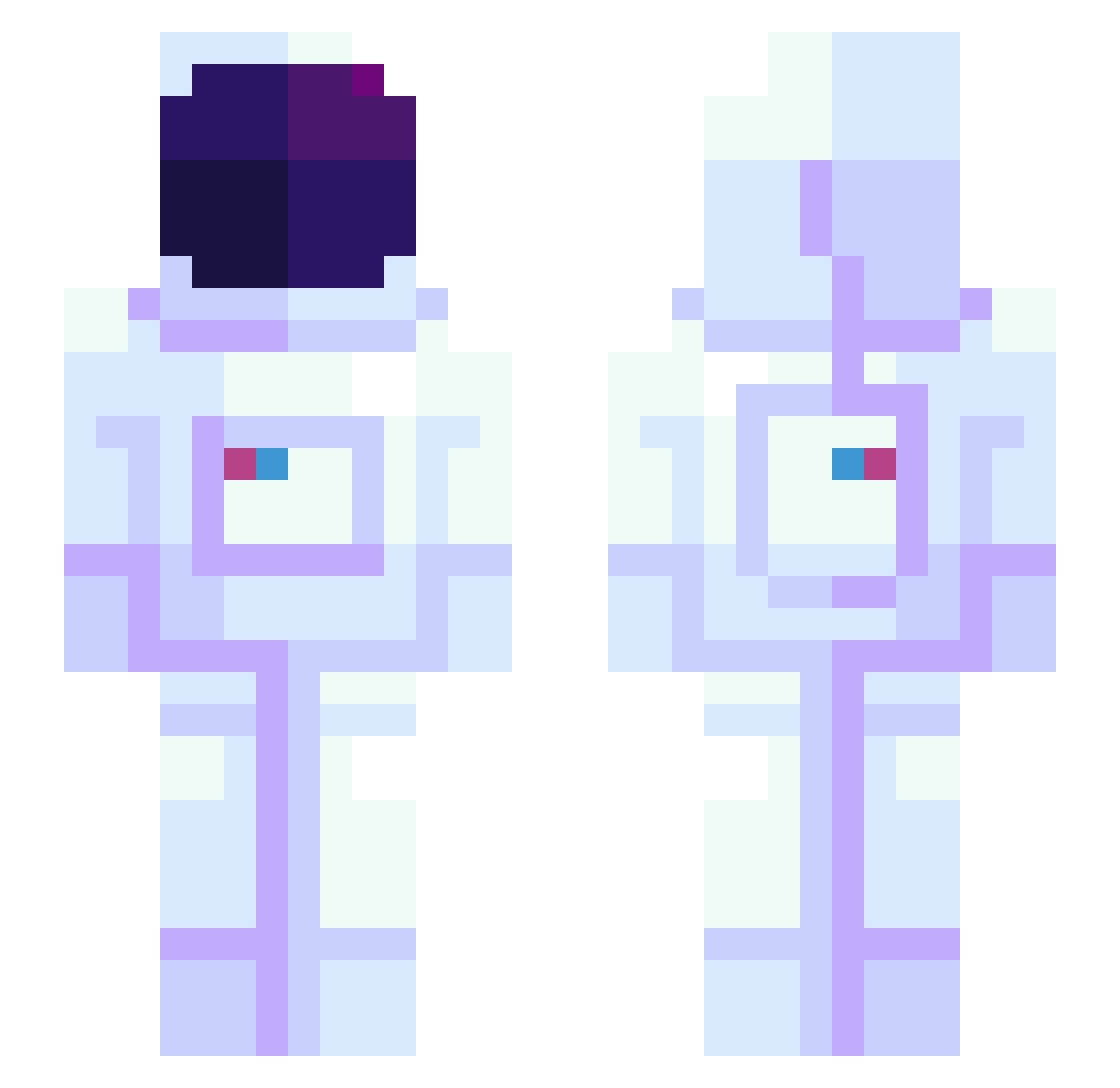
Current Minecraft skin of the player Pacuto, loaded from the official Mojang API. Rotate the 3D model with your mouse or finger, then download the skin as a PNG file and use it in Minecraft: Bedrock Edition or Java Edition for free. When Pacuto changes their skin, this page updates automatically and the old skin stays in the history below.
Other players with this skin (945)
Pacuto was the 736th player we have seen with this skin, first spotted on 14.10.2026. The same skin was seen on these players. Open a nickname to see their current skin and skin history.
 Major_Tom07 Wisdom0506 Apriplum Andryus MachineJGH CrazedJester Zachshallac labuLavu Repocheta zMysery DavidlsHD SatelliteLune marvany ma_rurururu NotSoHealthy Alas_Earwax MeaJoo dnwndls DeepRaindrop0 sentaro_bn Jedi_Gaming ABU1005 SrSid Green_tea0901 SATO0012 MijailB _Dixie_normouss_ Saul__Goode Mattuhh Zoomi3z VA77 liljake15 EIIMC2 Campy305 pickle_san terezisoup StarKelsee mattcrafter26 VeryExpensive30 rainyplanet Lord_Cedric garde999 LeSteph12 Lessro_ Trinity0309 ENPIC Wendys3forme weiweiyui OIhaeun rooloorala1213 Keelia2424 Matckc MrExplore Kelkel_br Veigoyboy xAvellax MrSusucre UDTN ken123075 Berealistic
More Astronaut Minecraft skins
How to install the Pacuto skin
- Press the Download button above to save the skin as a PNG file.
- Minecraft: Bedrock Edition (PE): open the Dressing Room from the main menu (or tap your character → Edit Character), go to Classic Skins → Owned, press the + (new skin) button, choose the downloaded PNG and pick the Slim (Alex) model. Works on PC and mobile; consoles cannot import custom skins.
- Minecraft: Java Edition: open the Minecraft Launcher, go to the Skins tab, click New Skin, load the PNG, pick the Slim (Alex) model and press Save & Use. You can also upload it at minecraft.net → Profile → Change Skin.
The skin does not show up after import - what should I do?
Restart Minecraft and open the Dressing Room again - imported skins sometimes appear only after a restart. Also make sure you selected the imported skin and picked the Slim (Alex) model.
Which model should I choose, Classic or Slim?
This skin is designed for the Slim (Alex) model. If you pick the wrong model, the arms of the skin will look stretched or squeezed.
Is the skin of Pacuto free to download?
Yes. Press Download, save the PNG file and use it in Minecraft: Bedrock Edition or Java Edition - no payment or registration needed. The skin also works on multiplayer servers and Realms.
More skins
Looking for more? Go back to all Minecraft skins and check the top skins of the week, month and all time, or find any player's skin by nickname.