
Pacsounet - Minecraft Skins & Skin History
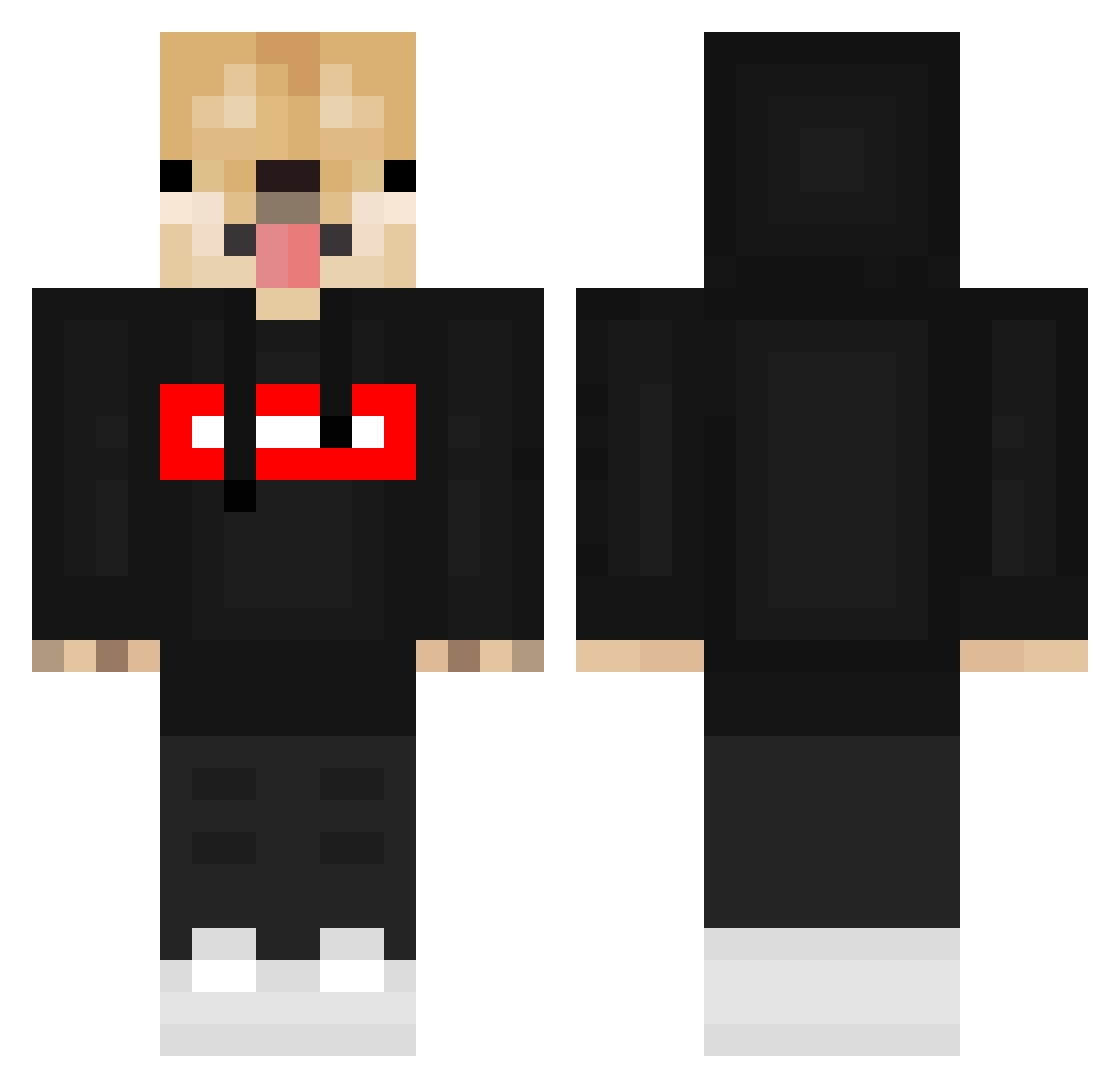
Current Minecraft skin of the player Pacsounet, loaded from the official Mojang API. Rotate the 3D model with your mouse or finger, then download the skin as a PNG file and use it in Minecraft: Bedrock Edition or Java Edition for free. When Pacsounet changes their skin, this page updates automatically and the old skin stays in the history below.
Other players with this skin (548)
Pacsounet was the 394th player we have seen with this skin, first spotted on 07.10.2026. The same skin was seen on these players. Open a nickname to see their current skin and skin history.
 Skellypro222 xiaohui0724 Pepalobski Lidahang Hbuschke24 Juanfe_073 WEdnes_Day Chocapik_54 TripleNeko Luaru_ M4rt1nez zigizong12 Altufan Proyigitj jump_rope_305 mikaduki517 xaversitgeil 1bannn DoggyDoggyRussia viktorVT6 JackAttttack Lifter123 Eixia Yisus_elcrazy lyizaly FumingPhantom duderin0 KVAIO19 GT_HYZ siupi12 10minus a_gaming_channel SupremePineapple TenRedWrlds DanteeLim PerroGmr Bearzurk x9v_ Enej_6 FabiFH12 AlainC2008 aaeel1234 E_talian melii0 hobog Zeronoid TheTakenixh Makseb LenRus Servinupthesauce DonutTP CoolBeans6859 Turtlemaster_752 Piotrek8255 Viktor309 GreenMan123 Canini1990 LuckyBoi21378 o1laylay Deniz_110
More Doge Minecraft skins
How to install the Pacsounet skin
- Press the Download button above to save the skin as a PNG file.
- Minecraft: Bedrock Edition (PE): open the Dressing Room from the main menu (or tap your character → Edit Character), go to Classic Skins → Owned, press the + (new skin) button, choose the downloaded PNG and pick the Classic (Steve) model. Works on PC and mobile; consoles cannot import custom skins.
- Minecraft: Java Edition: open the Minecraft Launcher, go to the Skins tab, click New Skin, load the PNG, pick the Classic (Steve) model and press Save & Use. You can also upload it at minecraft.net → Profile → Change Skin.
The skin does not show up after import - what should I do?
Restart Minecraft and open the Dressing Room again - imported skins sometimes appear only after a restart. Also make sure you selected the imported skin and picked the Classic (Steve) model.
Which model should I choose, Classic or Slim?
This skin is designed for the Classic (Steve) model. If you pick the wrong model, the arms of the skin will look stretched or squeezed.
Is the skin of Pacsounet free to download?
Yes. Press Download, save the PNG file and use it in Minecraft: Bedrock Edition or Java Edition - no payment or registration needed. The skin also works on multiplayer servers and Realms.
More skins
Looking for more? Go back to all Minecraft skins and check the top skins of the week, month and all time, or find any player's skin by nickname.