
Pabloco2011 - Minecraft Skins & Skin History
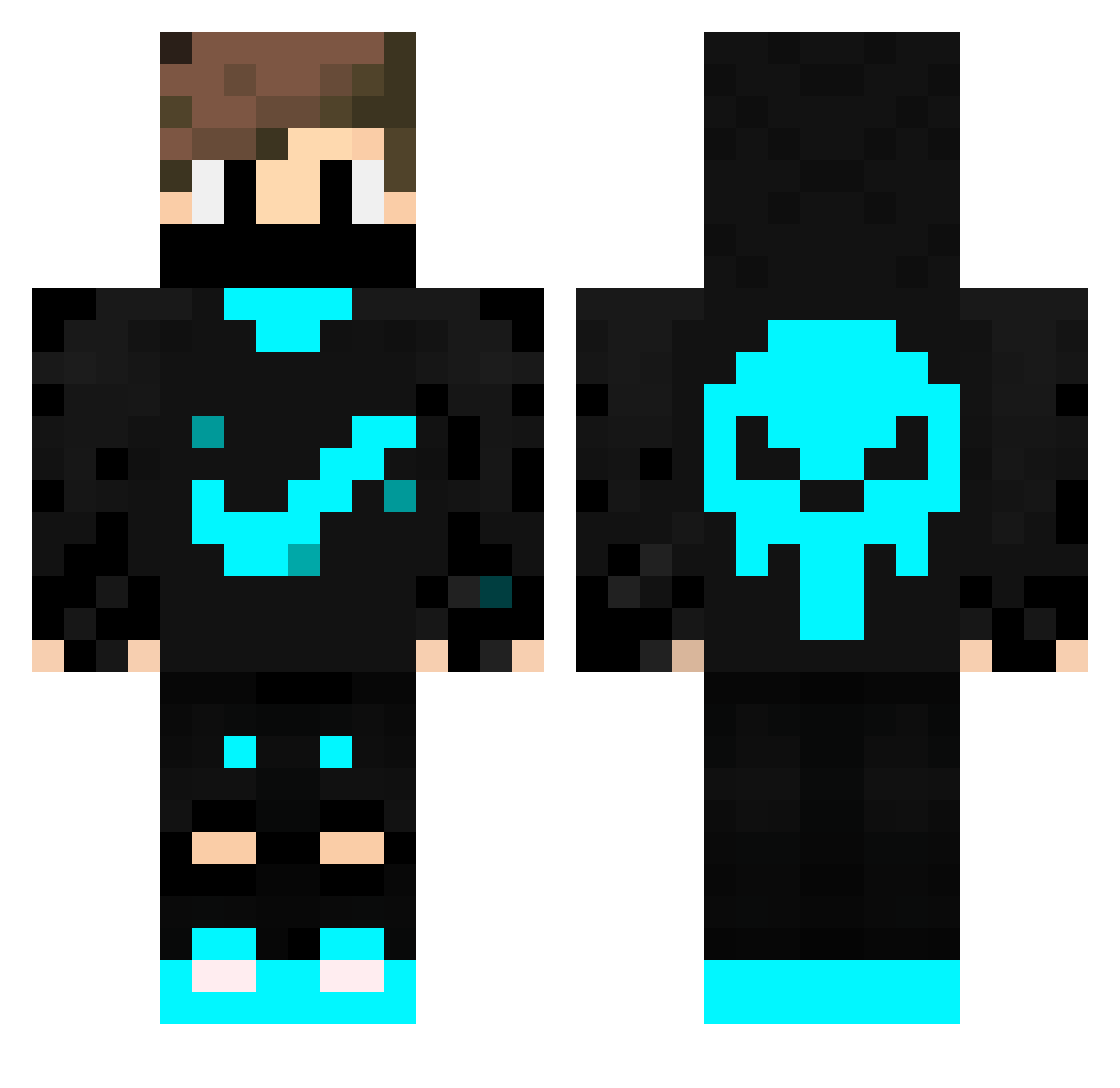
Current Minecraft skin of the player Pabloco2011, loaded from the official Mojang API. Rotate the 3D model with your mouse or finger, then download the skin as a PNG file and use it in Minecraft: Bedrock Edition or Java Edition for free. When Pabloco2011 changes their skin, this page updates automatically and the old skin stays in the history below.
Other players with this skin (228)
Pabloco2011 was the 171st player we have seen with this skin, first spotted on 06.10.2026. The same skin was seen on these players. Open a nickname to see their current skin and skin history.
 ElCharly1 raphaelfleme medeee15 kittykittycatnip Mario1015 Blockbuster011 Miecraft_player gonginga AliPaPaTo anjq KevinEngel rave5yV3 davidseth Alfaox iKhaiserIsPvP_ mimicsiz66 NotDominikTV JeremyKoko CrafterGokay31 jakob_pedersen13 ClouctzTV LuccaTz barreto2b Miss_Wolfgirl ObvHassan3 Yang_Rain DFCZjl Eternal2011 Rosienut COZMO1072 xJeffrey xsn3jk InSpektor20 yunnokkj JoseVC Piovsk energybrines BolondosMark ooss21 Brown092969 Lukinator04 Saci8 LimaJoga GehSchonMitte Edy29 XxKIZILEJDERxX Fastdragoon_377 Ferr4zzz GioPad13 juacoelpro dillpickle4000 roki007 zINFANTEz julian0306 bjp4507 Staike_ guigenofre lucinhofofis Jte_punis SixthCourier
More Skull Minecraft skins
How to install the Pabloco2011 skin
- Press the Download button above to save the skin as a PNG file.
- Minecraft: Bedrock Edition (PE): open the Dressing Room from the main menu (or tap your character → Edit Character), go to Classic Skins → Owned, press the + (new skin) button, choose the downloaded PNG and pick the Classic (Steve) model. Works on PC and mobile; consoles cannot import custom skins.
- Minecraft: Java Edition: open the Minecraft Launcher, go to the Skins tab, click New Skin, load the PNG, pick the Classic (Steve) model and press Save & Use. You can also upload it at minecraft.net → Profile → Change Skin.
The skin does not show up after import - what should I do?
Restart Minecraft and open the Dressing Room again - imported skins sometimes appear only after a restart. Also make sure you selected the imported skin and picked the Classic (Steve) model.
Which model should I choose, Classic or Slim?
This skin is designed for the Classic (Steve) model. If you pick the wrong model, the arms of the skin will look stretched or squeezed.
Is the skin of Pabloco2011 free to download?
Yes. Press Download, save the PNG file and use it in Minecraft: Bedrock Edition or Java Edition - no payment or registration needed. The skin also works on multiplayer servers and Realms.
More skins
Looking for more? Go back to all Minecraft skins and check the top skins of the week, month and all time, or find any player's skin by nickname.