
PHY7 - Minecraft Skins & Skin History
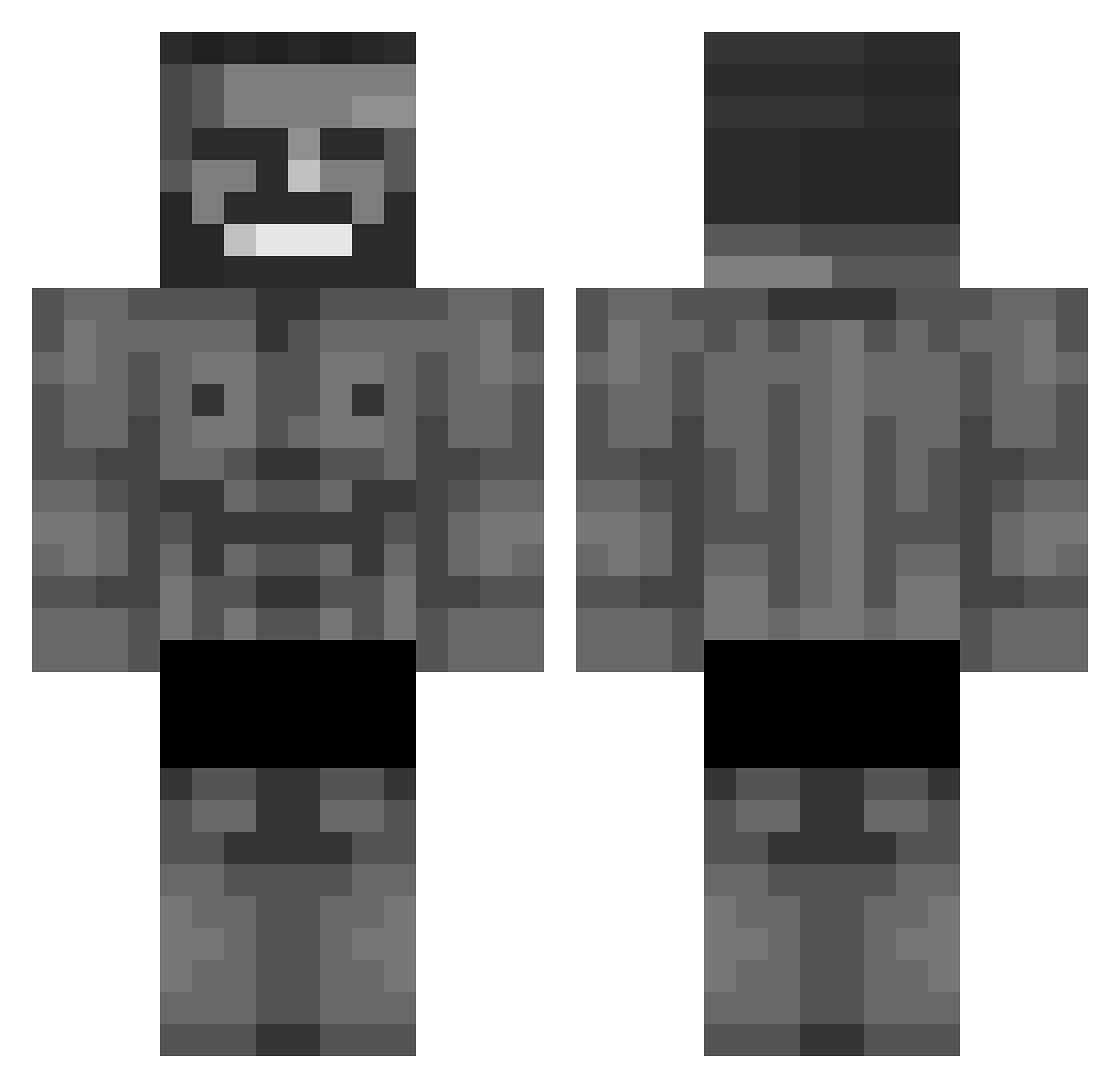
Current Minecraft skin of the player PHY7, loaded from the official Mojang API. Rotate the 3D model with your mouse or finger, then download the skin as a PNG file and use it in Minecraft: Bedrock Edition or Java Edition for free. When PHY7 changes their skin, this page updates automatically and the old skin stays in the history below.
Other players with this skin (678)
PHY7 was the 445th player we have seen with this skin, first spotted on 04.10.2026. The same skin was seen on these players. Open a nickname to see their current skin and skin history.
 Thebitro SunTheSlumpGod jwc3 Paillettes Crampy420 RojoMax12 Hmjgfhn Lasagna_man6 Abbydool Big_Chad420 AussieMozi KXZUN07 chafers Gozzzzta sursoeddip Shawapouffu NikitaDovn Hazzard4848 spide_ oninightmare Gabrikiki jsh0115 NickTheFish05 BestIreland itsBox sonmod eymoo55 BeoneShark TheKinj Pumah3 NxNo64 RewindPLAYZZ Kamcio2215 BOLOM BakerScuffam Mata45 zikky PapiAdham DDDDDWATCH Jonex31 megarafPT Jamichis4 JockyKungZ_ SpId3rr _Sinon14 minty1102 GrindyDupe ChairsWithWheels wow_0625 Xetraps Floabun timgnzr PepesFaria Cryley Piotrek09876543 Wormlover HandOfTorture mklgbu King48_ Ricardo074
More Gigachad Minecraft skins
How to install the PHY7 skin
- Press the Download button above to save the skin as a PNG file.
- Minecraft: Bedrock Edition (PE): open the Dressing Room from the main menu (or tap your character → Edit Character), go to Classic Skins → Owned, press the + (new skin) button, choose the downloaded PNG and pick the Classic (Steve) model. Works on PC and mobile; consoles cannot import custom skins.
- Minecraft: Java Edition: open the Minecraft Launcher, go to the Skins tab, click New Skin, load the PNG, pick the Classic (Steve) model and press Save & Use. You can also upload it at minecraft.net → Profile → Change Skin.
The skin does not show up after import - what should I do?
Restart Minecraft and open the Dressing Room again - imported skins sometimes appear only after a restart. Also make sure you selected the imported skin and picked the Classic (Steve) model.
Which model should I choose, Classic or Slim?
This skin is designed for the Classic (Steve) model. If you pick the wrong model, the arms of the skin will look stretched or squeezed.
Is the skin of PHY7 free to download?
Yes. Press Download, save the PNG file and use it in Minecraft: Bedrock Edition or Java Edition - no payment or registration needed. The skin also works on multiplayer servers and Realms.
More skins
Looking for more? Go back to all Minecraft skins and check the top skins of the week, month and all time, or find any player's skin by nickname.