
PH4NTOM_TOXIC - Minecraft Skins & Skin History
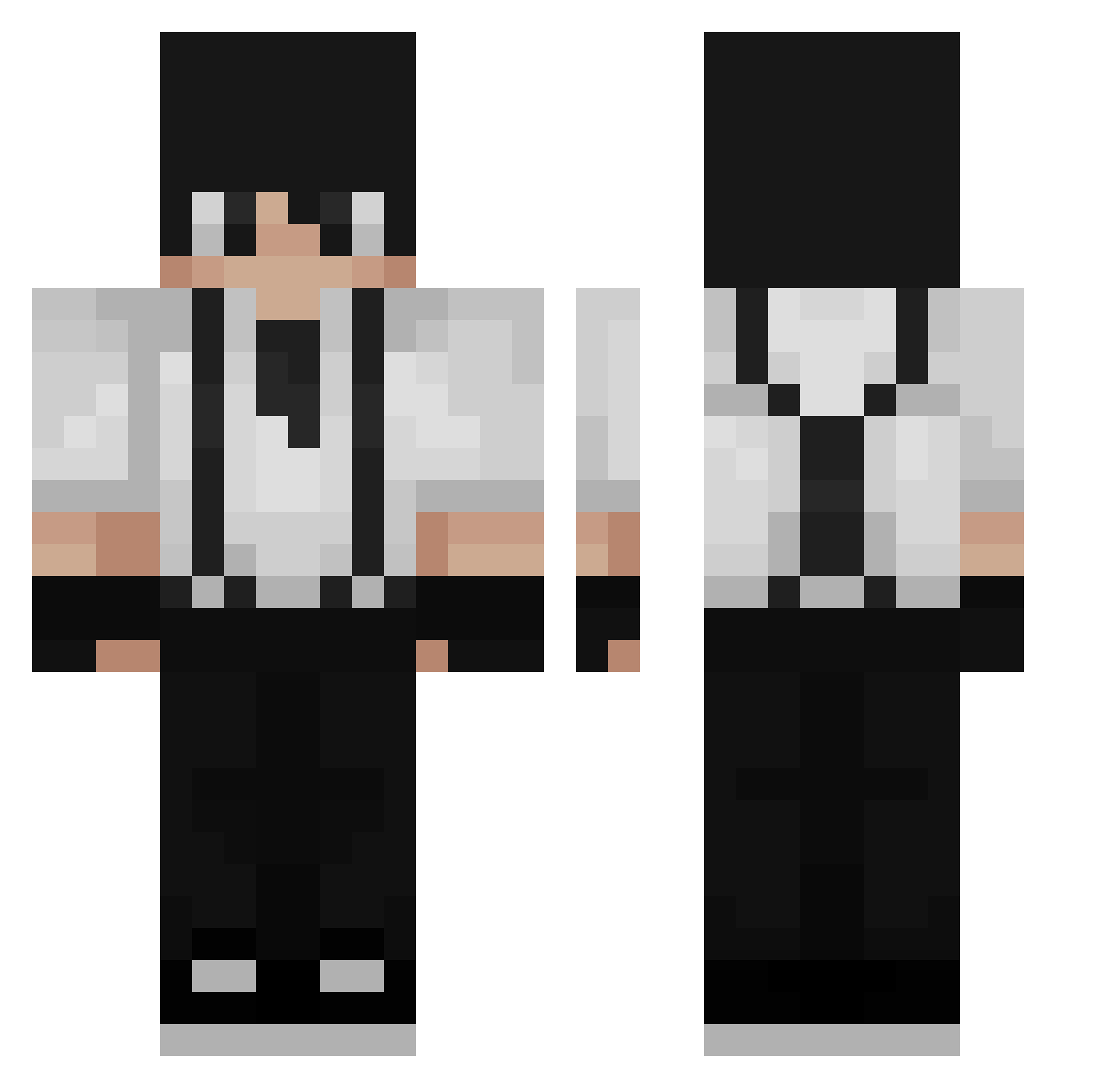
Current Minecraft skin of the player PH4NTOM_TOXIC, loaded from the official Mojang API. Rotate the 3D model with your mouse or finger, then download the skin as a PNG file and use it in Minecraft: Bedrock Edition or Java Edition for free. When PH4NTOM_TOXIC changes their skin, this page updates automatically and the old skin stays in the history below.
Other players with this skin (232)
PH4NTOM_TOXIC was the 184th player we have seen with this skin, first spotted on 12.10.2026. The same skin was seen on these players. Open a nickname to see their current skin and skin history.
 DigitalHazard03 Carfalin TBHMC Asiut_2 wqsf Kenn233 MingYue_JN AdexusX skalzomkat werdy1345 Hyp3r03 SabusaKing SafeUnhinged RaBin_ 1Alpaka_ MadYukine br31 jewwyy MO0HK WoofDoobe _bunt xMulay_ yavinfour balenciuss BADFEW Karlik98 DrPok K0rza Avadram DionLNK hyung_jun2 Handpony Extremez _Denk0_ AbdLight Nitz02 pandaly2 Basalthasar KayooYT TryHardden tom25sk RefrianOWO Arashy_ PetioSUM Vionte16 CokieAndCreams EndlessLime ScaryQG BluryMcFlurry DiamondGooseRat AlexandraR AdriGamma __NoSok_ C07ER KolegaZawieja 01mo LuminaryFriend SkyDieHD potatois ddingeun_
How to install the PH4NTOM_TOXIC skin
- Press the Download button above to save the skin as a PNG file.
- Minecraft: Bedrock Edition (PE): open the Dressing Room from the main menu (or tap your character → Edit Character), go to Classic Skins → Owned, press the + (new skin) button, choose the downloaded PNG and pick the Classic (Steve) model. Works on PC and mobile; consoles cannot import custom skins.
- Minecraft: Java Edition: open the Minecraft Launcher, go to the Skins tab, click New Skin, load the PNG, pick the Classic (Steve) model and press Save & Use. You can also upload it at minecraft.net → Profile → Change Skin.
The skin does not show up after import - what should I do?
Restart Minecraft and open the Dressing Room again - imported skins sometimes appear only after a restart. Also make sure you selected the imported skin and picked the Classic (Steve) model.
Which model should I choose, Classic or Slim?
This skin is designed for the Classic (Steve) model. If you pick the wrong model, the arms of the skin will look stretched or squeezed.
Is the skin of PH4NTOM_TOXIC free to download?
Yes. Press Download, save the PNG file and use it in Minecraft: Bedrock Edition or Java Edition - no payment or registration needed. The skin also works on multiplayer servers and Realms.
More skins
Looking for more? Go back to all Minecraft skins and check the top skins of the week, month and all time, or find any player's skin by nickname.