
PAT0_0 - Minecraft Skins & Skin History
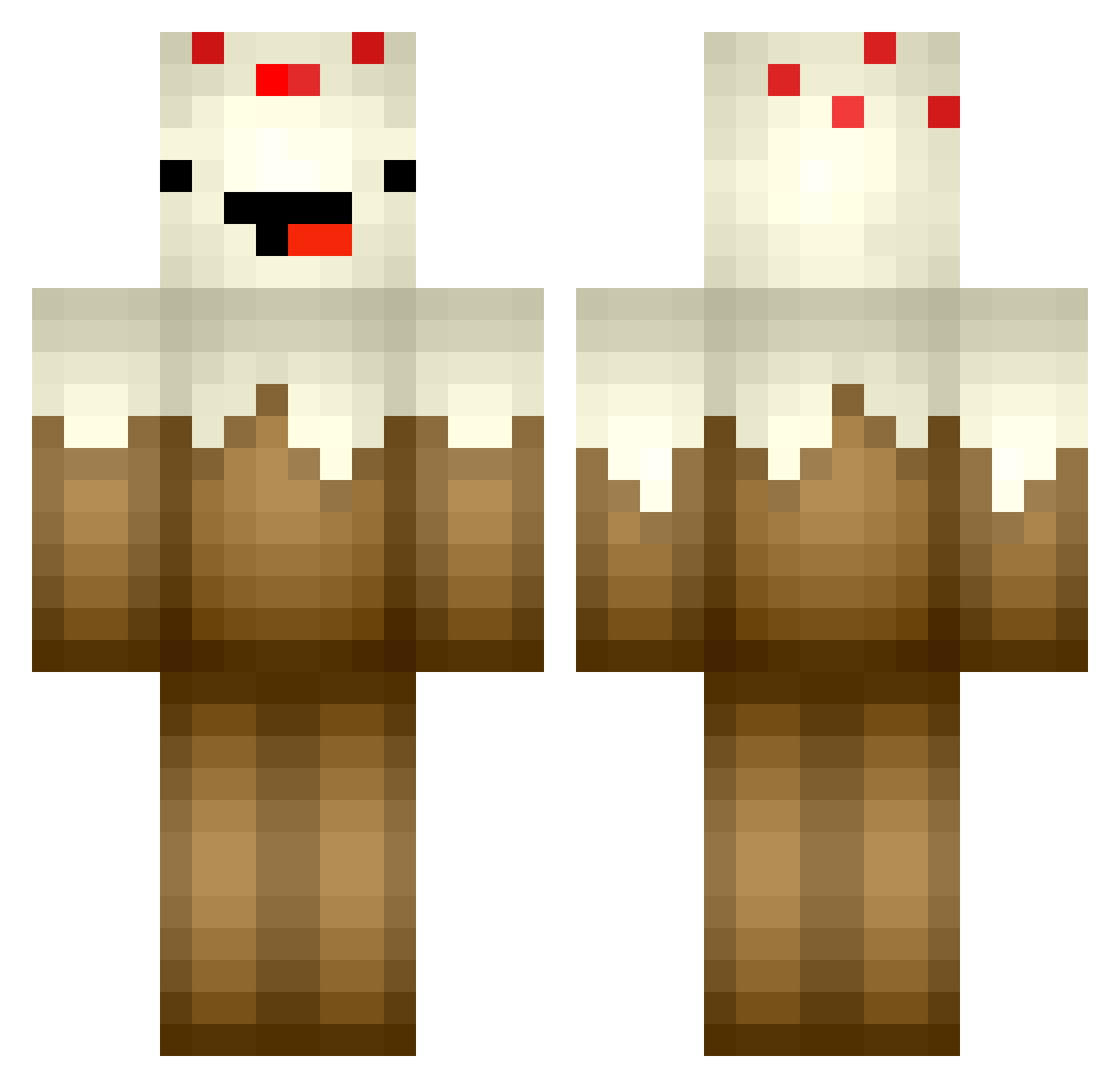
Current Minecraft skin of the player PAT0_0, loaded from the official Mojang API. Rotate the 3D model with your mouse or finger, then download the skin as a PNG file and use it in Minecraft: Bedrock Edition or Java Edition for free. When PAT0_0 changes their skin, this page updates automatically and the old skin stays in the history below.
Other players with this skin (365)
PAT0_0 was the 67th player we have seen with this skin, first spotted on 12.08.2026. The same skin was seen on these players. Open a nickname to see their current skin and skin history.
 flyawayalex Unfunfunf Cryptic21 Captluc breadnbudder AmandaThePanda88 suragubben5 Ducky126 Luckylegend07 catspaul456 proairface Khyour derpycake811 angel10140 Madpotatoem SmoothPancake DeafinitelyDeaf ew000 propeller1 Bobita26 Kittywish ANobleCabbage kranckl208 Bqit Mayonnasie coleycole15 unryeo nagawickasailors alex07gamer 187er_Bande fudgehashbrown mogy88 NaughtyVaughn cupcake123yolo Instincts_ Monkeysyd wyrokulicy theattack6677 OMGitsMrGod WillyTheWhale18 SquareMiner55 PankoDX Super_Currystick Moist_Orifice FuZioNSam LordAwesome79 Dylancole229 RawrPikachu TheChey_is_a_Lie glitter4plaster zachary_2000 JuicyLucy1 lolsamiam BEYAIN HiItzMe Derpygamer909 NoShotBukko soccerstar562 I3EASTLYx iCreeperr
More Cake Minecraft skins
How to install the PAT0_0 skin
- Press the Download button above to save the skin as a PNG file.
- Minecraft: Bedrock Edition (PE): open the Dressing Room from the main menu (or tap your character → Edit Character), go to Classic Skins → Owned, press the + (new skin) button, choose the downloaded PNG and pick the Classic (Steve) model. Works on PC and mobile; consoles cannot import custom skins.
- Minecraft: Java Edition: open the Minecraft Launcher, go to the Skins tab, click New Skin, load the PNG, pick the Classic (Steve) model and press Save & Use. You can also upload it at minecraft.net → Profile → Change Skin.
The skin does not show up after import - what should I do?
Restart Minecraft and open the Dressing Room again - imported skins sometimes appear only after a restart. Also make sure you selected the imported skin and picked the Classic (Steve) model.
Which model should I choose, Classic or Slim?
This skin is designed for the Classic (Steve) model. If you pick the wrong model, the arms of the skin will look stretched or squeezed.
Is the skin of PAT0_0 free to download?
Yes. Press Download, save the PNG file and use it in Minecraft: Bedrock Edition or Java Edition - no payment or registration needed. The skin also works on multiplayer servers and Realms.
More skins
Looking for more? Go back to all Minecraft skins and check the top skins of the week, month and all time, or find any player's skin by nickname.