
P2W7 - Minecraft Skins & Skin History
Current Minecraft skin of the player P2W7, loaded from the official Mojang API. Rotate the 3D model with your mouse or finger, then download the skin as a PNG file and use it in Minecraft: Bedrock Edition or Java Edition for free. When P2W7 changes their skin, this page updates automatically and the old skin stays in the history below.
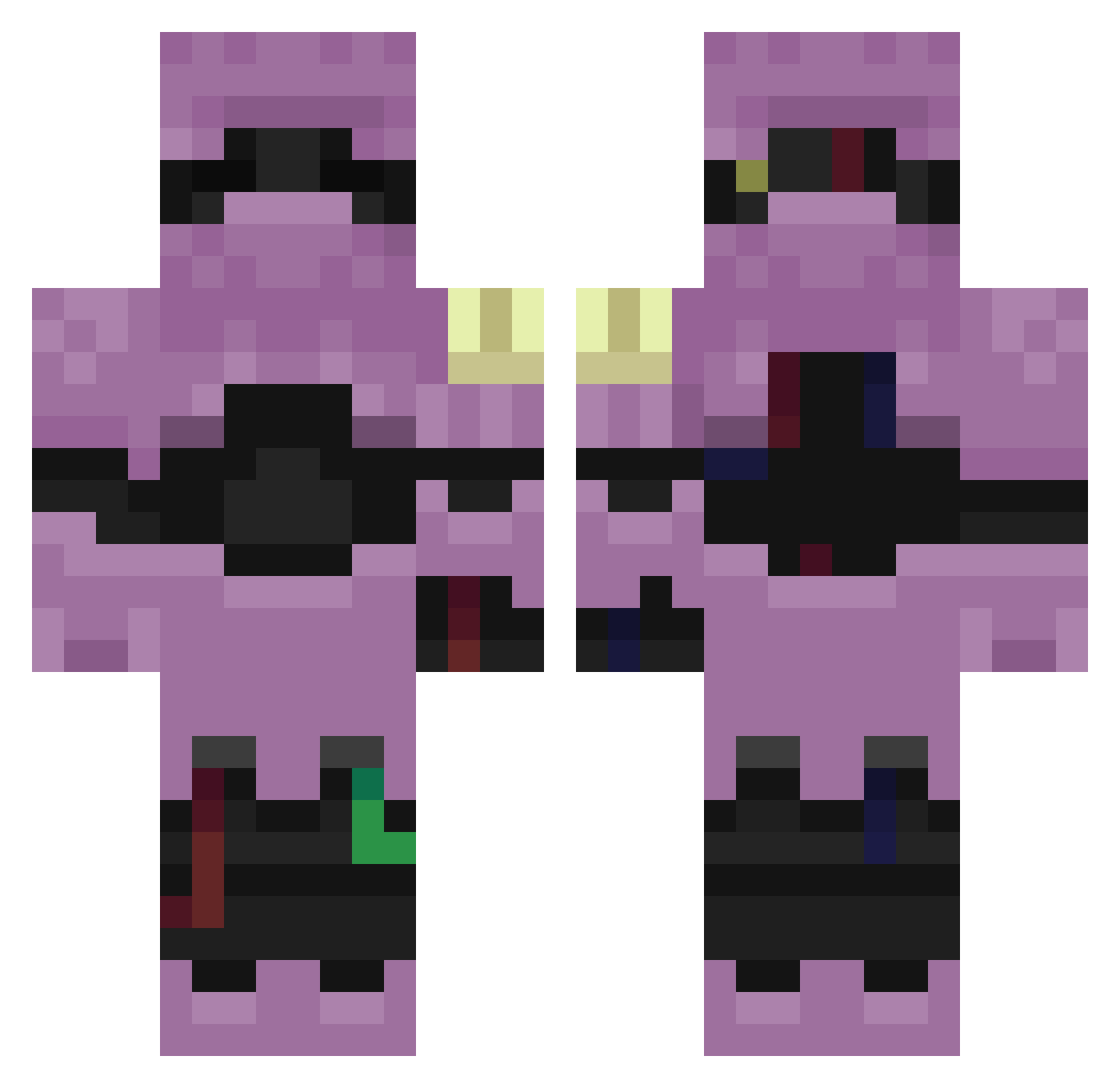
Other players with this skin (255)
P2W7 was the 98th player we have seen with this skin, first spotted on 29.08.2026. The same skin was seen on these players. Open a nickname to see their current skin and skin history.
 Pancakesyrupbri Sv2Blazezhy erwanbedwars94 dismissiveInim8 Kzip_zKxni_06_14 LinhDarkgwxUwU Ask_QCoNO_05_04 Sv2Hawkuhv Rain_FyBPk Sv2fESMX8fKgoSv2 Malfa_cP9XJqZSv2 LinhDawno1vUwU JungkookVibes AltVerse_4vv_AV Sv2ULRrFExQkPSv2
 AltVerse_dwj_AV Sv2Boltzl9 LinhHfQzQ0204 Aditya0p_p Sv2eSTSJVB9f6Sv2 OLIDSS joacovass chondroglossus LinhWvKGz0119 LinhGtohN0130 Sv2rwRqut9PnuSv2 Skycron_Glow_3v0 TrapZzX57 PASIRht95kd6uplx nadShadev1r Andrey_govnchist L0w0ng_Star_ehh Sv2_Ice_nbn Entitilo_VOVZo skyers_EWLFf LinhStarm8iUwU Rain_MydPf seemlyWerilou9s raveWfYDmseL LPulsesf6UwU raveBvC7Fda3
 ti3ymilk Sl1zoxJader6m BlubAlts_ouh7 Sv2WMDolZ4zlmSv2 Liloisherei45o AltVerse_e4x_AV mogalts_dvo4x Sv2mQulLLghRSSv2 WhipClientyk3 lizlazy67 raveBGeaGaEY Sv2_Blaze_pl9 Bozo_sNdcO_03_02 LVoidu64UwU LinhjOtQB0115 Sv2vypSJok94SSv2 LinhNeon7jfUwU DruggedOnIt raveqG9Kti3d
More Armored Minecraft skins
How to install the P2W7 skin
- Press the Download button above to save the skin as a PNG file.
- Minecraft: Bedrock Edition (PE): open the Dressing Room from the main menu (or tap your character → Edit Character), go to Classic Skins → Owned, press the + (new skin) button, choose the downloaded PNG and pick the Classic (Steve) model. Works on PC and mobile; consoles cannot import custom skins.
- Minecraft: Java Edition: open the Minecraft Launcher, go to the Skins tab, click New Skin, load the PNG, pick the Classic (Steve) model and press Save & Use. You can also upload it at minecraft.net → Profile → Change Skin.
The skin does not show up after import - what should I do?
Restart Minecraft and open the Dressing Room again - imported skins sometimes appear only after a restart. Also make sure you selected the imported skin and picked the Classic (Steve) model.
Which model should I choose, Classic or Slim?
This skin is designed for the Classic (Steve) model. If you pick the wrong model, the arms of the skin will look stretched or squeezed.
Is the skin of P2W7 free to download?
Yes. Press Download, save the PNG file and use it in Minecraft: Bedrock Edition or Java Edition - no payment or registration needed. The skin also works on multiplayer servers and Realms.
More skins
Looking for more? Go back to all Minecraft skins and check the top skins of the week, month and all time, or find any player's skin by nickname.