
Ozzozzozz - Minecraft Skins & Skin History
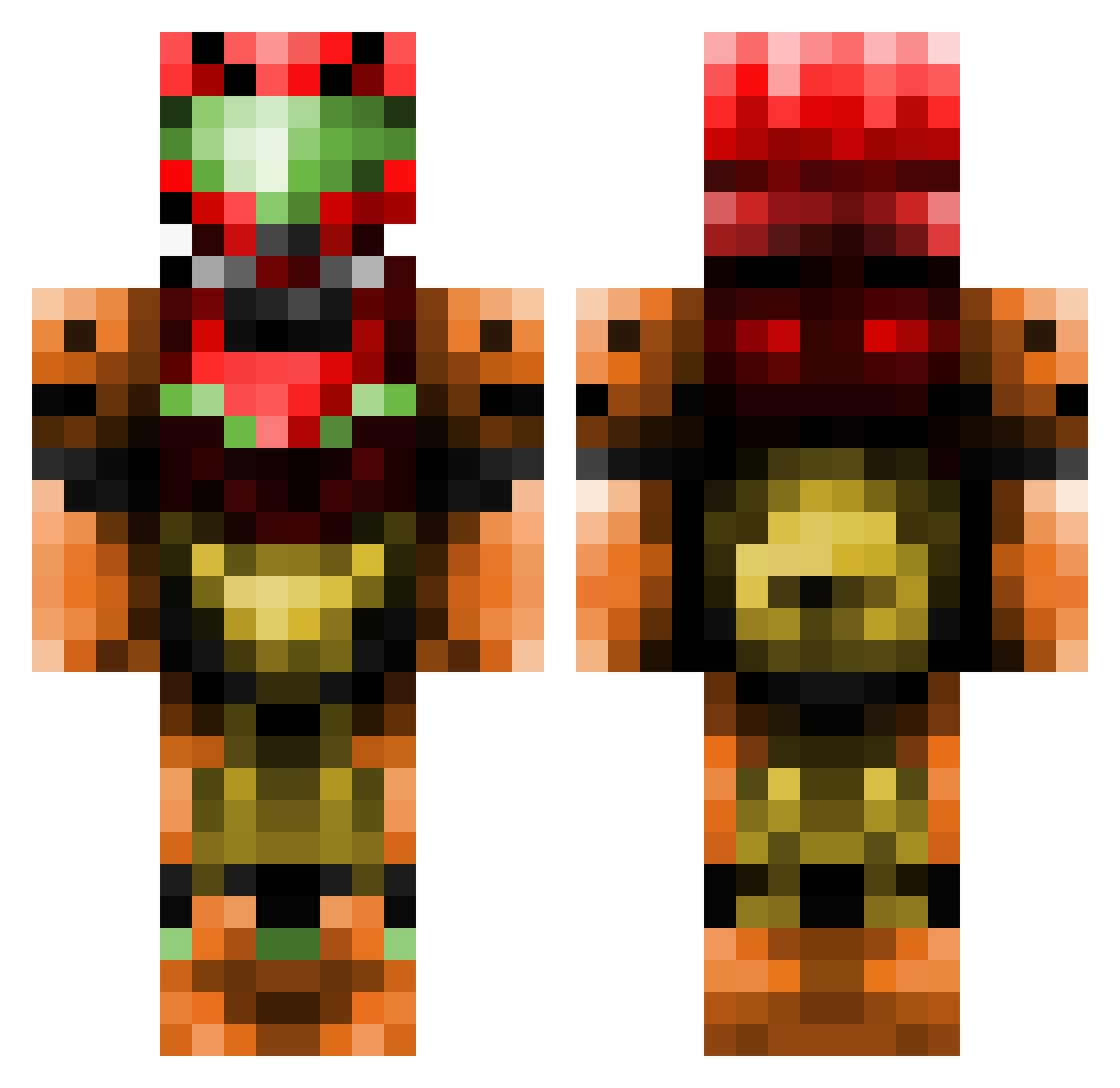
Current Minecraft skin of the player Ozzozzozz, loaded from the official Mojang API. Rotate the 3D model with your mouse or finger, then download the skin as a PNG file and use it in Minecraft: Bedrock Edition or Java Edition for free. When Ozzozzozz changes their skin, this page updates automatically and the old skin stays in the history below.
Other players with this skin (512)
Ozzozzozz was the 451st player we have seen with this skin, first spotted on 04.11.2026. The same skin was seen on these players. Open a nickname to see their current skin and skin history.
 sommak nopantsfriday AaronzWorldz ChillBris timothee2_whigel Xavrik Shadowmoor2010 ready677 MrFaxo210 DrakeDemolishr attlak sirgantrithon _HASH_TAG_ TheKarmaKaze janekdy Supernerd_97 Tekniquez allancam B00zus Jartster Jaime1357 Ooglpaz rexsys unon1100 v1v1D Bingo826 LegitCatfish Maximus_Merlin albertciberal Xalise Strikous cheri_kun somechink The_Bard240 JesseJames22 Loomdawgz WireDepp vieter729 Tyranid01 Videonutt Zanetheslayer yxsys Beckychu mytrademark ChaosYin2008 Taw122 DrtyMikeNBoyz Kazzorak Sergy951 Makoeyes Lumpywolf Mysterias42 Thudd224 Mirucai Eclair_Morrowind FightingReality deftghost28 PlasmaSpark Xaero252 theLezbro
More Samus Aran Minecraft skins
How to install the Ozzozzozz skin
- Press the Download button above to save the skin as a PNG file.
- Minecraft: Bedrock Edition (PE): open the Dressing Room from the main menu (or tap your character → Edit Character), go to Classic Skins → Owned, press the + (new skin) button, choose the downloaded PNG and pick the Classic (Steve) model. Works on PC and mobile; consoles cannot import custom skins.
- Minecraft: Java Edition: open the Minecraft Launcher, go to the Skins tab, click New Skin, load the PNG, pick the Classic (Steve) model and press Save & Use. You can also upload it at minecraft.net → Profile → Change Skin.
The skin does not show up after import - what should I do?
Restart Minecraft and open the Dressing Room again - imported skins sometimes appear only after a restart. Also make sure you selected the imported skin and picked the Classic (Steve) model.
Which model should I choose, Classic or Slim?
This skin is designed for the Classic (Steve) model. If you pick the wrong model, the arms of the skin will look stretched or squeezed.
Is the skin of Ozzozzozz free to download?
Yes. Press Download, save the PNG file and use it in Minecraft: Bedrock Edition or Java Edition - no payment or registration needed. The skin also works on multiplayer servers and Realms.
More skins
Looking for more? Go back to all Minecraft skins and check the top skins of the week, month and all time, or find any player's skin by nickname.