
Owlism - Minecraft Skins & Skin History
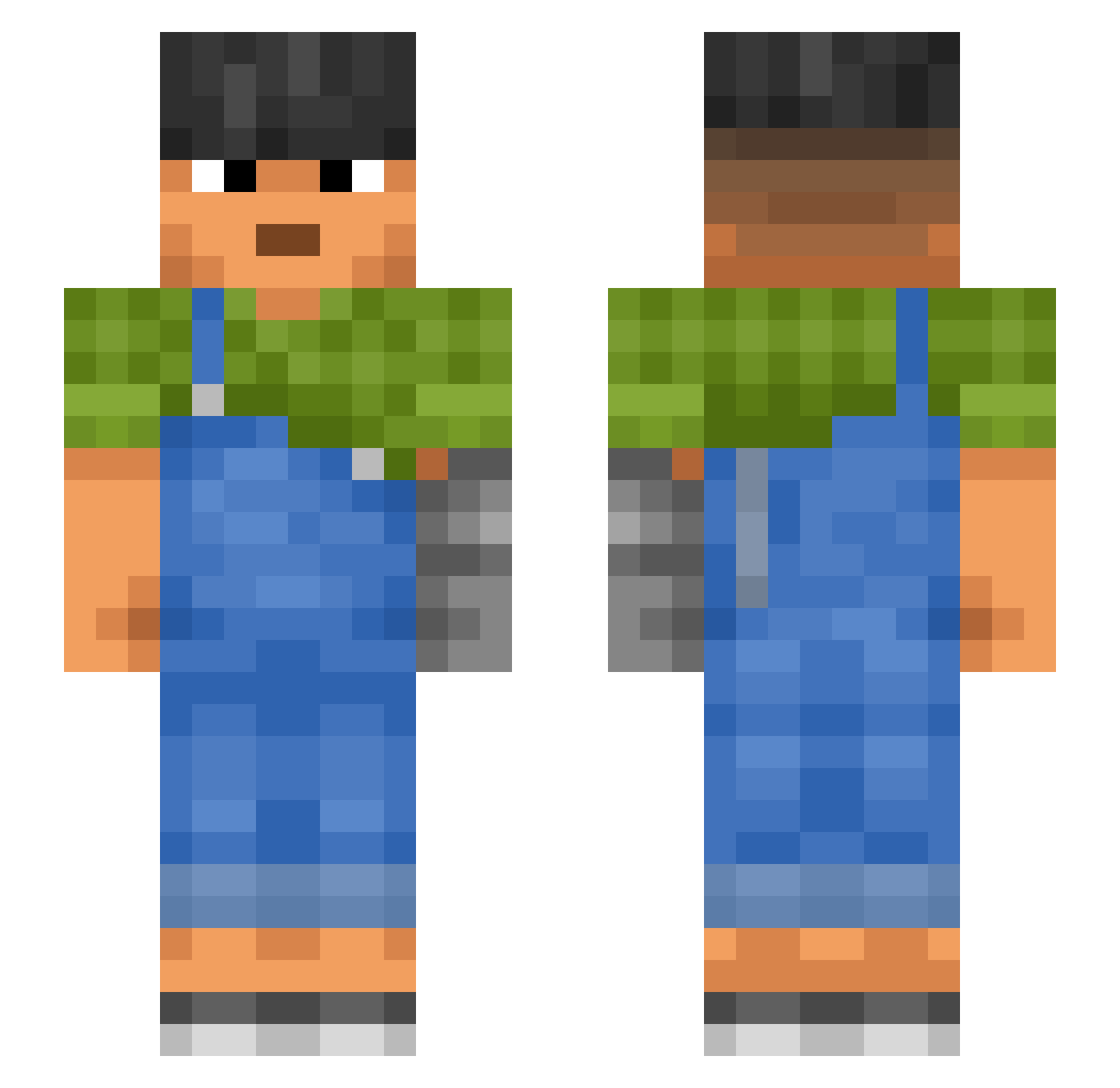
Current Minecraft skin of the player Owlism, loaded from the official Mojang API. Rotate the 3D model with your mouse or finger, then download the skin as a PNG file and use it in Minecraft: Bedrock Edition or Java Edition for free. When Owlism changes their skin, this page updates automatically and the old skin stays in the history below.
Other players with this skin (879)
Owlism was the 579th player we have seen with this skin, first spotted on 27.09.2026. The same skin was seen on these players. Open a nickname to see their current skin and skin history.
 Filippro132 KaiChar ToonS YahBoiElijah bartus_997 x0_Yuna_0x SquallyBaton989 skalawag aliexa1 ForcXD velyasnikpoper Liassic Coyote23 Oxalite Serratic NABK MagnaSjon madid TyzTira Battle_Tacos xed Grasscutter superheat thacomncold clon99 LLizarddGX Cobbling cokers 6Dogmeat9 KR15TA Gabby_2003 EpsteinSkibidi67 JMolloy779 Eleve Tobee_Helix PatchWorker whooshsam Peles SleekBread retearing barbun GSOAT EpsteinHoodie threestooges112 Menials baozhumu Unraspy anneal sniggers HustleCap Coperta Deconsecrate Rimer Habitually Simpostor69 Huly Symbolically WellDoing FloatMan BezumniyMax
More Prosthetic Arm Minecraft skins
See all 65 Prosthetic Arm skins
How to install the Owlism skin
- Press the Download button above to save the skin as a PNG file.
- Minecraft: Bedrock Edition (PE): open the Dressing Room from the main menu (or tap your character → Edit Character), go to Classic Skins → Owned, press the + (new skin) button, choose the downloaded PNG and pick the Slim (Alex) model. Works on PC and mobile; consoles cannot import custom skins.
- Minecraft: Java Edition: open the Minecraft Launcher, go to the Skins tab, click New Skin, load the PNG, pick the Slim (Alex) model and press Save & Use. You can also upload it at minecraft.net → Profile → Change Skin.
The skin does not show up after import - what should I do?
Restart Minecraft and open the Dressing Room again - imported skins sometimes appear only after a restart. Also make sure you selected the imported skin and picked the Slim (Alex) model.
Which model should I choose, Classic or Slim?
This skin is designed for the Slim (Alex) model. If you pick the wrong model, the arms of the skin will look stretched or squeezed.
Is the skin of Owlism free to download?
Yes. Press Download, save the PNG file and use it in Minecraft: Bedrock Edition or Java Edition - no payment or registration needed. The skin also works on multiplayer servers and Realms.
More skins
Looking for more? Go back to all Minecraft skins and check the top skins of the week, month and all time, or find any player's skin by nickname.