
OtakuWolfy - Minecraft Skins & Skin History
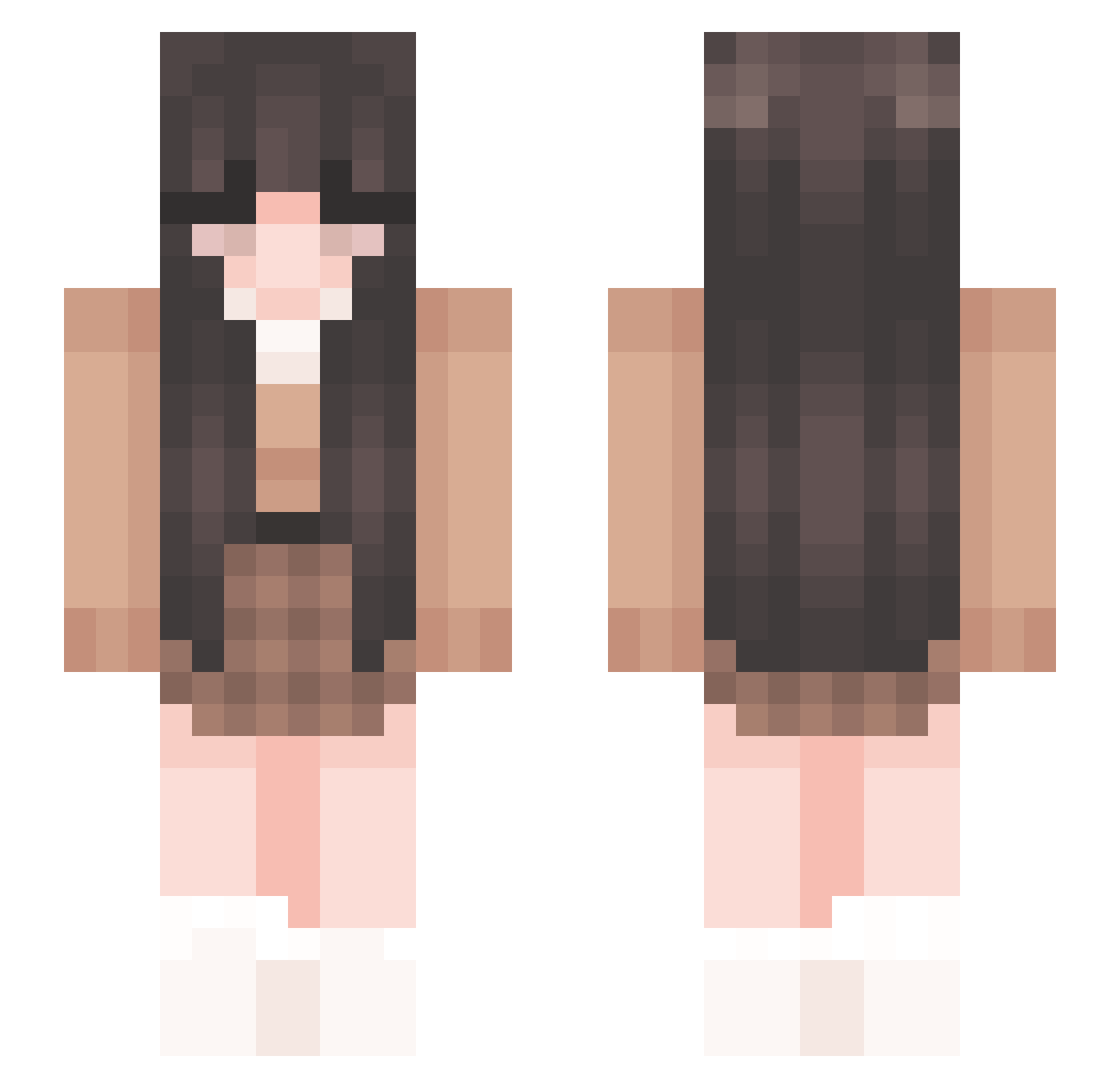
Current Minecraft skin of the player OtakuWolfy, loaded from the official Mojang API. Rotate the 3D model with your mouse or finger, then download the skin as a PNG file and use it in Minecraft: Bedrock Edition or Java Edition for free. When OtakuWolfy changes their skin, this page updates automatically and the old skin stays in the history below.
Other players with this skin (266)
OtakuWolfy was the 70th player we have seen with this skin, first spotted on 24.08.2026. The same skin was seen on these players. Open a nickname to see their current skin and skin history.
 happyelle Sleepyy___ pplobster87 stormiess bealaaa akixtutyann6097 ItzRihanna2 mazzanii ginn_ay LegacyWilliams TwindedBloom a1ic3__ leviyukino emmiliaa CocoLoco17 typicalcryptic thrallie nutz69nutz foodiifY GeneralTie stxrq KeySubin Dongwoooo_v billiejupe hchien DivineMind19 Grace562412 BaleyWaley _bellas Yukirinch TheCapriSun Wieschen10 aaaubrey Milla03 FoxyYing0313 Calamity__Rabbit pam_404 SweetMatcha06 ellanne Danhy jojojo00 sixellla pelasia zureilaa Krnkzz6 chloe087 Peanut2277 lucsjm KiyoYamamoto Pau_04 Itz_Wilaa shirbee
 Hannah_Nicole123 ishhy aniiek MoonyEclipse1 Larawolf Jun_woo04 _Poetry jad_e
More Cozy Minecraft skins
How to install the OtakuWolfy skin
- Press the Download button above to save the skin as a PNG file.
- Minecraft: Bedrock Edition (PE): open the Dressing Room from the main menu (or tap your character → Edit Character), go to Classic Skins → Owned, press the + (new skin) button, choose the downloaded PNG and pick the Slim (Alex) model. Works on PC and mobile; consoles cannot import custom skins.
- Minecraft: Java Edition: open the Minecraft Launcher, go to the Skins tab, click New Skin, load the PNG, pick the Slim (Alex) model and press Save & Use. You can also upload it at minecraft.net → Profile → Change Skin.
The skin does not show up after import - what should I do?
Restart Minecraft and open the Dressing Room again - imported skins sometimes appear only after a restart. Also make sure you selected the imported skin and picked the Slim (Alex) model.
Which model should I choose, Classic or Slim?
This skin is designed for the Slim (Alex) model. If you pick the wrong model, the arms of the skin will look stretched or squeezed.
Is the skin of OtakuWolfy free to download?
Yes. Press Download, save the PNG file and use it in Minecraft: Bedrock Edition or Java Edition - no payment or registration needed. The skin also works on multiplayer servers and Realms.
More skins
Looking for more? Go back to all Minecraft skins and check the top skins of the week, month and all time, or find any player's skin by nickname.