
Oswietlikowski69 - Minecraft Skins & Skin History
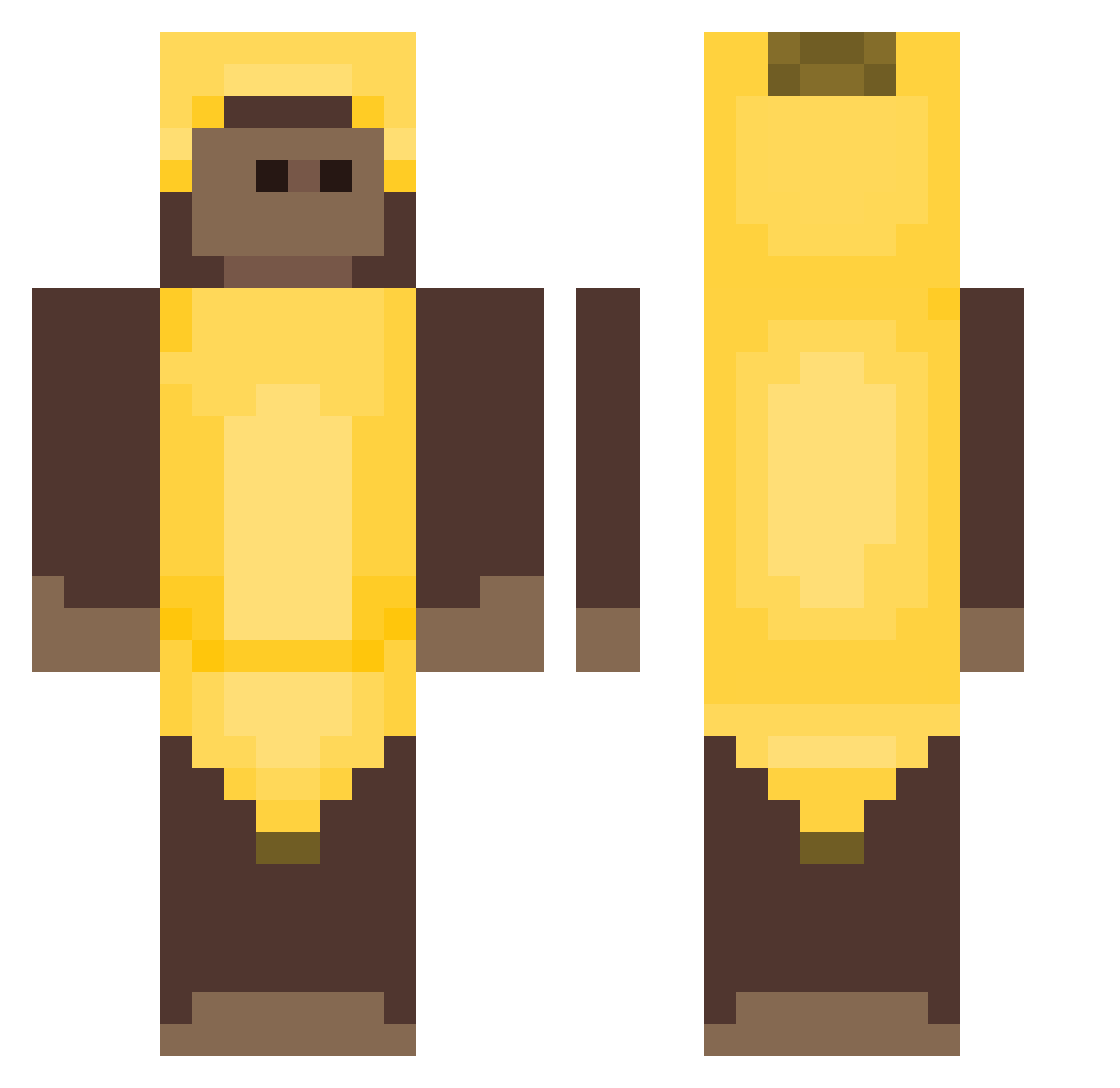
Current Minecraft skin of the player Oswietlikowski69, loaded from the official Mojang API. Rotate the 3D model with your mouse or finger, then download the skin as a PNG file and use it in Minecraft: Bedrock Edition or Java Edition for free. When Oswietlikowski69 changes their skin, this page updates automatically and the old skin stays in the history below.
Other players with this skin (405)
Oswietlikowski69 was the 55th player we have seen with this skin, first spotted on 10.08.2026. The same skin was seen on these players. Open a nickname to see their current skin and skin history.
 miguelwzz Abuzerbabapiroo mETROLeVI DegustablePlat lost688 Alezia1234 Twenty6 El_Mateos 2k31 HeilVenom123 Nati_loves_me 33SAVAGE terrxrist osarunojoji Rail_rl BananaMan471 SpicyDagger Genisi_ _carter43 AneTrotro Puddse modestymaster sonnyy_syslik greenmanman7 Hedgesty Tyfighter_77 rainbowdum JNDNE bananaaan2 4pr_ SwagBoy44444 Rant45 40029 chunkymonkibanan runefitz xSztormas silvxz7 BigSquirrel20
 krzysiupysiu BL00DT snoralx Icecoffee1111 monkah_o_o Crazy_Guy_055 Sasukina FrontDig
 Fabriiiiii hyerin27 Saints1723 geoni03 DragonFirst19 Dream_Wreaka Enzotxx Winston1324 Nnnixo berciuke KJLcockadoodledo GoldenMonkee_ Winstruk kumorek
More Banana Costume Minecraft skins
See all 52 Banana Costume skins
How to install the Oswietlikowski69 skin
- Press the Download button above to save the skin as a PNG file.
- Minecraft: Bedrock Edition (PE): open the Dressing Room from the main menu (or tap your character → Edit Character), go to Classic Skins → Owned, press the + (new skin) button, choose the downloaded PNG and pick the Classic (Steve) model. Works on PC and mobile; consoles cannot import custom skins.
- Minecraft: Java Edition: open the Minecraft Launcher, go to the Skins tab, click New Skin, load the PNG, pick the Classic (Steve) model and press Save & Use. You can also upload it at minecraft.net → Profile → Change Skin.
The skin does not show up after import - what should I do?
Restart Minecraft and open the Dressing Room again - imported skins sometimes appear only after a restart. Also make sure you selected the imported skin and picked the Classic (Steve) model.
Which model should I choose, Classic or Slim?
This skin is designed for the Classic (Steve) model. If you pick the wrong model, the arms of the skin will look stretched or squeezed.
Is the skin of Oswietlikowski69 free to download?
Yes. Press Download, save the PNG file and use it in Minecraft: Bedrock Edition or Java Edition - no payment or registration needed. The skin also works on multiplayer servers and Realms.
More skins
Looking for more? Go back to all Minecraft skins and check the top skins of the week, month and all time, or find any player's skin by nickname.