
OstraOkurka10 - Minecraft Skins & Skin History
Current Minecraft skin of the player OstraOkurka10, loaded from the official Mojang API. Rotate the 3D model with your mouse or finger, then download the skin as a PNG file and use it in Minecraft: Bedrock Edition or Java Edition for free. When OstraOkurka10 changes their skin, this page updates automatically and the old skin stays in the history below.
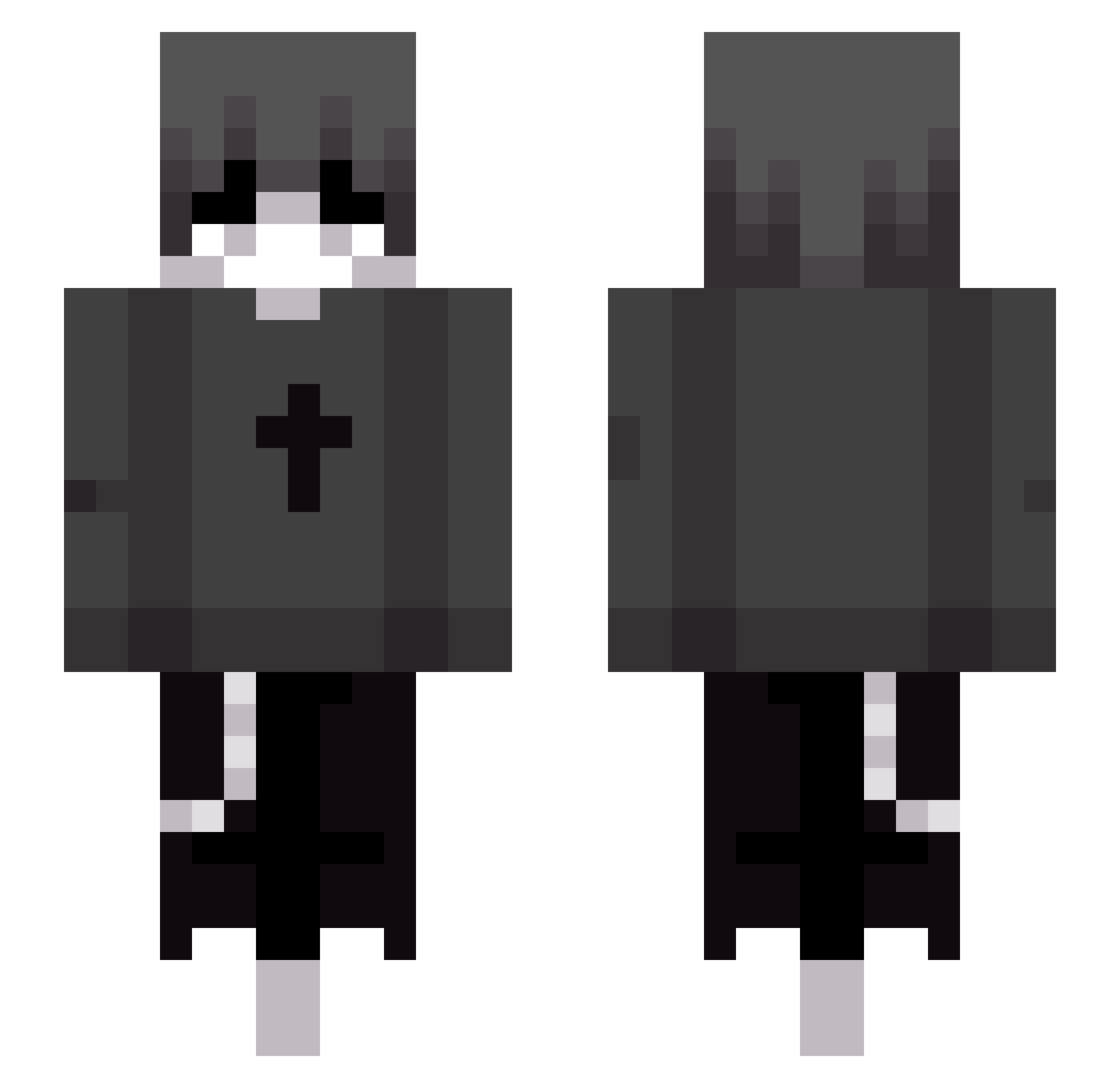
Other players with this skin (92)
OstraOkurka10 was the 43rd player we have seen with this skin, first spotted on 05.09.2026. The same skin was seen on these players. Open a nickname to see their current skin and skin history.
 SmileyMrJr cassanopycke _Stalinator_ NotYoshida atifxd Xo1m shintim_ouo Fantasyd_ chordbotgrt Maikell05 omerb7670 Ruthra_ ShyDuck54 Floweranew zen6666 Bubble_811 Zepz1 dereck09 esl003 xseeny icebullet 613lhs ElReyTilin188 n4tional ReMp2 Nernel_
 VerdeGuacamole Zzzeng12
 DamianRubick Pimlopes DGC579 Xu_Kevin
 2468qwe kyleneop jdjo b1ht 61ipok KaasVerstopt Dxrez___ Emmanuel0114 QBMaster ITZ_K3anoNL extigorzinnxx
 Avvian KaikoTh3God
 Lamax2 ni3lq Zini_Games qiangweihuahai Guwqp Yabeca TheREALM00N haji865675676665 MiekkaKuningas GekkuCos zBlacky1976 feiniya btwluka ddgg520 Loathez
More Grunge Minecraft skins
How to install the OstraOkurka10 skin
- Press the Download button above to save the skin as a PNG file.
- Minecraft: Bedrock Edition (PE): open the Dressing Room from the main menu (or tap your character → Edit Character), go to Classic Skins → Owned, press the + (new skin) button, choose the downloaded PNG and pick the Slim (Alex) model. Works on PC and mobile; consoles cannot import custom skins.
- Minecraft: Java Edition: open the Minecraft Launcher, go to the Skins tab, click New Skin, load the PNG, pick the Slim (Alex) model and press Save & Use. You can also upload it at minecraft.net → Profile → Change Skin.
The skin does not show up after import - what should I do?
Restart Minecraft and open the Dressing Room again - imported skins sometimes appear only after a restart. Also make sure you selected the imported skin and picked the Slim (Alex) model.
Which model should I choose, Classic or Slim?
This skin is designed for the Slim (Alex) model. If you pick the wrong model, the arms of the skin will look stretched or squeezed.
Is the skin of OstraOkurka10 free to download?
Yes. Press Download, save the PNG file and use it in Minecraft: Bedrock Edition or Java Edition - no payment or registration needed. The skin also works on multiplayer servers and Realms.
More skins
Looking for more? Go back to all Minecraft skins and check the top skins of the week, month and all time, or find any player's skin by nickname.