
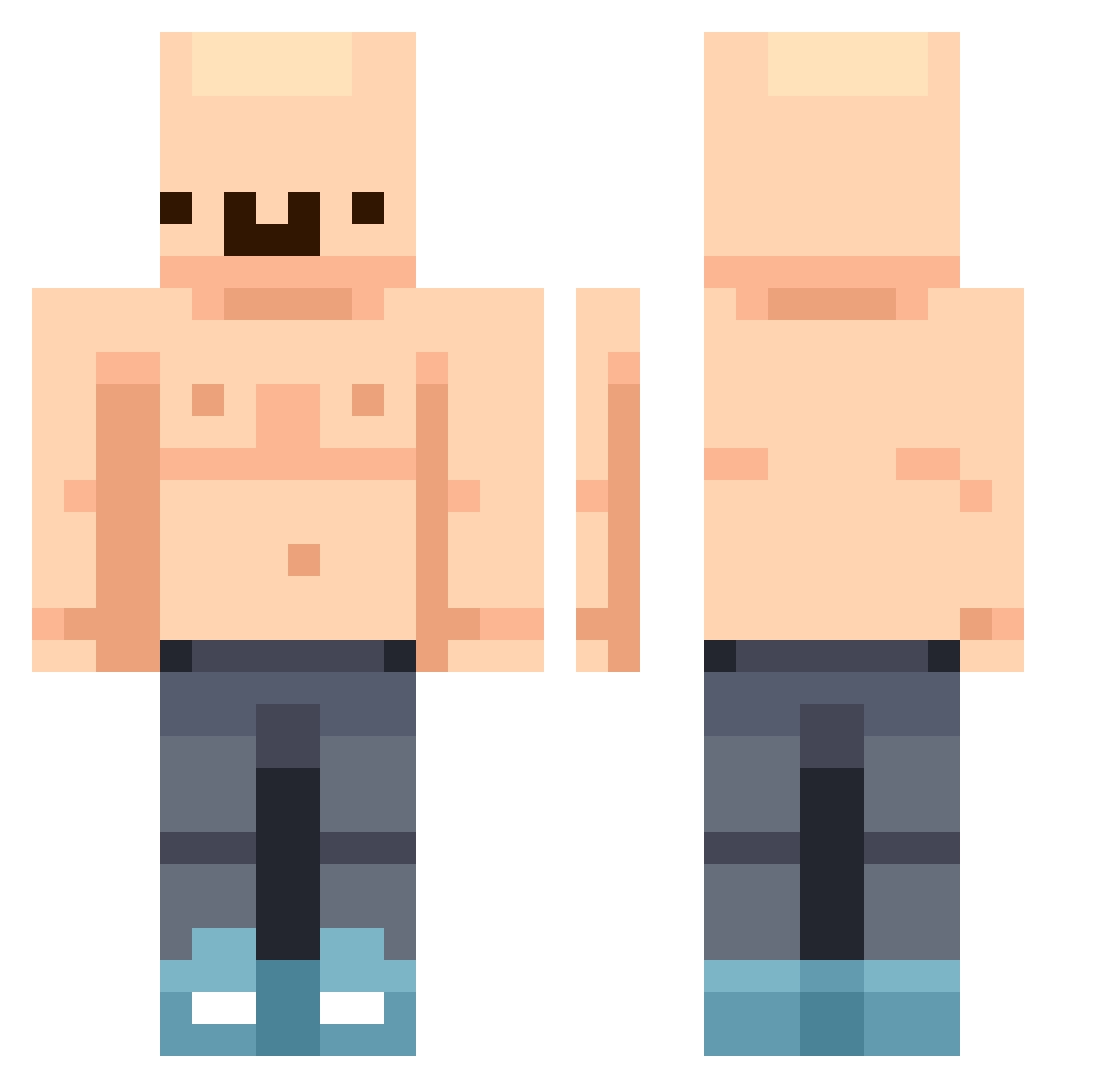
Current Minecraft skin of the player Osk_MyrKush, loaded from the official Mojang API. Rotate the 3D model with your mouse or finger, then download the skin as a PNG file and use it in Minecraft: Bedrock Edition or Java Edition for free. When Osk_MyrKush changes their skin, this page updates automatically and the old skin stays in the history below.
Other players with this skin (322)
Osk_MyrKush was the 94th player we have seen with this skin, first spotted on 16.08.2026. The same skin was seen on these players. Open a nickname to see their current skin and skin history.
 billh_ch WojtasekGrubasek erickneitore1 CSBradley nicamoroh SugmaBoss n9me J______________T GylleDK Fl3mse mamasgown AlexKet13 nicorankiao DaBabyXD iravels qoonana Paulo1364 DGH05 Komprido084 pasto0 Ketwab Litty27 cuteboy203 MmmWormWorter Friendbanana008 Spoinksss picsaa ky10v JoeTheOne NotaBlender Fawess WhyBeRich Edhardt93 Cauldron19 L1_g rubzn06 iSlapTraps WaitingToes3 yyyyy66 RevMatt lrapley5 Stay_Social Mateo4346 ermetralletass24 Tomasito777 JesterCantAim chadfalcon Koichicatt BIGBOYBOONE trickomas KenYT LeviAthan1260 MrBritishBoi123 CesarGetta watermeloek Lulllllla05 WhatTheBuck1 IAmBlackJesus Aluuu20 bappo_bappo_
More Bald Minecraft skins
How to install the Osk_MyrKush skin
- Press the Download button above to save the skin as a PNG file.
- Minecraft: Bedrock Edition (PE): open the Dressing Room from the main menu (or tap your character → Edit Character), go to Classic Skins → Owned, press the + (new skin) button, choose the downloaded PNG and pick the Classic (Steve) model. Works on PC and mobile; consoles cannot import custom skins.
- Minecraft: Java Edition: open the Minecraft Launcher, go to the Skins tab, click New Skin, load the PNG, pick the Classic (Steve) model and press Save & Use. You can also upload it at minecraft.net → Profile → Change Skin.
The skin does not show up after import - what should I do?
Restart Minecraft and open the Dressing Room again - imported skins sometimes appear only after a restart. Also make sure you selected the imported skin and picked the Classic (Steve) model.
Which model should I choose, Classic or Slim?
This skin is designed for the Classic (Steve) model. If you pick the wrong model, the arms of the skin will look stretched or squeezed.
Is the skin of Osk_MyrKush free to download?
Yes. Press Download, save the PNG file and use it in Minecraft: Bedrock Edition or Java Edition - no payment or registration needed. The skin also works on multiplayer servers and Realms.
More skins
Looking for more? Go back to all Minecraft skins and check the top skins of the week, month and all time, or find any player's skin by nickname.