
OscaTos - Minecraft Skins & Skin History
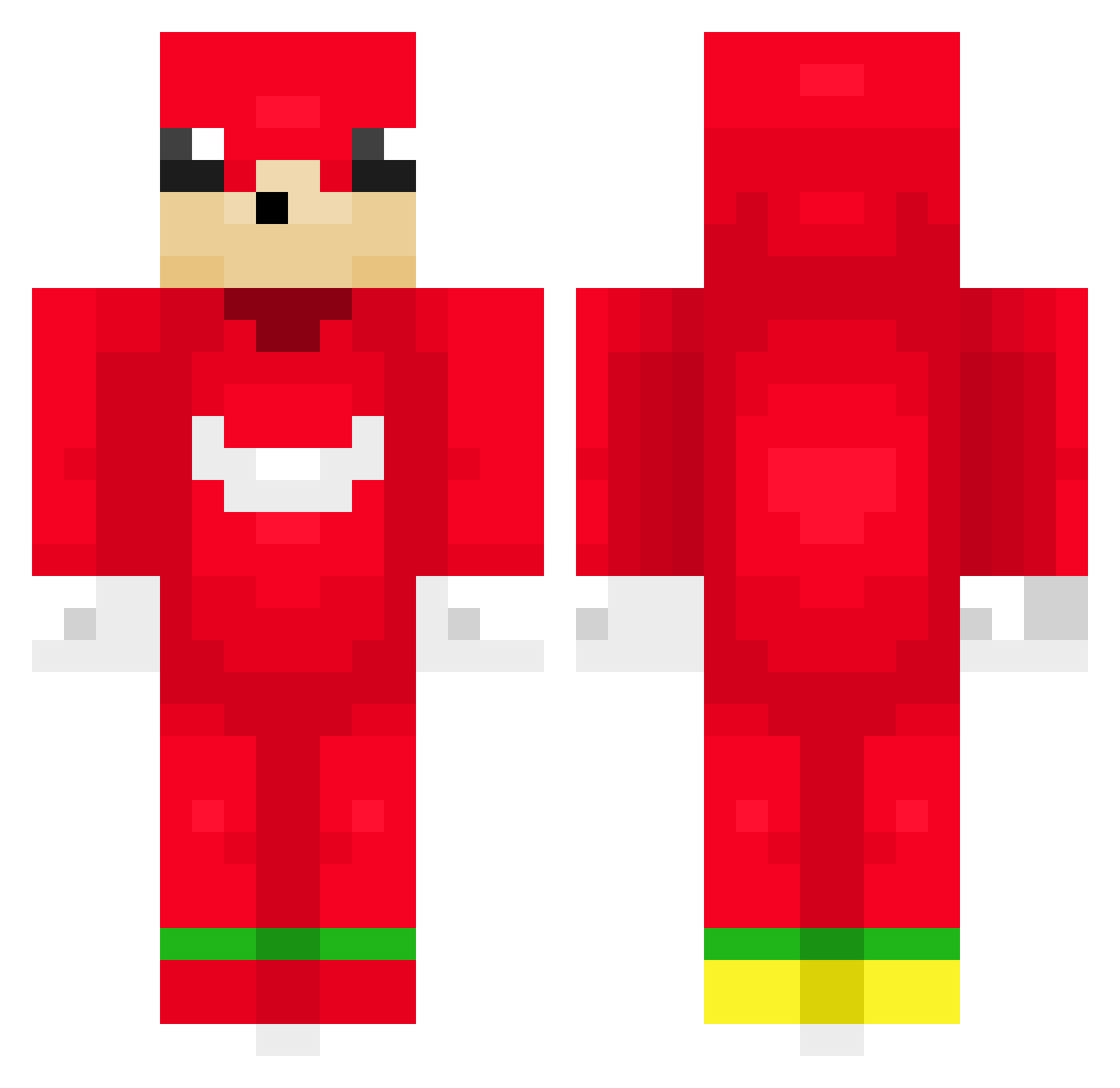
Current Minecraft skin of the player OscaTos, loaded from the official Mojang API. Rotate the 3D model with your mouse or finger, then download the skin as a PNG file and use it in Minecraft: Bedrock Edition or Java Edition for free. When OscaTos changes their skin, this page updates automatically and the old skin stays in the history below.
Other players with this skin (172)
OscaTos was the 143rd player we have seen with this skin, first spotted on 29.10.2026. The same skin was seen on these players. Open a nickname to see their current skin and skin history.
 Andreez SpicyVegan5607 jhcatastrofe RoryRen Zombiepimp808 Master1st Bannshi ElAlejo202 dogu112 rouse_x 70RF symbiote_83 Landonn_ cicikusaaaa Kangvero Charnayy DieWeltGehtUnter Flintowsky Wolvic69 Kalidof BonyIsBored MaxiBoh Hyunaw El_Moko dent1n Vecop sushi3trash YDemirkan Kirik13 yanggaeng6121 ameliorator Sincerely_Feel Tteok_gang _kyumii Flko WB_whitebear AimarOMG Khun2752 Flipsey Max_pro3500 Halfseal16 BeMadMan ASkySoBlack DrewDrewBeans aodwkd0608 szatana baderkoq LexoOnToaster Namdoog Caboclo Mkx810 OfirNan Returneeeedd gingerale41 thxw pumpumgobbler RossKMS Witrix_ starrorqq kkukkyu
More Knuckles Minecraft skins
How to install the OscaTos skin
- Press the Download button above to save the skin as a PNG file.
- Minecraft: Bedrock Edition (PE): open the Dressing Room from the main menu (or tap your character → Edit Character), go to Classic Skins → Owned, press the + (new skin) button, choose the downloaded PNG and pick the Classic (Steve) model. Works on PC and mobile; consoles cannot import custom skins.
- Minecraft: Java Edition: open the Minecraft Launcher, go to the Skins tab, click New Skin, load the PNG, pick the Classic (Steve) model and press Save & Use. You can also upload it at minecraft.net → Profile → Change Skin.
The skin does not show up after import - what should I do?
Restart Minecraft and open the Dressing Room again - imported skins sometimes appear only after a restart. Also make sure you selected the imported skin and picked the Classic (Steve) model.
Which model should I choose, Classic or Slim?
This skin is designed for the Classic (Steve) model. If you pick the wrong model, the arms of the skin will look stretched or squeezed.
Is the skin of OscaTos free to download?
Yes. Press Download, save the PNG file and use it in Minecraft: Bedrock Edition or Java Edition - no payment or registration needed. The skin also works on multiplayer servers and Realms.
More skins
Looking for more? Go back to all Minecraft skins and check the top skins of the week, month and all time, or find any player's skin by nickname.