
Order404 - Minecraft Skins & Skin History
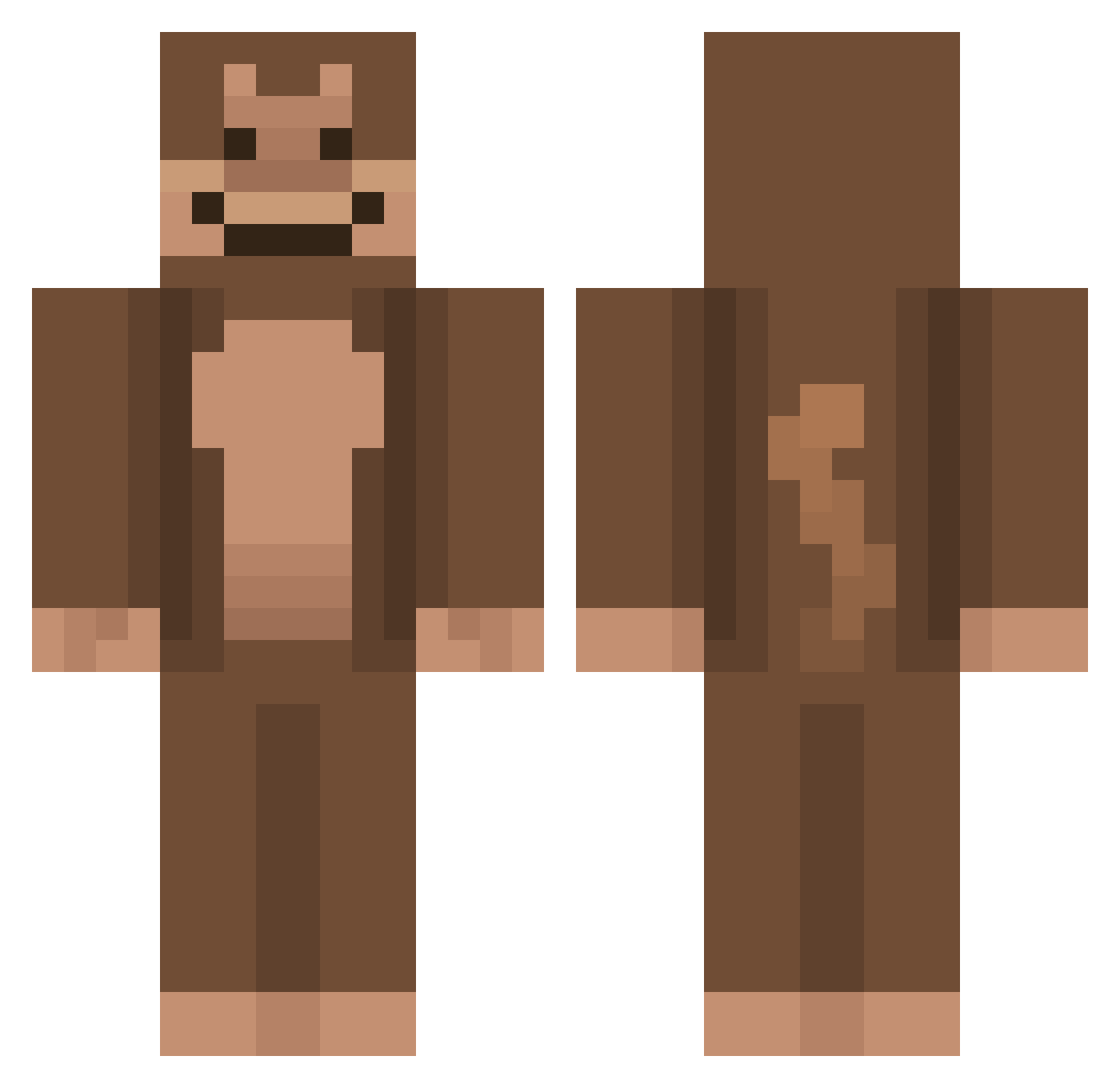
Current Minecraft skin of the player Order404, loaded from the official Mojang API. Rotate the 3D model with your mouse or finger, then download the skin as a PNG file and use it in Minecraft: Bedrock Edition or Java Edition for free. When Order404 changes their skin, this page updates automatically and the old skin stays in the history below.
Other players with this skin (643)
Order404 was the 272nd player we have seen with this skin, first spotted on 31.08.2026. The same skin was seen on these players. Open a nickname to see their current skin and skin history.
 Oasitic JCooper05 penguinny100 MillyMonkey2022 Njoel2 Gooby246 puNto0 BorkOperator Arvinkai poppinanut ANT01NUS h_68 hugoek2007 Ankad jonasapekatt exhellea AgonizedPluto06 Schbip El_Maniako k3v1n_1 TheRealG_ SlillyMonkey xay_xay Doomiles miner3737 Demolisher996 Junnmnn SrEmoo wayzdobrzil Foxoplays Monique0587 lime2lemon xXBig_CheeseXx JJayden_
 Oblom MohammedgamingNL Fresch13 xgames12 dwhzz Chewman2001 SlimePointe Timmm_98 ChimpGaming07 Cluelesss04 Attano Ho_sik owenklein11 FroogLegs TickleMonkey808 Monkeytries Harris786 capyright jaeffrayy D0RAH K1ngHooty mrpumpen cyberkiss Tulie09 habidk Jeeello
More Ape Minecraft skins
How to install the Order404 skin
- Press the Download button above to save the skin as a PNG file.
- Minecraft: Bedrock Edition (PE): open the Dressing Room from the main menu (or tap your character → Edit Character), go to Classic Skins → Owned, press the + (new skin) button, choose the downloaded PNG and pick the Classic (Steve) model. Works on PC and mobile; consoles cannot import custom skins.
- Minecraft: Java Edition: open the Minecraft Launcher, go to the Skins tab, click New Skin, load the PNG, pick the Classic (Steve) model and press Save & Use. You can also upload it at minecraft.net → Profile → Change Skin.
The skin does not show up after import - what should I do?
Restart Minecraft and open the Dressing Room again - imported skins sometimes appear only after a restart. Also make sure you selected the imported skin and picked the Classic (Steve) model.
Which model should I choose, Classic or Slim?
This skin is designed for the Classic (Steve) model. If you pick the wrong model, the arms of the skin will look stretched or squeezed.
Is the skin of Order404 free to download?
Yes. Press Download, save the PNG file and use it in Minecraft: Bedrock Edition or Java Edition - no payment or registration needed. The skin also works on multiplayer servers and Realms.
More skins
Looking for more? Go back to all Minecraft skins and check the top skins of the week, month and all time, or find any player's skin by nickname.