
OrangeSavage - Minecraft Skins & Skin History
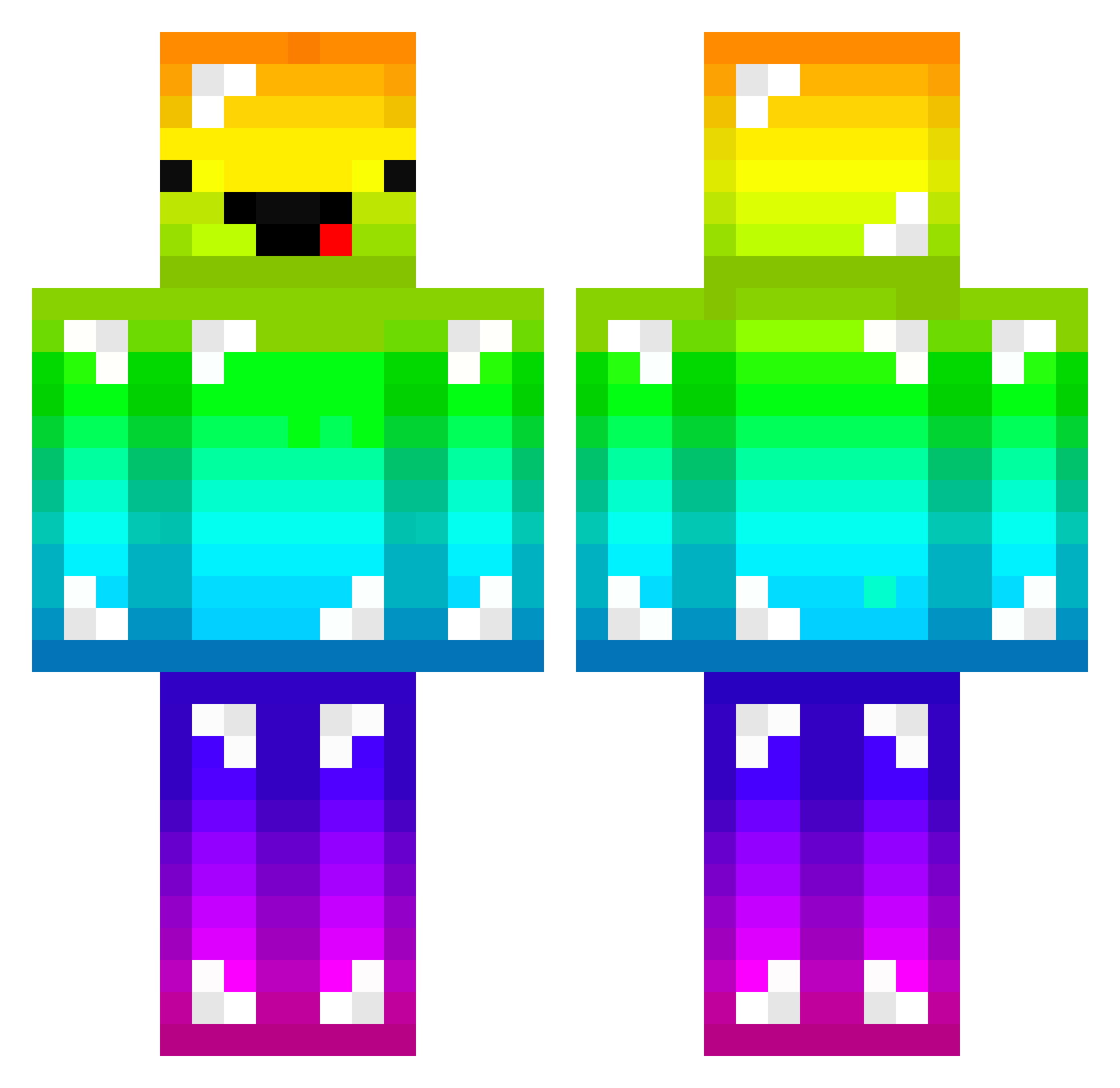
Current Minecraft skin of the player OrangeSavage, loaded from the official Mojang API. Rotate the 3D model with your mouse or finger, then download the skin as a PNG file and use it in Minecraft: Bedrock Edition or Java Edition for free. When OrangeSavage changes their skin, this page updates automatically and the old skin stays in the history below.
Other players with this skin (288)
OrangeSavage was the 265th player we have seen with this skin, first spotted on 08.11.2026. The same skin was seen on these players. Open a nickname to see their current skin and skin history.
 Glorfinder jasontigerslayer Eagles2024 Missaroo62 keeeeen000 cieloeste nke1 iMetehanStrafe TheOneOf_Exag Modernstealer65 dirtbikem4star10 DigitalPsy Arctic_Donut Richrrd72 Ejamz Caress01 Voltzxx Futuristic_OMG Inspacemonkey ItssTheLaw GedeCille bauble1908 pingi_0 Cai1405 LozanoX GaziReiss Talia31 EnglandBe sjimme19 Lujen14 Lord_Baiano Gavbot123 mr_violin Pepeee974 TurkeyJeans LincolnSkywalker SuperDuperGirl1 moshadin DERP_master6000 solorice evaristo2003 mattzamm05 nickphood Sonix0992 eFrantic HGBlobJr hirokirock eldini30 DrumanDawg ITzW01f froggy8888 Eniu1230 ottersem GGordis342 frans66 TunnelRattt annaskii BveeZ_ Zimtdrop KrunchyTheGreat
More Diamond Armor Minecraft skins
See all 317 Diamond Armor skins
How to install the OrangeSavage skin
- Press the Download button above to save the skin as a PNG file.
- Minecraft: Bedrock Edition (PE): open the Dressing Room from the main menu (or tap your character → Edit Character), go to Classic Skins → Owned, press the + (new skin) button, choose the downloaded PNG and pick the Classic (Steve) model. Works on PC and mobile; consoles cannot import custom skins.
- Minecraft: Java Edition: open the Minecraft Launcher, go to the Skins tab, click New Skin, load the PNG, pick the Classic (Steve) model and press Save & Use. You can also upload it at minecraft.net → Profile → Change Skin.
The skin does not show up after import - what should I do?
Restart Minecraft and open the Dressing Room again - imported skins sometimes appear only after a restart. Also make sure you selected the imported skin and picked the Classic (Steve) model.
Which model should I choose, Classic or Slim?
This skin is designed for the Classic (Steve) model. If you pick the wrong model, the arms of the skin will look stretched or squeezed.
Is the skin of OrangeSavage free to download?
Yes. Press Download, save the PNG file and use it in Minecraft: Bedrock Edition or Java Edition - no payment or registration needed. The skin also works on multiplayer servers and Realms.
More skins
Looking for more? Go back to all Minecraft skins and check the top skins of the week, month and all time, or find any player's skin by nickname.