
OpticX50 - Minecraft Skins & Skin History
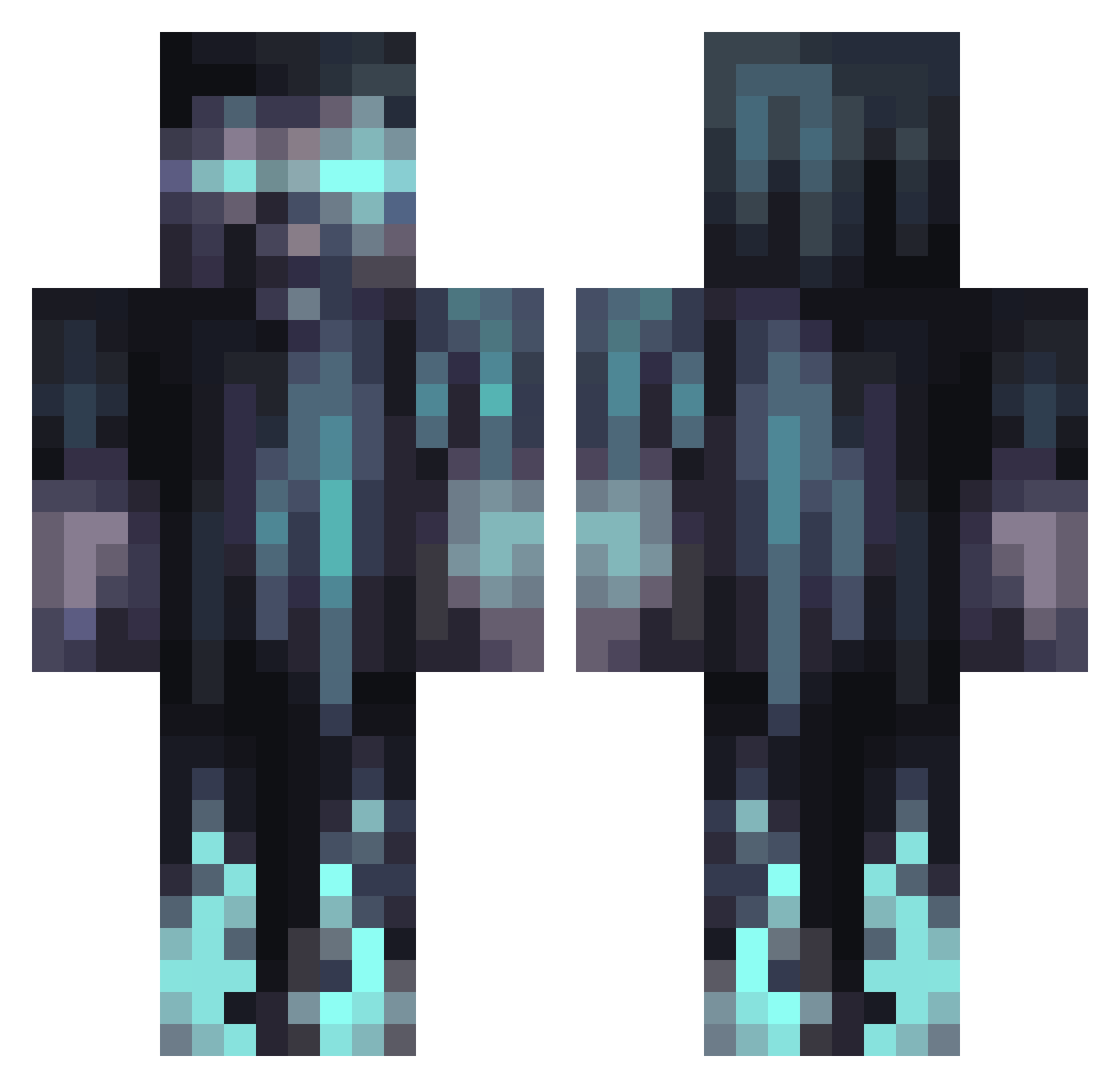
Current Minecraft skin of the player OpticX50, loaded from the official Mojang API. Rotate the 3D model with your mouse or finger, then download the skin as a PNG file and use it in Minecraft: Bedrock Edition or Java Edition for free. When OpticX50 changes their skin, this page updates automatically and the old skin stays in the history below.
Other players with this skin (1067)
OpticX50 was the 330th player we have seen with this skin, first spotted on 25.08.2026. The same skin was seen on these players. Open a nickname to see their current skin and skin history.
 Aube_mc Sleepylion19 Garfic2020 _AzzieWazzie_ Hic20 ben331029071 JeKankerVader Sdeli05 MisterGlorp iEatBeanz123 DeusxYoAnXn BlackShinobi_ ALEJANDROCHEN12 OxYDe_tv LukasekCHM WaterXuan JuanBihr Nneko17 Paxton710 TUPAPTO podani AaronF2005 julmaster149 tuvoo Yuvraaaaj Orasmona Dantesombrio kingOfDruids Moessoeee Scorsei mk4president willt17 cjtn10 YoloMcSwagSwag cCyborg_ Not_NeverLux Sp3ctre107 Artifex_06 DotingLlama7892 thirstyboar4 RUBINEK_ LeoTheLionCub Fortex01 ovokorra Amaujito3 GDuck123 JoshPlayz007 SweatyWrench Doctzr LondonBunden SuperMatti7884 CRS207 Leonboy543 Rafooh Bobeatsyou LRES1007 PsychoGaming87 CosmicCubeCake Julsn_3 ZMan_2300
More Warden Minecraft skins
How to install the OpticX50 skin
- Press the Download button above to save the skin as a PNG file.
- Minecraft: Bedrock Edition (PE): open the Dressing Room from the main menu (or tap your character → Edit Character), go to Classic Skins → Owned, press the + (new skin) button, choose the downloaded PNG and pick the Classic (Steve) model. Works on PC and mobile; consoles cannot import custom skins.
- Minecraft: Java Edition: open the Minecraft Launcher, go to the Skins tab, click New Skin, load the PNG, pick the Classic (Steve) model and press Save & Use. You can also upload it at minecraft.net → Profile → Change Skin.
The skin does not show up after import - what should I do?
Restart Minecraft and open the Dressing Room again - imported skins sometimes appear only after a restart. Also make sure you selected the imported skin and picked the Classic (Steve) model.
Which model should I choose, Classic or Slim?
This skin is designed for the Classic (Steve) model. If you pick the wrong model, the arms of the skin will look stretched or squeezed.
Is the skin of OpticX50 free to download?
Yes. Press Download, save the PNG file and use it in Minecraft: Bedrock Edition or Java Edition - no payment or registration needed. The skin also works on multiplayer servers and Realms.
More skins
Looking for more? Go back to all Minecraft skins and check the top skins of the week, month and all time, or find any player's skin by nickname.