
Optachki - Minecraft Skins & Skin History
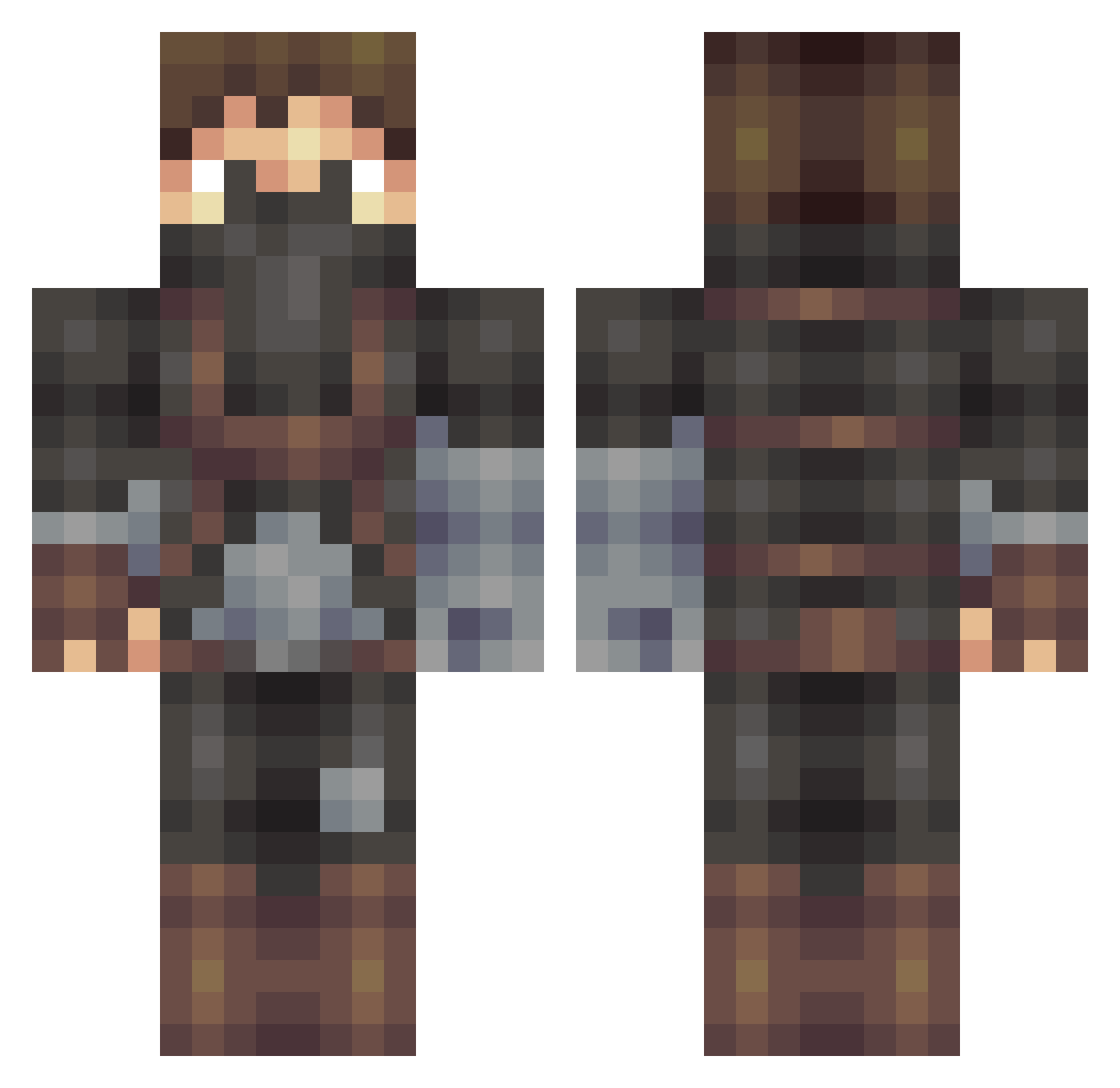
Current Minecraft skin of the player Optachki, loaded from the official Mojang API. Rotate the 3D model with your mouse or finger, then download the skin as a PNG file and use it in Minecraft: Bedrock Edition or Java Edition for free. When Optachki changes their skin, this page updates automatically and the old skin stays in the history below.
Other players with this skin (405)
Optachki was the 365th player we have seen with this skin, first spotted on 24.10.2026. The same skin was seen on these players. Open a nickname to see their current skin and skin history.
 InspectorChromes Erdogames LWS91 MedicMiles BigOldPapaSambo Myrmidon59 Katharugh MawinhoJr Impeessa Ethoneo ImNabo Fineit FlipZzx TimeTooSlow Crystluxx Prudenceo wph0r adricla jelle321 Andy_IQ SoulSoos Tynnu Daedalus0909 reaxter51 ManOfSteelXY LunoxWho Sekhori peanutpann Spellfire360 TPAX_Yapi_Dor RunCMC123 AidenDz7 LeBarbeau GentlemanXY Liberte0207 asapCon Leftenright Eric1908 D4RKOwO _Hernan_ Caetera Dayitoo Ticha420 Reafles kioiu ZeroMustafa ArticWall zDezzah rillond massimo11 hyuntaeyoo RH_Bishop Tegelaner Valiant0 Wevel467 hakan148 Splaex Trick6796 jaumeduran95 mahmutgu
More Rogue Minecraft skins
How to install the Optachki skin
- Press the Download button above to save the skin as a PNG file.
- Minecraft: Bedrock Edition (PE): open the Dressing Room from the main menu (or tap your character → Edit Character), go to Classic Skins → Owned, press the + (new skin) button, choose the downloaded PNG and pick the Classic (Steve) model. Works on PC and mobile; consoles cannot import custom skins.
- Minecraft: Java Edition: open the Minecraft Launcher, go to the Skins tab, click New Skin, load the PNG, pick the Classic (Steve) model and press Save & Use. You can also upload it at minecraft.net → Profile → Change Skin.
The skin does not show up after import - what should I do?
Restart Minecraft and open the Dressing Room again - imported skins sometimes appear only after a restart. Also make sure you selected the imported skin and picked the Classic (Steve) model.
Which model should I choose, Classic or Slim?
This skin is designed for the Classic (Steve) model. If you pick the wrong model, the arms of the skin will look stretched or squeezed.
Is the skin of Optachki free to download?
Yes. Press Download, save the PNG file and use it in Minecraft: Bedrock Edition or Java Edition - no payment or registration needed. The skin also works on multiplayer servers and Realms.
More skins
Looking for more? Go back to all Minecraft skins and check the top skins of the week, month and all time, or find any player's skin by nickname.