
OpTic_Dorito - Minecraft Skins & Skin History
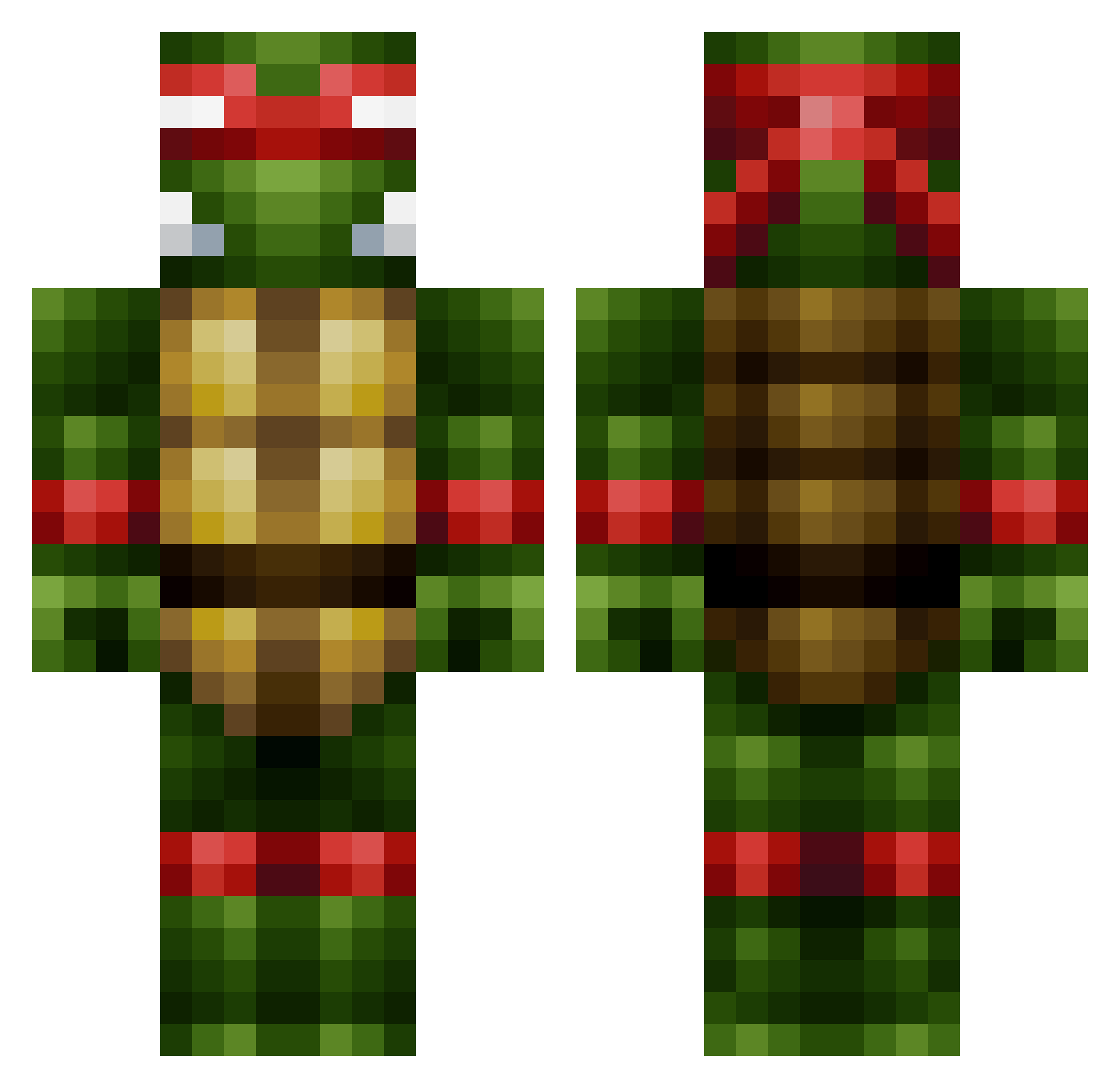
Current Minecraft skin of the player OpTic_Dorito, loaded from the official Mojang API. Rotate the 3D model with your mouse or finger, then download the skin as a PNG file and use it in Minecraft: Bedrock Edition or Java Edition for free. When OpTic_Dorito changes their skin, this page updates automatically and the old skin stays in the history below.
Other players with this skin (444)
OpTic_Dorito was the 377th player we have seen with this skin, first spotted on 19.10.2026. The same skin was seen on these players. Open a nickname to see their current skin and skin history.
 lugtread cjryan18 Downzie secretsquirell30 Bagadeer jackrandumb Jojotoch Ann1330 Warthin yeyuanchao AML1014 nnaattzz MertyreX Jasiah05 woltmanevi VolKoM26 kawasaki757 xxxchickeneater WhiteHoe64 Katie_e_m dikkeoom napoleonga RedPhoenixv lilsean827 ItzMonky Ziiip fredenshippy Kuzula Mirmigofagos Yung_AJ PurplzHaze InfiniteChaos757 urbanplay1 urda23 jacksoccer20 Nutrients jordano150 syzey Santos_0215 HypeboyJr seppegijbels toby1279 MrSheyko Zatox666 GeneralPenguin99 THEeraser1996 H3xis64 PrinzDB johnnydoc5 aidanjm2000 DutchJelly Danath_Raynor ManjotSingh01 OhHappyDayz Shadrackmang Apocalypze StrongMud Meven_ FreakReaper JoyLane
More Raphael Minecraft skins
How to install the OpTic_Dorito skin
- Press the Download button above to save the skin as a PNG file.
- Minecraft: Bedrock Edition (PE): open the Dressing Room from the main menu (or tap your character → Edit Character), go to Classic Skins → Owned, press the + (new skin) button, choose the downloaded PNG and pick the Classic (Steve) model. Works on PC and mobile; consoles cannot import custom skins.
- Minecraft: Java Edition: open the Minecraft Launcher, go to the Skins tab, click New Skin, load the PNG, pick the Classic (Steve) model and press Save & Use. You can also upload it at minecraft.net → Profile → Change Skin.
The skin does not show up after import - what should I do?
Restart Minecraft and open the Dressing Room again - imported skins sometimes appear only after a restart. Also make sure you selected the imported skin and picked the Classic (Steve) model.
Which model should I choose, Classic or Slim?
This skin is designed for the Classic (Steve) model. If you pick the wrong model, the arms of the skin will look stretched or squeezed.
Is the skin of OpTic_Dorito free to download?
Yes. Press Download, save the PNG file and use it in Minecraft: Bedrock Edition or Java Edition - no payment or registration needed. The skin also works on multiplayer servers and Realms.
More skins
Looking for more? Go back to all Minecraft skins and check the top skins of the week, month and all time, or find any player's skin by nickname.