
Onyx11Aura - Minecraft Skins & Skin History
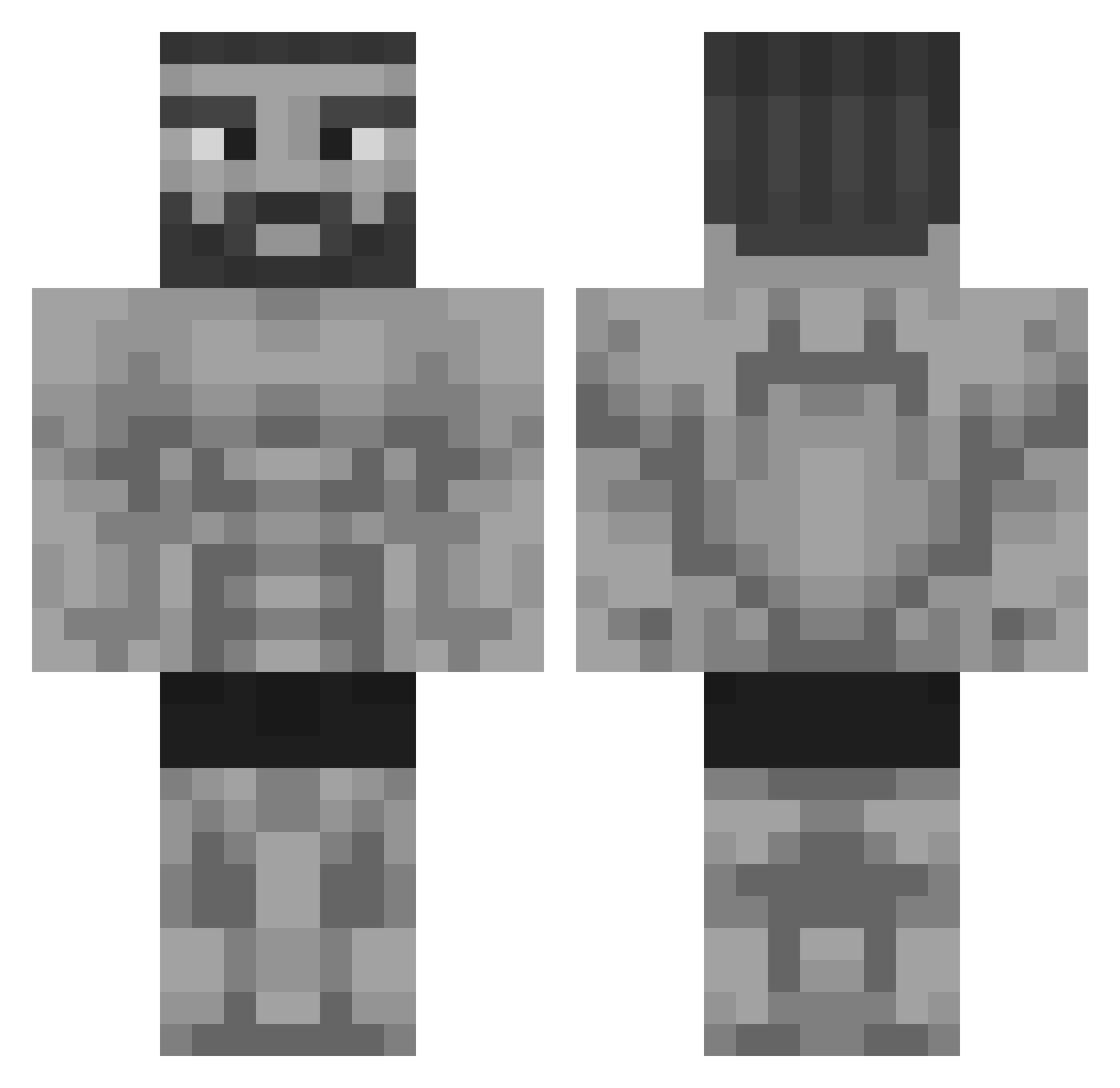
Current Minecraft skin of the player Onyx11Aura, loaded from the official Mojang API. Rotate the 3D model with your mouse or finger, then download the skin as a PNG file and use it in Minecraft: Bedrock Edition or Java Edition for free. When Onyx11Aura changes their skin, this page updates automatically and the old skin stays in the history below.
Other players with this skin (404)
Onyx11Aura was the 346th player we have seen with this skin, first spotted on 05.11.2026. The same skin was seen on these players. Open a nickname to see their current skin and skin history.
 UnitADSix Weliosss Hexlingg Ragnaryus joonjukun DisturbingPerson Gullu9 HungryZilla eggysz Nextshot mnmlistico Kayumm0 Lucarpe_ kepiting FeministHunter zapering427_Game Robon knightmare1000 Misterbanana06 craftmonkey9 DETTNOT Dad_Chad j0shhii gorgonz0 Bruhexander JaNnE26 MrGeists GIGACHADSK Cangom thegamer64236 alexxy5 Xdchunk420 Jubdog1 EpicGigaChad deidd Teyzens TGias09 ArthurNog Netherblade_ Sanso6 Isaaaac_ Vex_23 cokokoko MrNeonV2 suleymancakirrrr BusterBoys579 AnkoMii ZeroOut900 Emokles12 Daniel_son101 sukiyuck Fredryk07 GavraGandra Declaredelk1156 KollegeHumus AriVibez Storm_Rush masana000 Iknias therappha
More Gigachad Minecraft skins
How to install the Onyx11Aura skin
- Press the Download button above to save the skin as a PNG file.
- Minecraft: Bedrock Edition (PE): open the Dressing Room from the main menu (or tap your character → Edit Character), go to Classic Skins → Owned, press the + (new skin) button, choose the downloaded PNG and pick the Classic (Steve) model. Works on PC and mobile; consoles cannot import custom skins.
- Minecraft: Java Edition: open the Minecraft Launcher, go to the Skins tab, click New Skin, load the PNG, pick the Classic (Steve) model and press Save & Use. You can also upload it at minecraft.net → Profile → Change Skin.
The skin does not show up after import - what should I do?
Restart Minecraft and open the Dressing Room again - imported skins sometimes appear only after a restart. Also make sure you selected the imported skin and picked the Classic (Steve) model.
Which model should I choose, Classic or Slim?
This skin is designed for the Classic (Steve) model. If you pick the wrong model, the arms of the skin will look stretched or squeezed.
Is the skin of Onyx11Aura free to download?
Yes. Press Download, save the PNG file and use it in Minecraft: Bedrock Edition or Java Edition - no payment or registration needed. The skin also works on multiplayer servers and Realms.
More skins
Looking for more? Go back to all Minecraft skins and check the top skins of the week, month and all time, or find any player's skin by nickname.