
Onur_Kislal - Minecraft Skins & Skin History
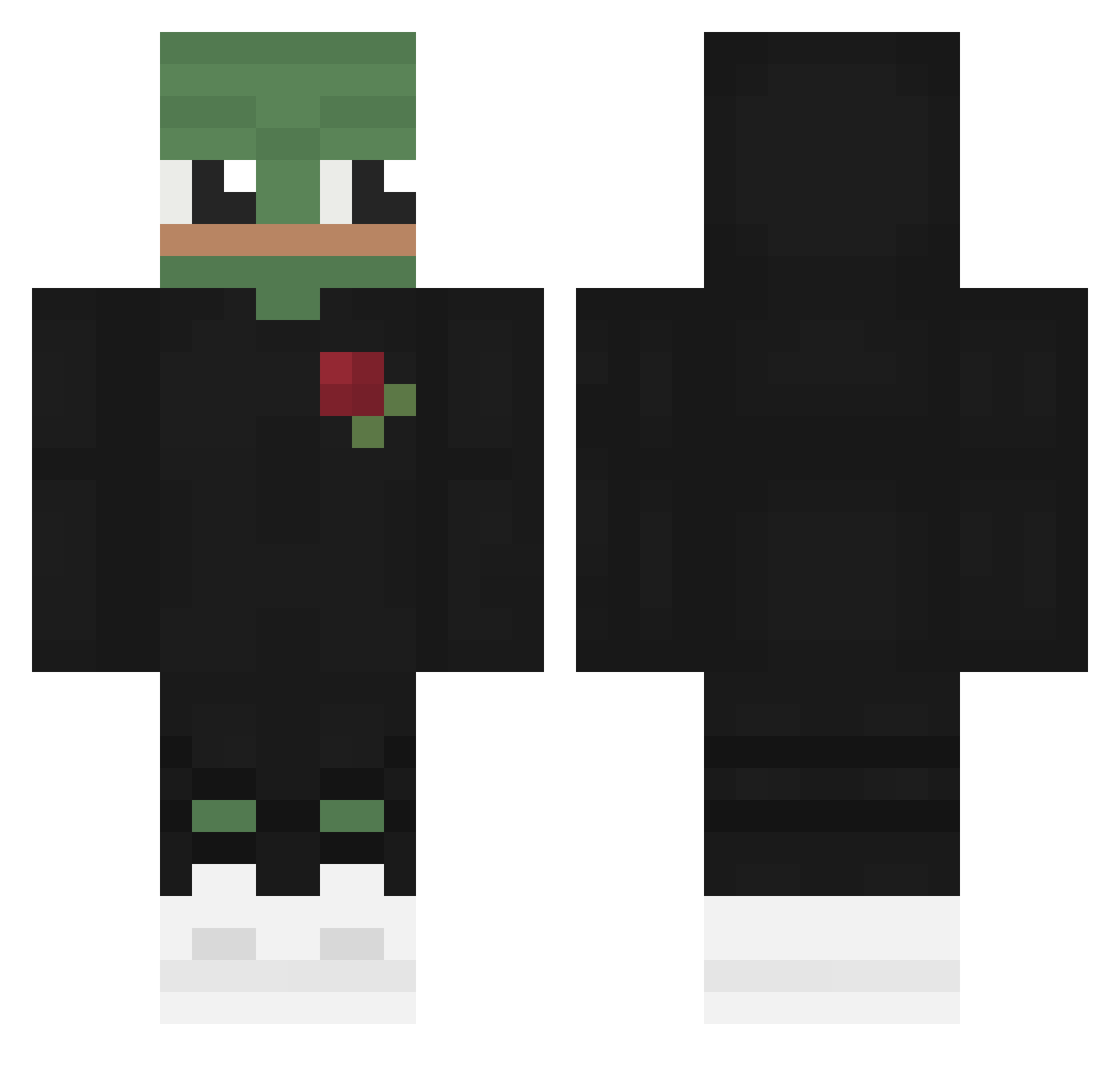
Current Minecraft skin of the player Onur_Kislal, loaded from the official Mojang API. Rotate the 3D model with your mouse or finger, then download the skin as a PNG file and use it in Minecraft: Bedrock Edition or Java Edition for free. When Onur_Kislal changes their skin, this page updates automatically and the old skin stays in the history below.
Other players with this skin (478)
Onur_Kislal was the 445th player we have seen with this skin, first spotted on 13.10.2026. The same skin was seen on these players. Open a nickname to see their current skin and skin history.
 idkitsgabe Vlad_Volvo ImDying__ XltzMax Pain0809 Ko3uHaK OvODrizzle Sxhlund __Azumi__ RandomRadar Causalgia KamikazeTactics Cptab Higidy Manta_Ray_k zxcgame Cigarrouwu LeafyBobo joesnelling19 sludgewater meiifuuh Quertin_ AdriaMan09 Dylan_316 DiverDown115ft Krrzywy ExtinctionXx Ribonucleic ZorialxRobin otrosariolendo LeonDerKnecht RudyGames_YT Jean_Black 0peratoreq _P3P3 Brunild0 Rockingb Artur_Js Emil131121 TucsKeks aalleen Ganma_98 Fishycactus7730 roadkillex Qulli74 skunklee D1vee Rodzynek69 DAN4ICK777 ICantFindGoogle SprucieJ Xx_DarkFrost_ Caesariuz Lazy_pasta_ Kulek_ KatzeTF VVarrante CFS_WARLOCK Kunn_02 KingKhaaan
More Pepe Minecraft skins
How to install the Onur_Kislal skin
- Press the Download button above to save the skin as a PNG file.
- Minecraft: Bedrock Edition (PE): open the Dressing Room from the main menu (or tap your character → Edit Character), go to Classic Skins → Owned, press the + (new skin) button, choose the downloaded PNG and pick the Classic (Steve) model. Works on PC and mobile; consoles cannot import custom skins.
- Minecraft: Java Edition: open the Minecraft Launcher, go to the Skins tab, click New Skin, load the PNG, pick the Classic (Steve) model and press Save & Use. You can also upload it at minecraft.net → Profile → Change Skin.
The skin does not show up after import - what should I do?
Restart Minecraft and open the Dressing Room again - imported skins sometimes appear only after a restart. Also make sure you selected the imported skin and picked the Classic (Steve) model.
Which model should I choose, Classic or Slim?
This skin is designed for the Classic (Steve) model. If you pick the wrong model, the arms of the skin will look stretched or squeezed.
Is the skin of Onur_Kislal free to download?
Yes. Press Download, save the PNG file and use it in Minecraft: Bedrock Edition or Java Edition - no payment or registration needed. The skin also works on multiplayer servers and Realms.
More skins
Looking for more? Go back to all Minecraft skins and check the top skins of the week, month and all time, or find any player's skin by nickname.