
OmniPupaFireDupa - Minecraft Skins & Skin History
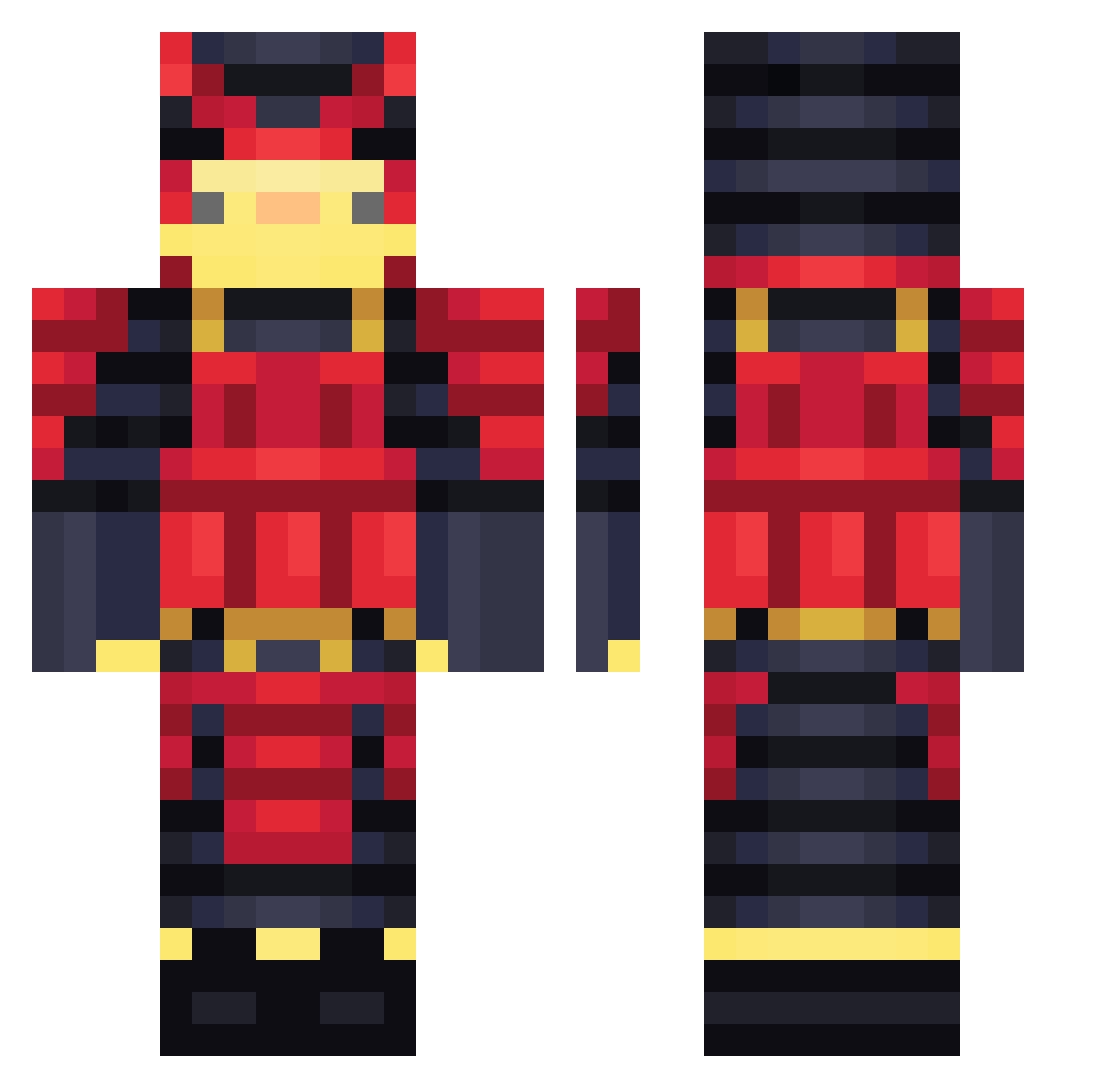
Current Minecraft skin of the player OmniPupaFireDupa, loaded from the official Mojang API. Rotate the 3D model with your mouse or finger, then download the skin as a PNG file and use it in Minecraft: Bedrock Edition or Java Edition for free. When OmniPupaFireDupa changes their skin, this page updates automatically and the old skin stays in the history below.
Other players with this skin (459)
OmniPupaFireDupa was the 90th player we have seen with this skin, first spotted on 17.08.2026. The same skin was seen on these players. Open a nickname to see their current skin and skin history.
 AlTToS BlacK226 BlackDeagle7288 Insulin_Addict17 HalowDie zayood502 Zedi331 GabrielSalve42 RoDrIgOo_66 IKKO86 HugoR2024 Gol_D_Max Bibo_exe Crimine vEO8 Koocki Atharvat007 Victorelnoob TatonTogo jim961219 Mayt__ Papiloco12 Maxmifu sensei_zako FEDIOH Ammousxd
 Lyubomir1372 Reaper5133 KunFuMonk EL_POLLOXD Brain9912 druke_ DragonKillaMon realrealcat Klayzz_ Pietrooooooo libid_gel Auratix jottakun EARTH157 Glypzi Giampicraft ShaddyAstronaut TOYAN3573 TrmonSlayer Emanuellindo724 Bobaguette Mr_Kent26 Godzollo Alopeus Foxii06 DuckNoober Liameemee ReyHector08 Lymonchyk YonNoow JustN1ls AriseinV MNCK22 6op
More Samurai Minecraft skins
How to install the OmniPupaFireDupa skin
- Press the Download button above to save the skin as a PNG file.
- Minecraft: Bedrock Edition (PE): open the Dressing Room from the main menu (or tap your character → Edit Character), go to Classic Skins → Owned, press the + (new skin) button, choose the downloaded PNG and pick the Classic (Steve) model. Works on PC and mobile; consoles cannot import custom skins.
- Minecraft: Java Edition: open the Minecraft Launcher, go to the Skins tab, click New Skin, load the PNG, pick the Classic (Steve) model and press Save & Use. You can also upload it at minecraft.net → Profile → Change Skin.
The skin does not show up after import - what should I do?
Restart Minecraft and open the Dressing Room again - imported skins sometimes appear only after a restart. Also make sure you selected the imported skin and picked the Classic (Steve) model.
Which model should I choose, Classic or Slim?
This skin is designed for the Classic (Steve) model. If you pick the wrong model, the arms of the skin will look stretched or squeezed.
Is the skin of OmniPupaFireDupa free to download?
Yes. Press Download, save the PNG file and use it in Minecraft: Bedrock Edition or Java Edition - no payment or registration needed. The skin also works on multiplayer servers and Realms.
More skins
Looking for more? Go back to all Minecraft skins and check the top skins of the week, month and all time, or find any player's skin by nickname.